

Scan documents and convert them into digital files easily with this scanner app.
"MDScan, or Mobile Doc Scanner for Android, is one of the best I have found."
TJ McCue ، مساهم كبير ، Forbes (https://www.forbes.com/sites/tjmccue/2020/04/24/no-desktop-scanner-use-this-droid-mobile-document-scanner-for-personal-and-work)
التقط صورة مع الكاميرا ، وقم بتحريرها باستخدام العديد من الميزات المعززة ، وحفظها في تنسيق مفضل ومشاركة على وسائل التواصل الاجتماعي والبريد الإلكتروني والخدمات السحابية.
Not satisfied? We'll refund you!
MDScan is a mobile doc scanner that allows you to scan any type of document using your phone camera. This could be receipts, text pages, coupons, posters, magazine articles, invoices, pictures, and any printed documents.
كيف تعمل؟
1. Take a picture with your camera
2. Choose an editing option (you can select “unenhanced”)
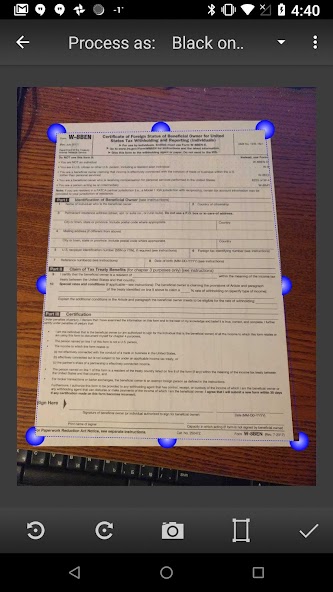
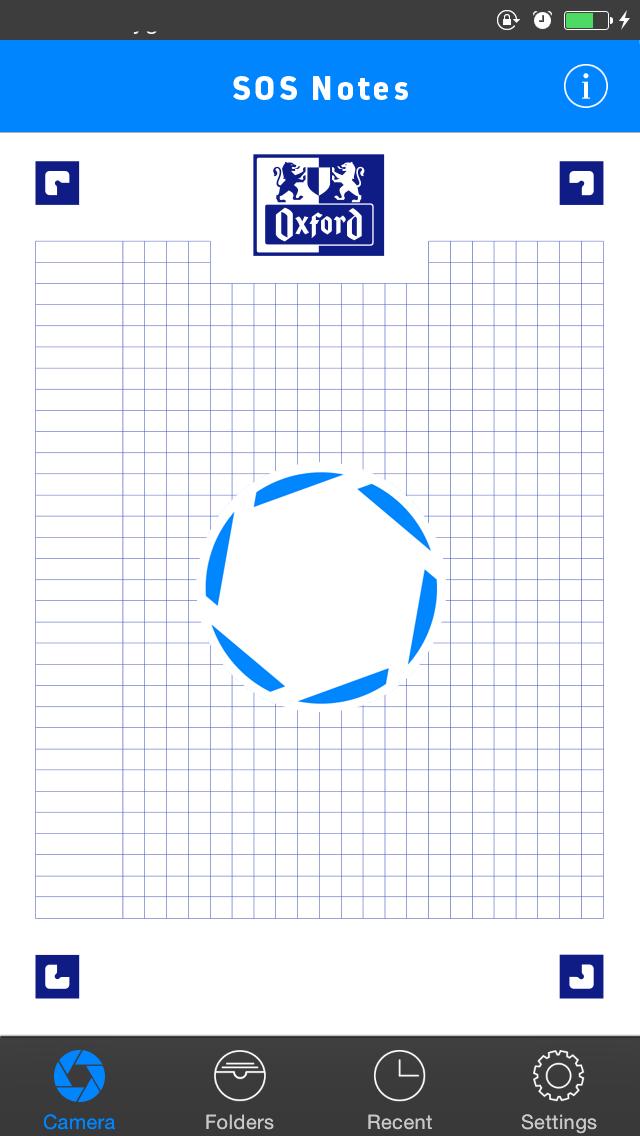
3. Easily adjust the scan area using the 4 borders on the page
4. Confirm the scan to the set dimensions (ready presets available)
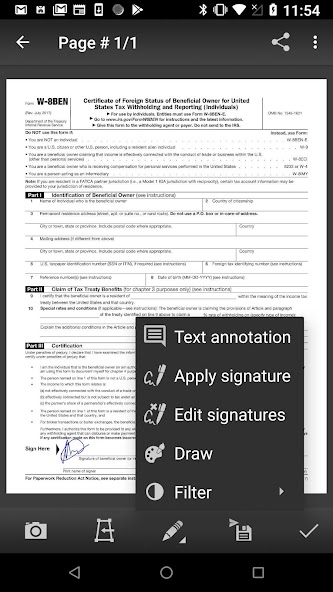
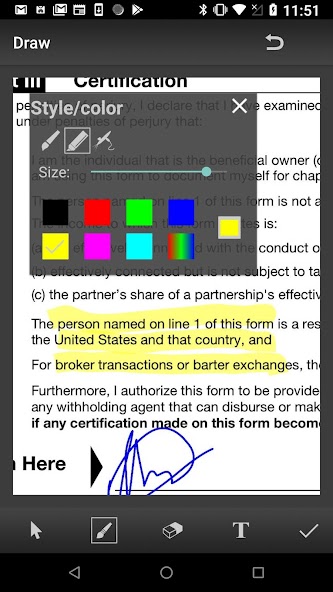
5. Choose filters to enhance the quality (optional)
6. Save and Export into a PDF or JPG
7. Share on Social Media, Email, Cloud Servers
More detailed information:
This mobile scanner is perfect to use on the go - anywhere and anytime. مع مجموعة متنوعة من الإعدادات المسبقة ، تضمن MDSCAN خبرة رائعة ووظائفها الآلية مناسبة للمستخدمين الأكثر ازدحامًا الذين يتطلعون إلى فحص مستندات PDF باستخدام كاميرا أجهزتهم المحمولة. إذا كنت تبحث عن تطبيق مسح الهاتف المحمول الذي يكتشف الحدود تلقائيًا ، ويصحح التشويه ، ويساوي السطوع لإنشاء مستندات واضحة واضحة ، فأنت بالتأكيد على الصفحة الصحيحة.
عند الحديث عن تجربة المستخدم الرائعة والوظائف التلقائية ، تدمج MDSCAN بسلاسة مع خدمات التخزين السحابية مثل Google Drive و Dropbox. In addition, you can send your scanned documents with email services, Facebook (Messenger), Twitter, and other apps if installed on your device.
يضيء تطبيق الماسح الضوئي هذا من حيث التحميل ولكن ليس له ثانية عندما يتعلق الأمر بتحويل الصور المأخوذة من كاميرا هاتفك إلى مستندات مشروعة يمكنك استخدامها لأغراض العمل.
With the Mobile Doc Scanner (MDScan), you can now add multiple pages easier than ever. Whenever you want to scan a new page, you just need to press the caption button and you're all set! All of the scanned documents and pages are stored and available under the “My Scans” field.
You can also try the Batch mode, which allows you to scan multiple pages within seconds! هناك ميزة تسمى "Process Page Laters (Mase)" تتيح لك مسح أكبر عدد ممكن من المستندات التي تريدها دون مواجهة أي تأخير معالجة.
Of course, you can work with a photo or document that is already saved in your file system. Whether a PDF file or a regular picture, you can use the same editing options as if you just scanned a picture with your camera.
Let's sum up what you get downloading the MDScan:
● Convert any image into a PDF format.
● Document edge detection and perspective correction.
● Improved image quality
● Quick scan and multi-page documents
● Share easily and upload instantly
● Money-back guarantee
إن رضا المستخدم هو هدفنا الرئيسي ، وإذا كان لديك أي أسئلة أو اقتراحات حول كيفية تحسين ماسح Doc Mobile (MDSCAN) ، فاتصل بنا في بريدنا الإلكتروني للدعم. We do our best to respond as soon as possible!


 تحميل
تحميل