

Join 2M monthly users and save time with our document editor, PDF viewer & maker
Looking for an efficient PDF reader to manage your PDF files? This all document reader, editor, and viewer allows you to work quickly on files from any device, letting you easily open, view, and organize documents in one place!
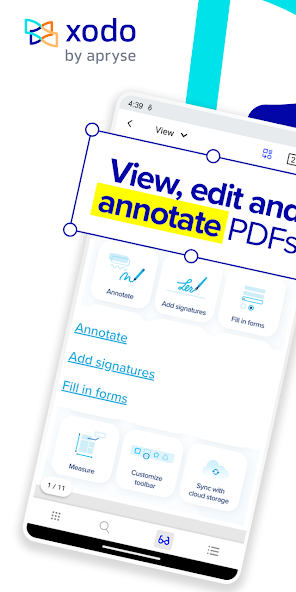
Our powerful PDF reader simplifies how you handle PDF files. With this versatile document reader and viewer, you can choose from 30+ tools to enhance your productivity. This user-friendly reader makes tasks like reading, viewing, annotating, editing, and signing documents easier than ever.
✏️ Edit PDF files easily:
Enhance daily business productivity with our fully featured PDF editor where you can create a PDF from scratch or edit directly.
• Flatten PDF: All annotations in PDF reader, like fillable forms, will be locked and merged into a single layer for protection
• Compress PDF: Quickly reduce PDF files size for sharing with this all document reader
• Merge PDF files: Easily combine multiple documents to a single PDF
• Rotate PDF files: Add, remove, rearrange, rotate, crop PDF files with ease
• Split & extract PDF files: split PDF files or extract pages to a new PDF files
?Powerful document viewer:
Convenient document reader and viewer for e-books, reports, digital planner, and more even when you're offline.
• Viewing mode: This document viewer supports single and double page viewing modes, Dark Modes, Reflow Reading Mode tailors the PDF text size of your choice
• Multiple tabs: Use tabs to work across multiple documents
• Use this reader to bookmark your favorite PDF file pages
• Print PDF files from this reader on any device
• Searchable text: Show detailed list of search results for maximum efficiency
?Organize & Store Files Securely:
Efficiently manage and access PDF documents:
File manager to organize PDF files
Protected features: password encryption and removal tool
Grid view mode for thumbnail previews and quick access to file details.
Scan and Convert PDF files in seconds!:
• Optimize your workflow with PDF scanner: Scan image with your camera or open an existing image and save as a new PDF
• PDF converter: Convert any files from MS Office (Word, Excel, PowerPoint) to PDF
• Text recognition (OCR): Convert images and PDFs into searchable text files
• Additional file formats: Convert PDF to PDF/A, JPG or PNG to PDF, PDF to JPG or PNG
Comment, Annotate and Draw PDFs:
Simplify tasks with smart annotations with versatile tools:
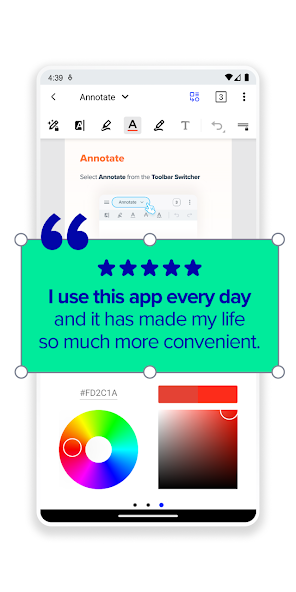
Mark-up suite for highlighting, stamping, and note-taking on PDFs
Page arrangement with a thumbnail browser for deletion, reordering, and blank page insertion
Scrolling mode to view all annotations at a glance and navigate pages with two-finger gestures
Stylus-friendly design for optimal use with S Pen and other styluses.
Fill and Sign forms with this document reader:
Fill out, sign, share and sync PDF files with online storage like Xodo Drive, Google Drive, Dropbox or OneDrive.
Create your e-signature: E-sign your documents by hand or type in your signature, and save to reuse for later
Unlock features with Pro reader:
Unlimited access to 30+ tools
Shared subscription for mobile, desktop, and web
Free trial in supported regions
Bulk document processing
Smart pen tool for streamlined note taking
PDF to MS Office conversion (Word, Excel, PowerPoint), PDF to HTML
High compression file size
Advanced annotations, including in reading mode
Customizable toolbar for bookmarking favorite tools
Selection of app themes for different viewing environments
Advanced options for image to PDF tool, including OCR and file compression
PDF Redaction tool to remove sensitive content
Flexible monthly and annual subscription options
Cancel anytime
For Support and Feedback:
Visit Homepage:
xodo.com
Xodo is powered by Apryse | https://apryse.com





 Download