• Home
  • Games
    Action-adventure Simulation Business Role Playing Sports Competition Casual Intelligence Card Strategy Music Rhythm Text Puzzle Flying Shooting Love Development
  • Apps
    Business Office Newsletter Social Life Entertainment Online Shopping Practical Tools Travel Financial Management Educational Learning Information Reading Sports and Health
  • Articles

English 中文(简体) 中文(繁体) 한국어 日本語 Português Español Русский العربية Indonesia Deutsch Français ภาษาไทย
Home Apps Business Office Works Mobile Office
Works Mobile Office

Works Mobile Office

1
2
3
4
5
Download
  • Version 1.1.8
  • Category Business Office
  • Package Name com.naver.android.works.office
  • Update Time July 8, 2026
  • Size 21.29MB
About this app

Works Mobile for business users!

Works Mobile for business users!

Experience useful functions provided by Works Mail, Calendar, Contacts, drive, Office and also at mobile service which is intimately optimized for business task environment.

[Main Functions]

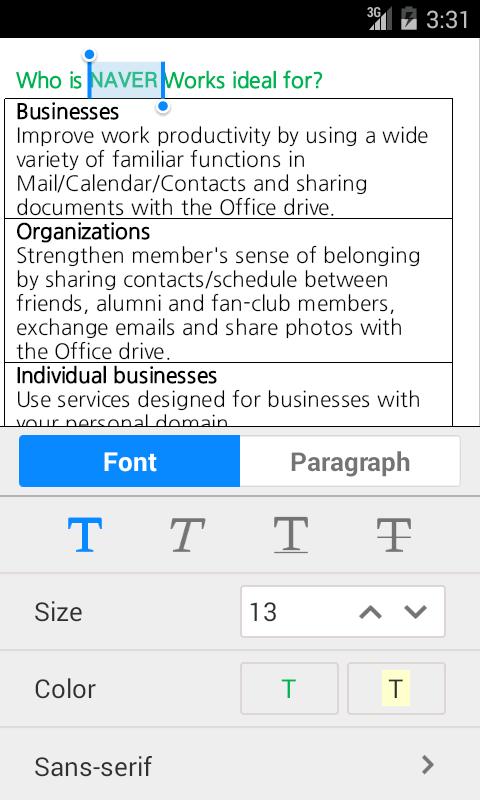
1. Read, edit and save documents created with the MS Office and Hangul Word Processor!

Works Office can be used to read and edit documents created with the MS Office and Hangul Word Processor, document formats that are widely used in the office, during work.

Documents can also be saved in the ‘docx’, ‘pptx’, ‘xlsx’ and ‘hwpml’(compatible with ‘hwp’) format.

2. Securely save edited documents in Works Drive!

Edited documents are safely stored in the user’s phone and also in Works Drive, allowing users to check documents anytime, anywhere!

3. Drafts are saved to prepare for unexpected situations!

Drafts, that include modifications made to the documents, are saved automatically to avoid contents from being lost during unexpected situations.

4. See documents conveniently!

Pages that were previously seen by the user are remembered and automatically shown when word and presentation documents are opened. Users can use the scroll to quickly move from page to page.

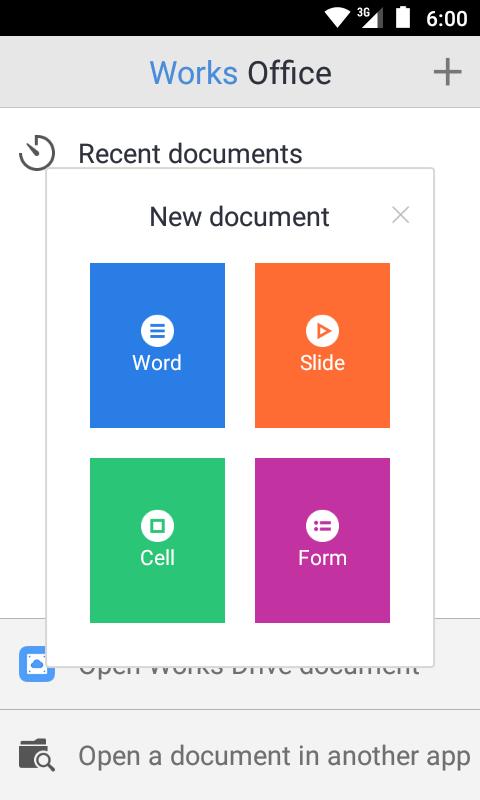
5. Easily created new documents!

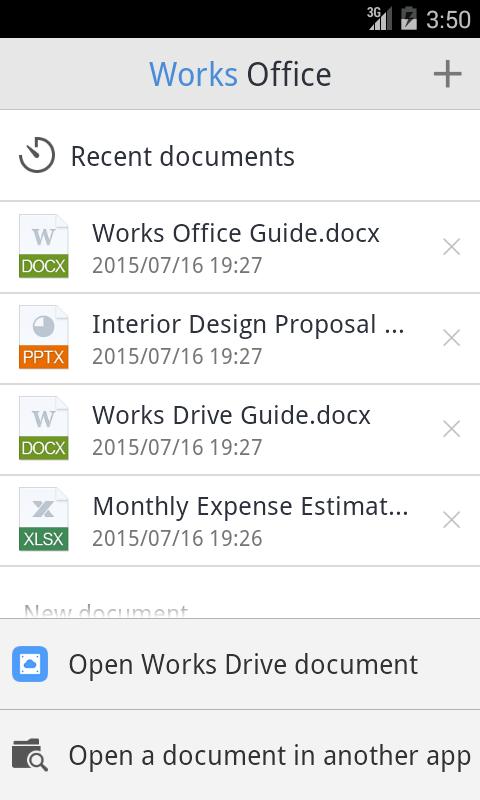
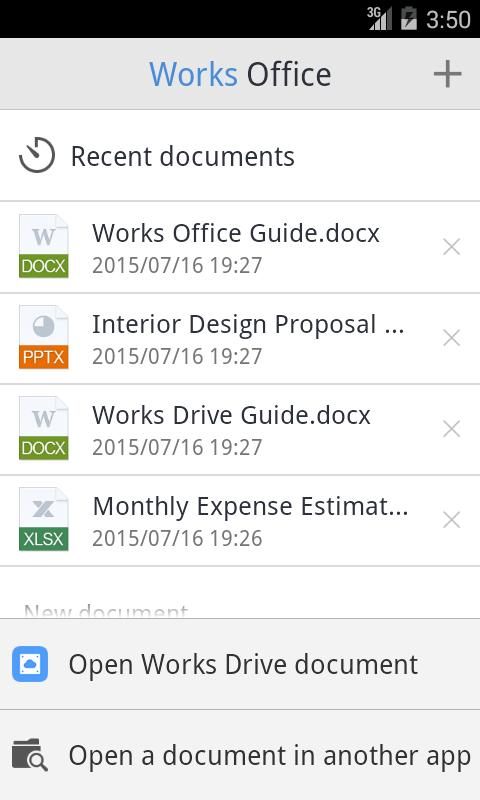
Create new documents, including word, presentation, spread sheets and documents that use formats provided by Office, and check recent documents right away.

Please contact the Works Office customer center at http://me2.do/x0fBC2xa if you have any inquiries or experience problems while using the application.

----

Contact the developer at;

1588-3820

16FL, NAVER Green Factory

6, Buljeong-ro, Bundang-gu,

Seongnam-si, Gyeonggi-do, Korea
What's New in the Latest Version 1.1.8

Last updated on Sep 12, 2016 [v1.1.8]
- Updated Horizontal scroll and Improved document viewing conversion quality in reflow view.
- Activating link when typing the URL link pattern
- Other stability improvements
Download(21.29MB)
Users also viewed
  • DIY Flower Paper

    DIY Flower Paper

    1.0 July 17, 2026
  • Manet

    Manet

    0.0.1 July 17, 2026
  • Click SuperApp

    Click SuperApp

    8.14.3 July 16, 2026
  • Dessert Recipe Book

    Dessert Recipe Book

    1.0 July 16, 2026
  • Pure Pomodoro Timer

    Pure Pomodoro Timer

    1.4 July 16, 2026
  • Log Dumper and Emailer

    Log Dumper and Emailer

    1.0.2 July 16, 2026
  • AOL OnePoint Mobile

    AOL OnePoint Mobile

    1.0 July 15, 2026
  • Material Color Tool

    Material Color Tool

    1.1 July 15, 2026
  • Guobi Farsi Keyboard

    Guobi Farsi Keyboard

    5.1.4.140812 July 15, 2026
  • Easy Filter

    Easy Filter

    1.9 July 14, 2026
  • Mall LBM

    Mall LBM

    1.5 July 14, 2026
  • ADASC

    ADASC

    2.14.0.0 July 14, 2026
  • Quick Note old

    Quick Note old

    1.7.4 July 13, 2026
  • Google One

    Google One

    1.245.695888682 July 12, 2026
  • Easy Word Clock

    Easy Word Clock

    1.0.2 July 12, 2026
About Privacy Policy Terms of Service Cooking Policy

© Copyright 2017-2026 downzq.com