

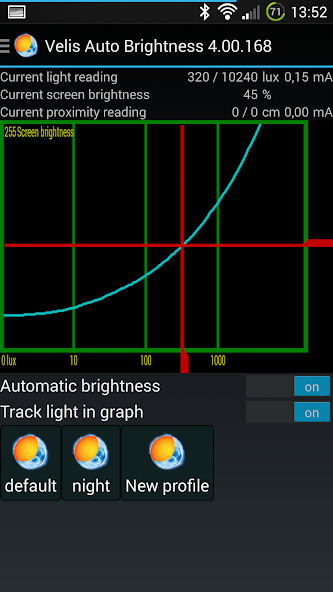
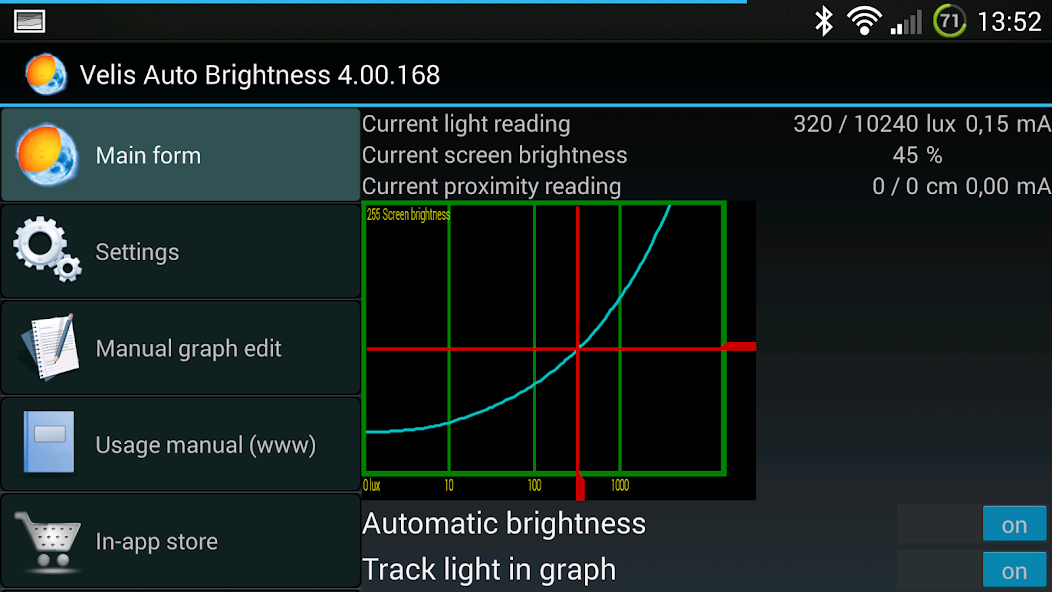
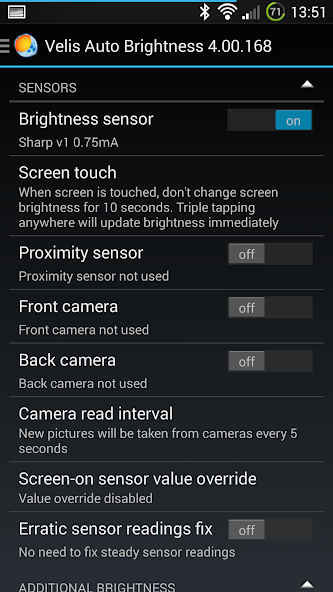
Get the fun back to your auto brightness...
NOTICE: this app has been discontinued and only remains in the play store for existing users.
Usage manual & FAQ: http://velisthoughts.blogspot.com/2012/10/velis-auto-brightness-manual.html
XDA thread: http://forum.xda-developers.com/showthread.php?t=1910521
Note: This app uses Accessibility services for the following functions:
- lock screen
- screen overlay
- service operation
We do not collect any data and do not perform any actions.
Note: The app also uses permission to query all installed apps for the following functions:
- Excluded apps feature: displaying the list of all installed apps so that you can select which ones to exclude
We do not collect any data and do not use the permission for anything other than identifying the apps you want VAB to turn off for.
Note: Despite this, it still needs some other special permissions. All needed permissions are explained in the initial configuration wizard and you will be directed to their appropriate configuration pages as you set up the app for the first time. Any missing permissions of this nature are reported in a snack on main page.
Note: Notification is mandatory for this app because without it Android will stop the service too often for too long.
Also please see XDA thread about language support. Any translation help most welcome!
Velis Auto Brightness aims to provide the best possible brightness experience by using your devices sensors to determine the environment you're in. You have complete control over how much brightness will be applied for any given light condition, from selecting the sensors used to fully customizable brightness graph. This is a replacement for system provided auto-brightness functionality usually found in Settings / Display / Brightness
Features:
- Initial configuration wizard for an easy start
- User-selectable sensors: light, proximity, cameras
- Brightness presets for every taste and screen
- Profiles (save the brightness graph under your own name)
- Fully customizable brightness graph to fit your needs or cover your sensor’s faults
- Extensive sensitivity adjustments (light change threshold, smoothing times up / down, boost threshold)
- Superdimming to make those shades really dark
- Excluded apps (will disable Velis Auto Brightness when they are in use)
- Launcher widget with on/off button, profile select button and a brightness graph
- Tasker / Locale support for many sensor readings and app settings
- Convenient in-app store for premium content (some tasker and widget functionality) and developer support
- Custom app language
- Additional brightness when charging
- Only uses sensors when screen is on conserving battery
Tasker plug-in / Locale plug-in: Provides conditions for screen on, calculated light reading, proximity sensor reading, calculated brightness. Exposes many settings to locale / tasker for detailed adjustment from these managers. Some of this functionality is premium content available through in-app purchase.
App homepage: http://velisthoughts.blogspot.com/2012/09/velis-auto-brightness.html
XDA thread (best for support): http://forum.xda-developers.com/showthread.php?p=32142069
Activating multiple auto-brightness applications will not produce expected results so make sure only Velis Auto Brightness is active while you test it. This file is provided AS IS - without any warranty. The autor will not be liable for any (un)imaginable inconveniences, including, but not limited to your phone frying or your screen starting to shoot launcher widgets at you. :)
This app is available in following languages: Chinese, Czech, Dutch, English, French, Italian, German, Greek, Hungarian, Japanese, Lithuanian, Norwegian, Persian, Polish, Portuguese, Romanian, Russian, Slovak, Spanish, Slovene, Vietnamese
Thanks to all the translators for their hard work. Please see homepage if you want to help with translations.













 Download