

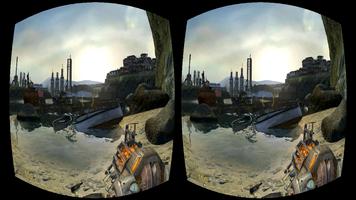
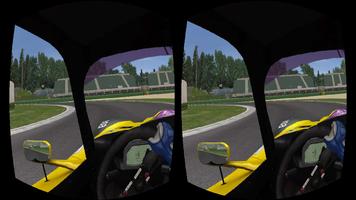
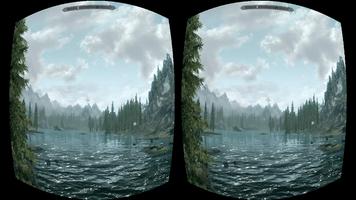
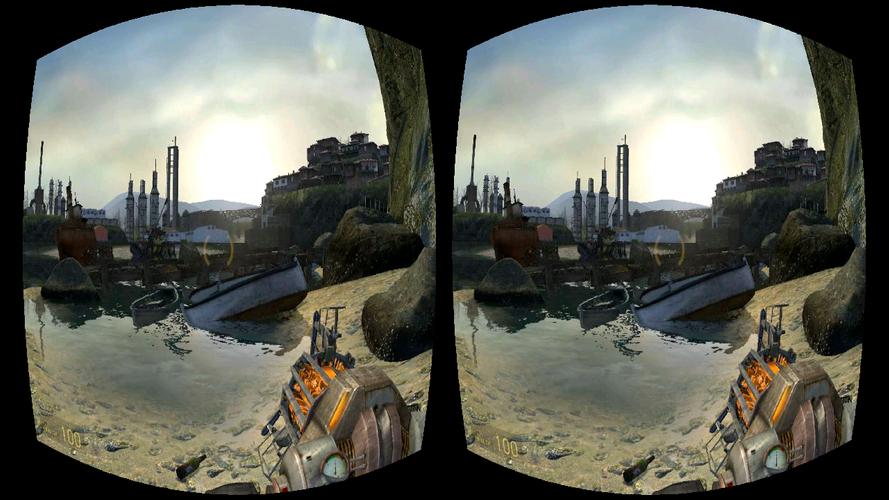
Turn your phone into a Virtual Reality PC headmount. Enjoy affordable VR!
Play your favourite PC games in virtual reality without the expensive hardware.
★ Featured in Gizmodo, IGN, Microsoft Insider
★ Winner: ZEISS VR One App Contest
★ Over 1,000,000 downloads
★ Free taster sessions (as many sessions as you want)
► HOW IT WORKS
Trinus Cardboard VR connects your Android phone to your PC, so you can play your favourite PC games in virtual reality (VR). It uses the sensors in your phone for head tracking to give you a great VR gaming experience with a wallet friendly price tag. So strap on your VR headset and enter the Trinus!
Trinus CBVR is free to try, with time restricted sessions. If you want to remove the time restriction, you can purchase full access via the Purchase tab in the Trinus PC server application.
► FEATURES
★ Works with all PC games including GTA, Elite Dangerous and Minecraft.
★ Supports SteamVR (and Oculus games via ReVive)
★ Compatible with all headsets including Google Cardboard, Homido, FreeFly, VR One, GearVR, Durovis Dive.
★ Wireless gameplay (or turbocharge performance with USB connection).
★ Unlock the full version with no time restrictions for even more awesomeness.
► WHAT YOU NEED
• Headmount of choice (e.g. Google Cardboard, Homido, Freefly, VR One, etc.)
• Your Android phone (mid to high end device with gyroscope)
• Your Windows PC
• Free Trinus Cardboard VR PC app
► GETTING STARTED
Step 1: On your Android phone download the TrinusVR Lite app.
Step 2: Grab the free Trinus Cardboard VR PC app: https://www.trinusvirtualreality.com/trinus-cardboard
Step 3: Follow the super simple Setup Guide.
Step 4: Strap on your headset and start playing!
► NEED SOME HELP?
• Pop along to the forum: http://oddsheepgames.com/?page_id=208
• Reddit at https://www.reddit.com/r/TrinusVR
• Shoot an email: [email protected]
► MADE IT THIS FAR?
Get a 15% off with this discount code, when purchasing via trinusvr.com: enterthetrinus
Reading through the details sometimes pays off ;)







 Download