

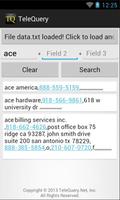
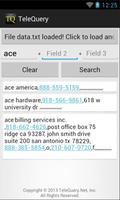
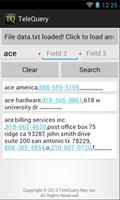
The only grep-like, very large flat file search tool for Android.
TeleQuery's TQ Plain Text File Search app is an elegantly simple plain text, up-to-three term search tool.
Any plain text file of virtually any size, with a CR or CRLF at the end of each line (record or row) will do; no other formatting is required.
I designed this app so I could keep track of a file of contacts, appointments, logins, passwords, license keys, and any other plain text content. If you just name it with a ".CSV" extension (it doesn't have to be comma-separated content, but it can be), you can fool a browser into download and save it into your phone's Download folder from a server or other machine somewhere. Or, you can just connect your USB cable between your Android and your computer, and place the plain text file on the Android wherever you want it to be found when you start up the app and are prompted to "Click to load file!" Thereafter, the file's location will be remembered. You may also add another file for temporary inclusion in every search.
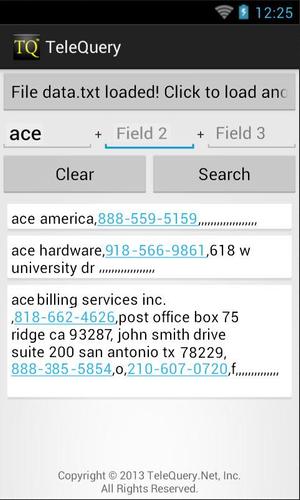
A primary functional objective is to be able to press any NNN-NNN-NNNN-formatted telephone number, e-mail address, or web site URL, and automatically open the phone app, e-mail app, or browser (respectively) for immediate use. And, if you have a voice-to-text-capable keyboard, you can just speak the search words into the search line. It's awesome, if I must say so myself.
So, the process is: load a file (or two), enter a first search term, and optionally, a second and third, press "Search" and have all of the match(es) appear instantly.
If you're familiar with Linux or Unix, this search is like piping up to three successive grep commands: the first on the entire file of thousands of records; the second on the result of that search; and the third on the second's output, thus narrowing down the final result to a manageable number of records. All three are not required; just one or more.
For example, in Linux, the command line searching a list of contacts' information might look like this :
grep "radio" filename.csv | grep "shack" | grep "dallas"
Result:
20120905-09 radioshack dallas 214-566-0224,1601 northwest highway dallas tx,,,,,,,,,,,,,,,,,,
I really only have one unbreakable rule: each matching record must be displayed in its entirety. You'll see how we've done it. Again, I hate to brag, but it's awesome.
Jerry.








 Download