

Male Russian voice for SVOX Classic Text-to-Speech Engine (trial).
Did you know that your mobile can speak Russian?
Have Yuri read aloud texts from your e-book, navigation, translation and other apps in a Russian male, high quality and natural-sounding voice powered by SVOX.
When combined with TTS-enabled apps, Yuri can:
- give directions, allowing you to keep your eyes on the road while you're driving
- read a notification containing the caller / sender's name, and read the content of an incoming call / sms / mms / email
- read aloud your favorite e-books or pdf documents
- help you learn Russian by reading aloud the correct pronunciation
and much more… the possibilities are limitless!
!!! TRY THEM ALL !!! All 40+ SVOX voices and 25+ languages are FREE during the first 2 weeks! Don't miss them!
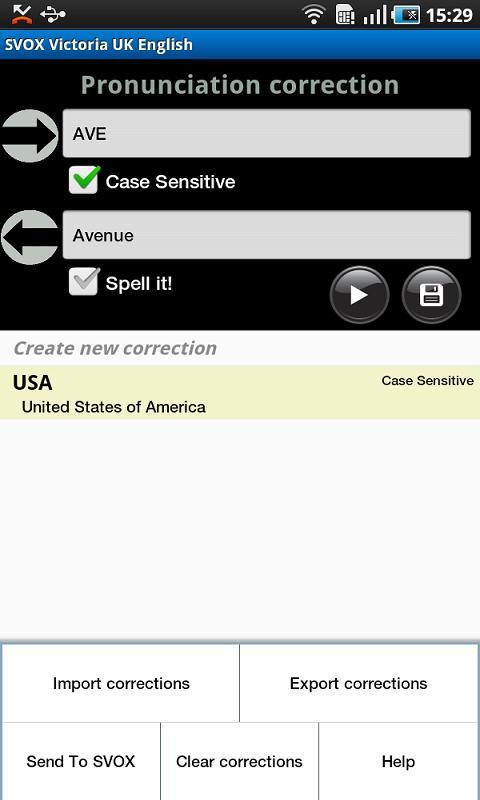
NEW! Pronunciation correction feature: correct the default output according to your preferences!
Browse http://svoxmobilevoices.wordpress.com for a list of compatible apps and voice demos.
== INSTRUCTIONS ==
1. Install and run the voice app once
2. Install free SVOX Classic Text-to-Speech Engine
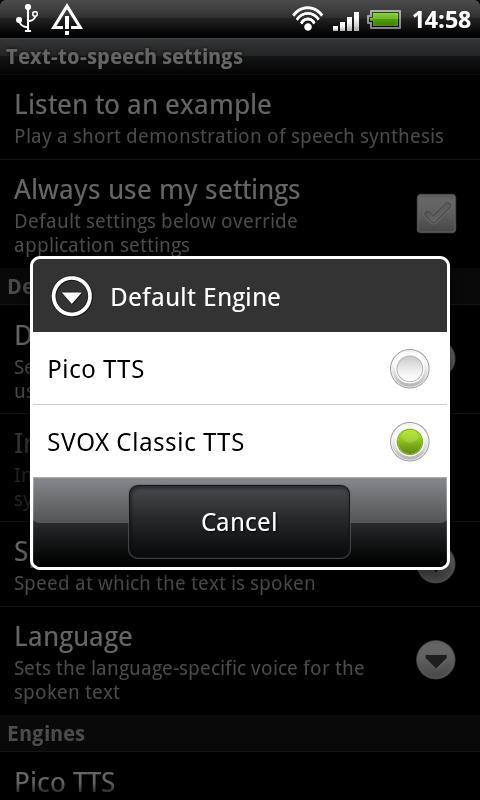
3. Go to Android Settings -> Voice Input & Output -> Text-to-Speech settings.
Activate SvoxClassic at the bottom of the screen.
Select SvoxClassic as the Default Engine.
4. Run the voice app, click “Continue”, then follow the instructions.
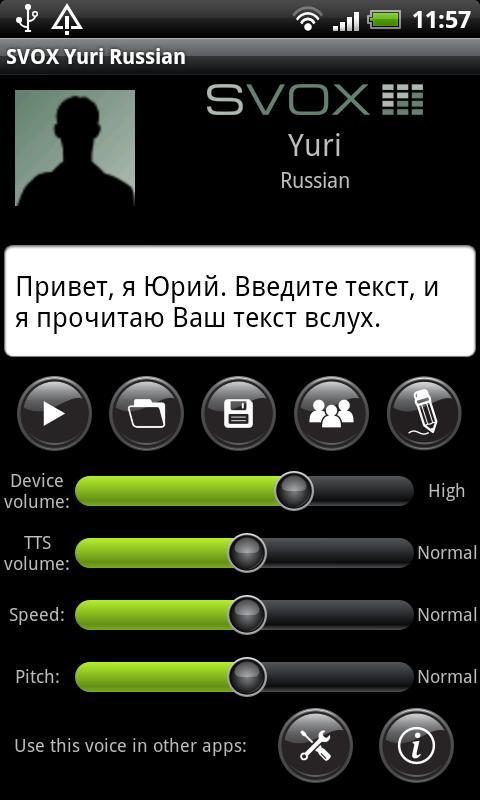
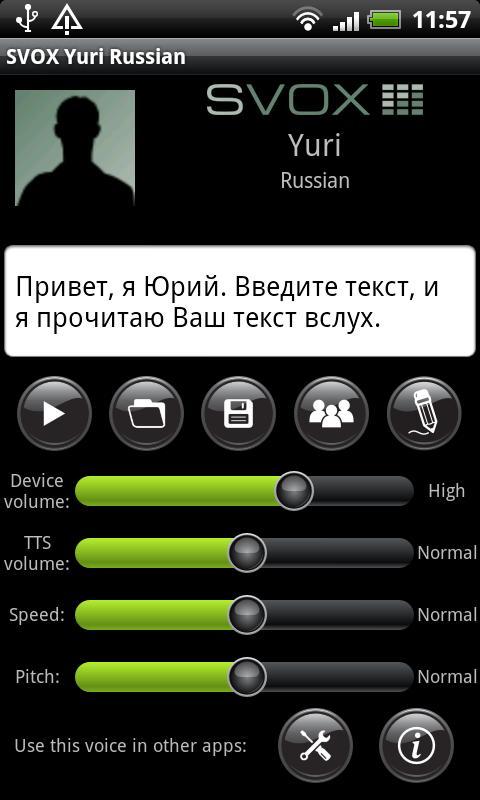
5. Your SVOX Voice main screen will be now visible. Don’t forget to try the new pronunciations correction feature (‘pencil’ icon)!
6. Download other free / paid apps to combine our voice with. For example, you could try: Google Navigation (on Android 2.2 and later, only with Navigation < 5.9), Moon+ Reader PRO, Voice Actions Plus, TalkToMe Classic, Book Speech Audio Books, Transzilla, Good Morning, WakeVoice...
Browse http://svoxmobilevoices.wordpress.com/faq/ for a list of frequently asked questions.
And now … enjoy your FREE 2 weeks trial with your new SVOX voice!
== PRONUNCIATION CORRECTION FEATURE - HOW TO ==
1. Run the voice app
2. Click on the ‘pencil’ icon. The pronunciation correction screen will now be shown.
3. Tap on the Android menu key and select ‘Help’
== NOTES ==
1. Google Navigation requires that the Text-to-Speech voice matches the phone language. You can change the phone language in Android Settings -> Language & keyboard -> Select language .
Compatible with Google Navigation version < 5.9
2. On Android 2.1 and earlier, only some apps, like Google Translation, support changing voices.






 Download