

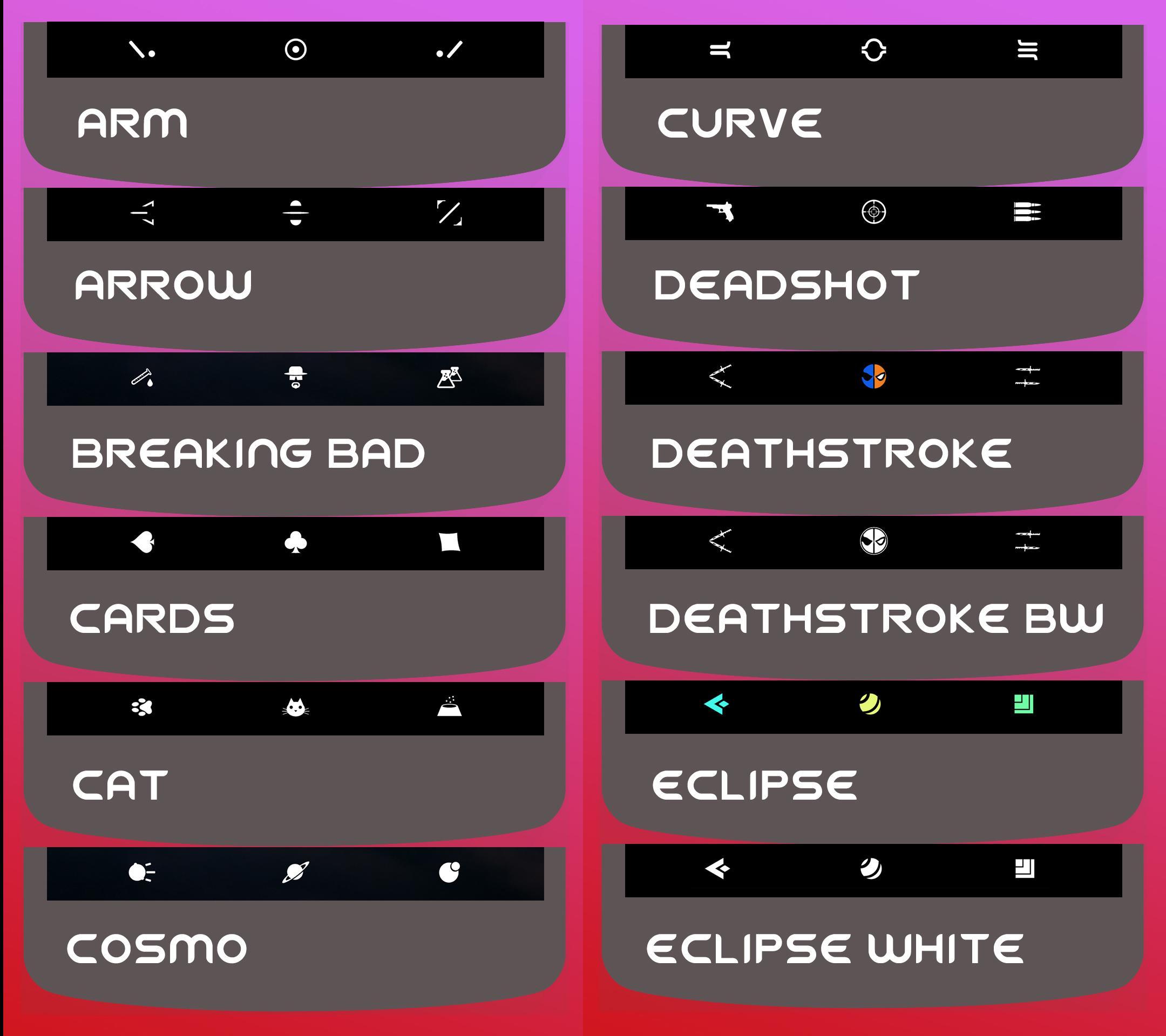
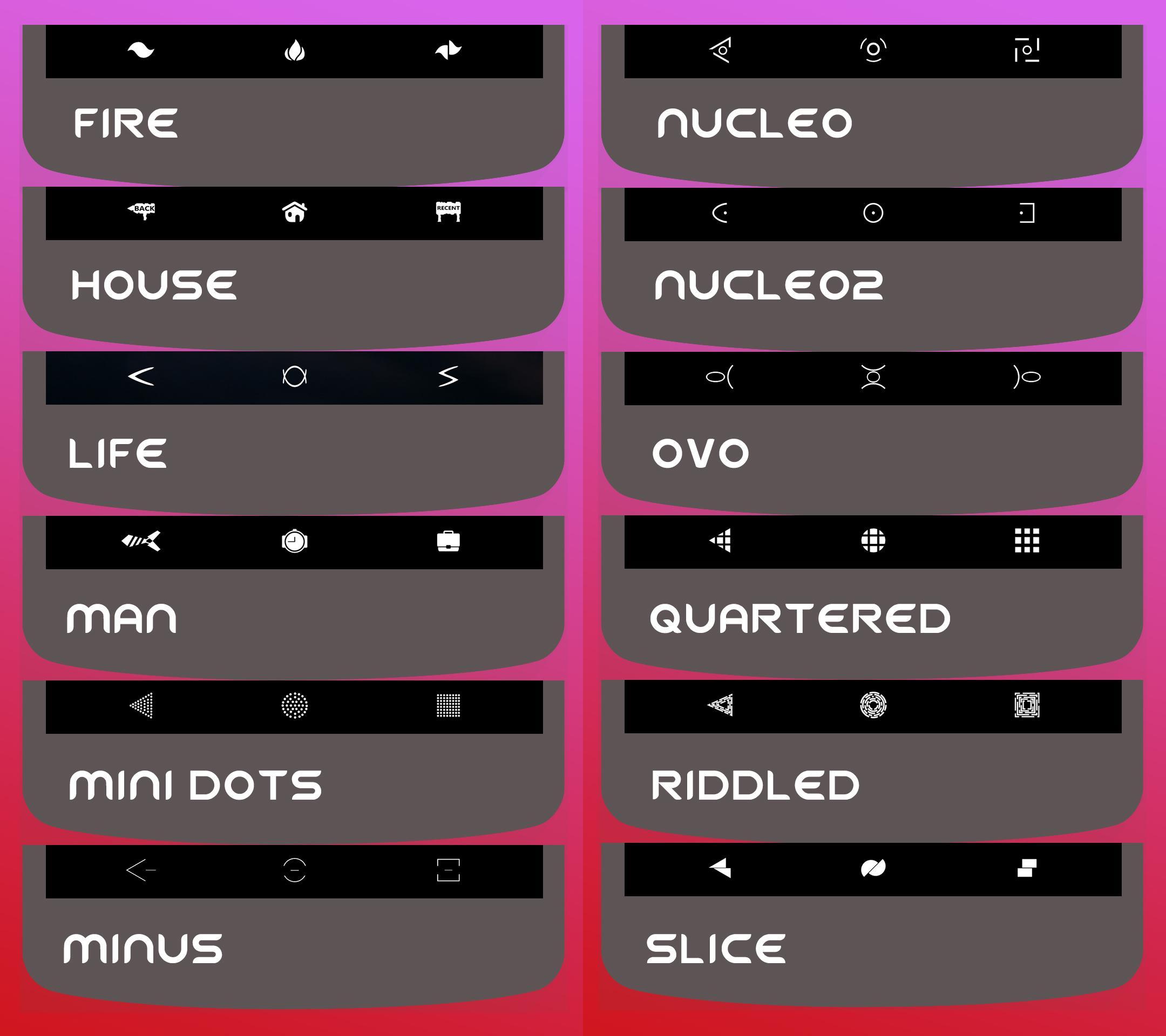
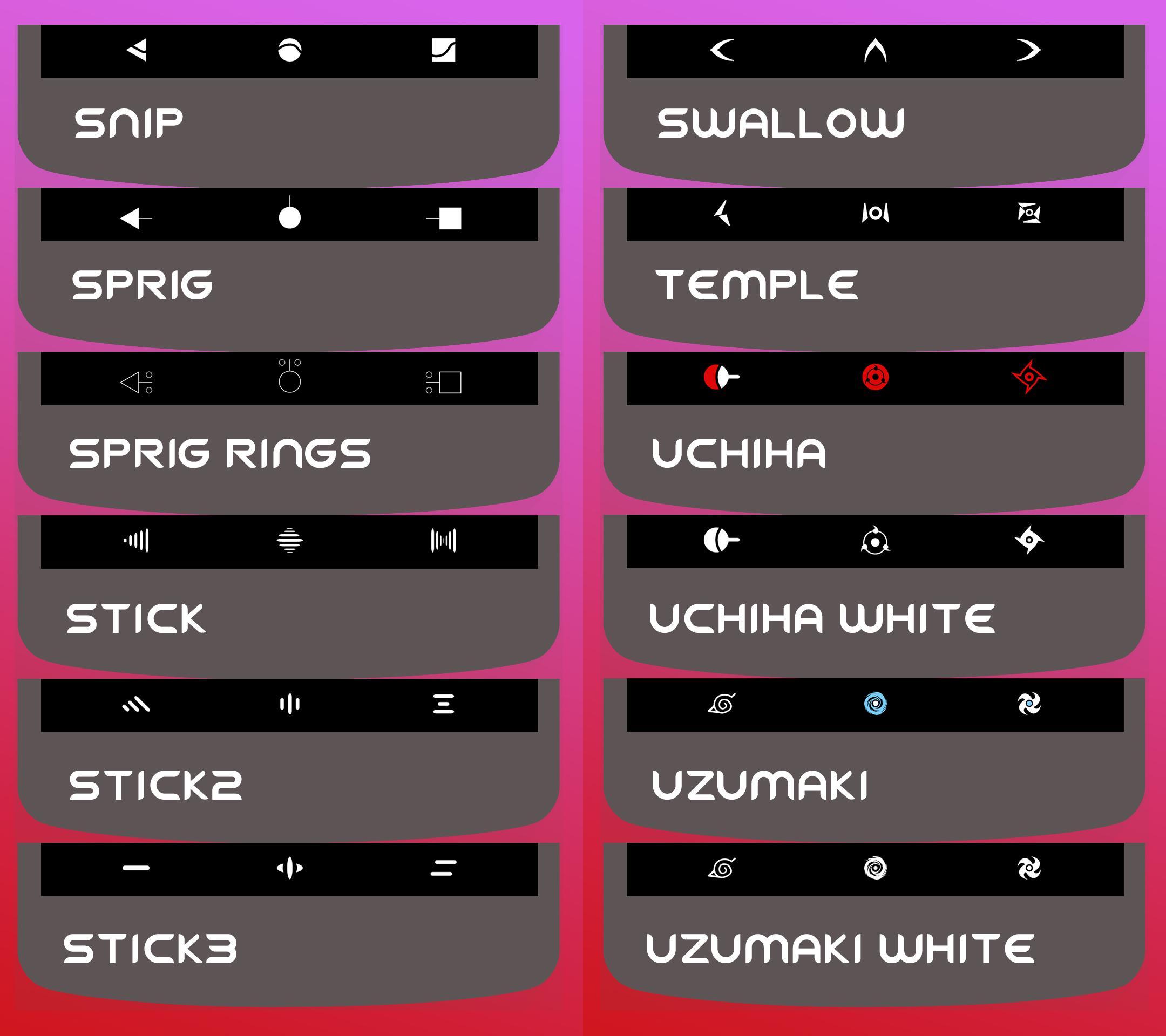
Navbars and quicksettings iconsYou must have Substratum installed on your phone
Substratum Vivid Navbars - Quicksettings
This is the free versions with 48 navbars. In the paid version you will find more then 100 navbars, including collections of Star Wars, Marvel, DC Comics, TV Shows, etc...plus you will have smartbar icons support (Minus and Zeno variants)
https://play.google.com/store/apps/details?id=com.ami.vividiconset&hl=it
Replace the classic tiles of the quick settings and your navbar with this theme to have a more elegant and stylish interface. All the icons are in vectorial format, so no loss of definition and they're very light. Please read the instructions carefully before the purchasing!!!
Your phone must have a "substratum" compatible rom, root permissions (if you don't have a rootless substratum rom) and substratum theme engine app installed
Navbar compatiblity:
- Aosp ROMs/Pixel Stock Android 7/8/9 versions
- Oxygen OS up to Android 8, to test on Android 9
- Samsung galaxy s7/s8/s8+ Stock no root Android versions 7/8/9, installing this addon first
https://play.google.com/store/apps/details?id=projekt.sungstratum
For Samsung Stock devices:
- If you want the navbar home button in the Always On Display too, apply the relative overlay in my theme, accordingly to the choosed navbar style.
- Samsung doesn't support colored navbar icons on nougat, they added the compatibility in oreo!
Compatbilità Tiles quicksettings:
- Aosp ROMs/Pixel Stock Android 7/8 (not compatible with Android 9 for now)
- Not compatible or not fully compatible with Samsung Stock, Oxygen OS, Sony or any other OS
For Oreo users
- Apply a light panel variant if you use a light system theme variant, dark panel if you use a dark one
- Battery and signal tiles are not themable due to google, so please don't report this as a bug because it isn't.
You can find navbars and Quicksettings tiles previews in the tab Wallpapers in Substratum
Theme installation:
1) Open Substratum Theme Engine
2) Open Vivid Navbars - Quicksettings
4) Select the box of the navbar or tile that you want to apply and choose your color or style in the sub-menu
5) Press the button on the right bottom corner and hit "Build & Enable".
6) Reboot if you have a Legacy Rom.
Theme installation on Android Pie:
1) Open Substratum Theme Engine
2) Open Vivid Navbars - Quicksettings
4) Select the box of the navbar or tile that you want to apply and choose your color or style in the sub-menu
5) Press the button on the right bottom corner and hit "Build & Enable".
6) Reboot
7) Open Substratum Theme Engine
8) Go to the overlay manager tab and choose my theme overlay that you just built before and Enable it with the button on the bottom.
Please report any kind of issue to my email!! Don't leave negative feedbacks without send me an email or I can't help you!!
Substratum Community:
https://plus.google.com/u/0/communities/102261717366580091389













![[Substratum] Vivid Navbars - Quicksettings](https://images.downzq.com/uploads/20250112/logo_6783a125010261.jpg)
 Download