• Home
  • Games
    Action-adventure Simulation Business Role Playing Sports Competition Casual Intelligence Card Strategy Music Rhythm Text Puzzle Flying Shooting Love Development
  • Apps
    Business Office Newsletter Social Life Entertainment Online Shopping Practical Tools Travel Financial Management Educational Learning Information Reading Sports and Health
  • Articles

English 中文(简体) 中文(繁体) 한국어 日本語 Português Español Русский العربية Indonesia Deutsch Français ภาษาไทย
Home Apps Practical Tools Sixaxis Compatibility Checker
Sixaxis Compatibility Checker

Sixaxis Compatibility Checker

1
2
3
4
5
Download
  • Version 0.7.13
  • Category Practical Tools
  • Package Name com.dancingpixelstudios.sixaxiscompatibilitychecker
  • Update Time June 17, 2025
  • Size 50MB
About this app

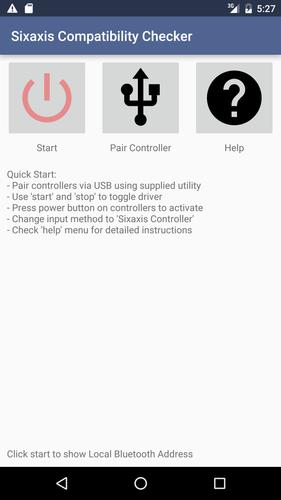
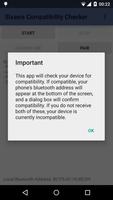
Check whether your device is compatible with PlayStation 3 and 4 controllers.

This is the companion application to Sixaxis Controller and allows you to check whether your device is compatible with the following controllers before purchasing the full application on Google Play:

PlayStation 3:

Sixaxis Controller

DualShock® 3 Wireless Controller

PlayStation® Move Navigation Controller

PlayStation 4:

DualShock® 4 Wireless Controller (If pairing on a PC, you must use SixaxisPairTool 0.3.0+)

*** IMPORTANT ***

- ROOT access is required!!!

- Internet permission is required only for gathering basic device compatibility info to improve future support.

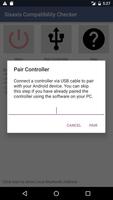
- Due to the way pairing is done with the controllers, you need to manually pair your controller with the PC utility 'SixaxisPairTool' (available on the website) and a mini-USB cable. Android 3.1+ users can also pair directly on their devices via USB.

- It is highly recommended that you use an ORIGINAL controller. Many after market controllers will not work. If you get a 'Client connected: 1' message, but the lights on your controller continue to flash, it is almost certainly not an original Sony controller.

- The fake controllers that are most likely to work (though not guaranteed) are those made by Gasia. If you bought a fake that works but isn't made by Gasia, I'd love to hear from you so I can compile a list of known working controllers.

- Be sure to read the instructions in the help menu carefully.

This product is not affiliated with, nor authorized, endorsed or licensed in any way by Sony Corporation, its affiliates or subsidiaries. All trademarks are property of their respective holders.

For assistance, full instructions and FAQ, visit our website at http://www.dancingpixelstudios.com

What's New in the Latest Version 0.7.13

Last updated on Jan 9, 2017 - Added simple metrics feedback to improve future device compatibility
Download(50MB)
Users also viewed
  • WatchMate

    WatchMate

    2.7.5 April 19, 2026
  • RCS Tools

    RCS Tools

    1.0.14 April 19, 2026
  • Blue Moon Free

    Blue Moon Free

    1.2.1 April 19, 2026
  • Train Rush Simulator 2018

    Train Rush Simulator 2018

    1.0 April 19, 2026
  • G3 TweaksBox

    G3 TweaksBox

    1.3.7 April 19, 2026
  • Sarotech IPCAM

    Sarotech IPCAM

    3.19 April 19, 2026
  • Panda Home Busy

    Panda Home Busy

    1.0 April 19, 2026
  • Mod Demogorgon Horror

    Mod Demogorgon Horror

    1.0 April 19, 2026
  • Hindi Dictionary Translator

    Hindi Dictionary Translator

    6.1 April 19, 2026
  • JB ExeNow

    JB ExeNow

    1.0.2 April 19, 2026
  • My Tools

    My Tools

    8.4 April 19, 2026
  • RICOH THETA m15 (formerly RICOH THETA)

    RICOH THETA m15 (formerly RICOH THETA)

    1.23.2 April 19, 2026
  • HQ Easter Topic Clock Widget

    HQ Easter Topic Clock Widget

    1.2 April 19, 2026
  • Amber Weather Widget

    Amber Weather Widget

    1.0 April 18, 2026
  • KoControl

    KoControl

    1.0 April 18, 2026
About Privacy Policy Terms of Service Cooking Policy

© Copyright 2017-2026 downzq.com