• Home
  • Games
    Action-adventure Simulation Business Role Playing Sports Competition Casual Intelligence Card Strategy Music Rhythm Text Puzzle Flying Shooting Love Development
  • Apps
    Business Office Newsletter Social Life Entertainment Online Shopping Practical Tools Travel Financial Management Educational Learning Information Reading Sports and Health
  • Articles

English 中文(简体) 中文(繁体) 한국어 日本語 Português Español Русский العربية Indonesia Deutsch Français ภาษาไทย
Home Apps Practical Tools Sidebar Plus (Multi-bars)
Sidebar Plus (Multi-bars)

Sidebar Plus (Multi-bars)

1
2
3
4
5
Download
  • Version 4.1
  • Category Practical Tools
  • Package Name com.rootuninstaller.sidebar
  • Update Time July 6, 2026
  • Size 2.47MB
About this app

Multi-tasking from anywhere! Create light, fast, customizable to your taste!

Sidebar Plus - brilliant multi-tasking from anywhere

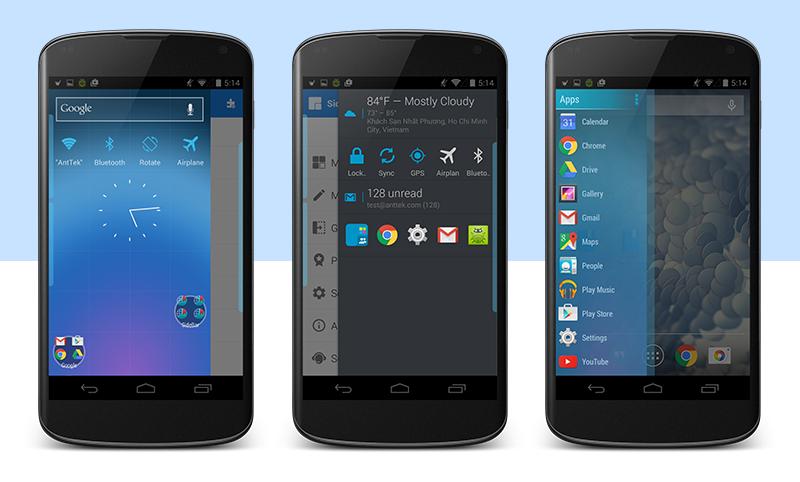
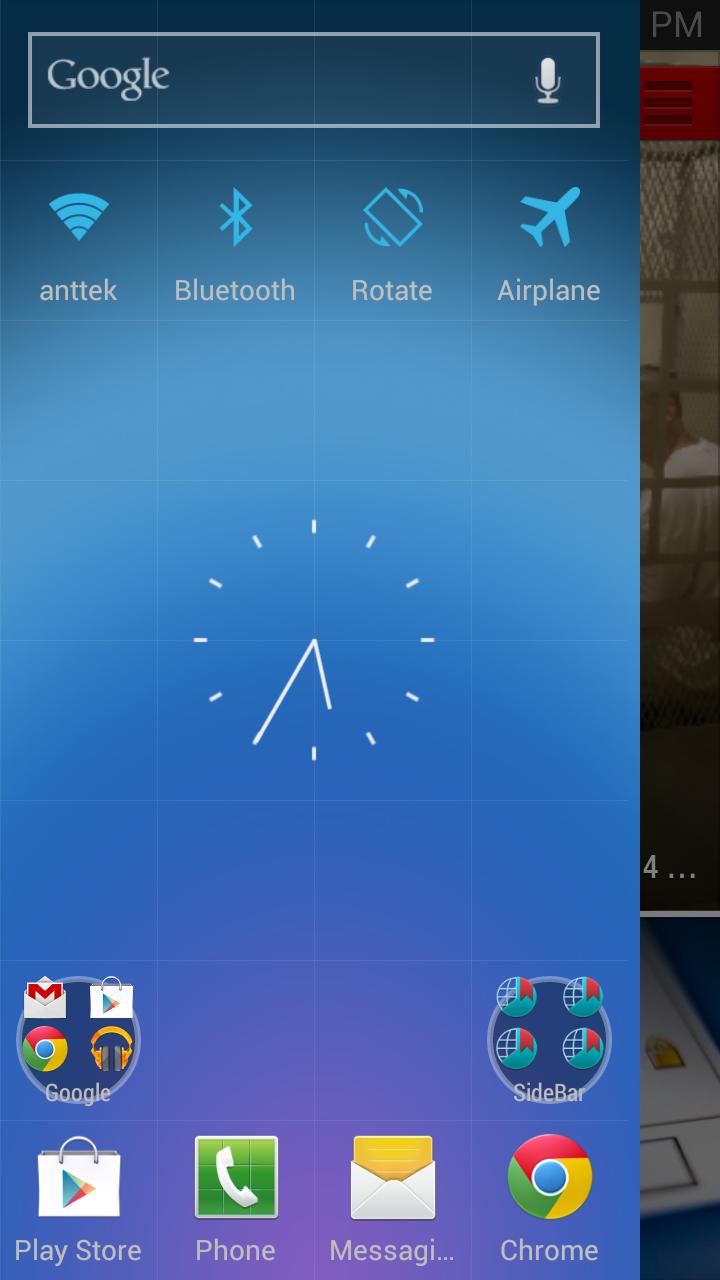
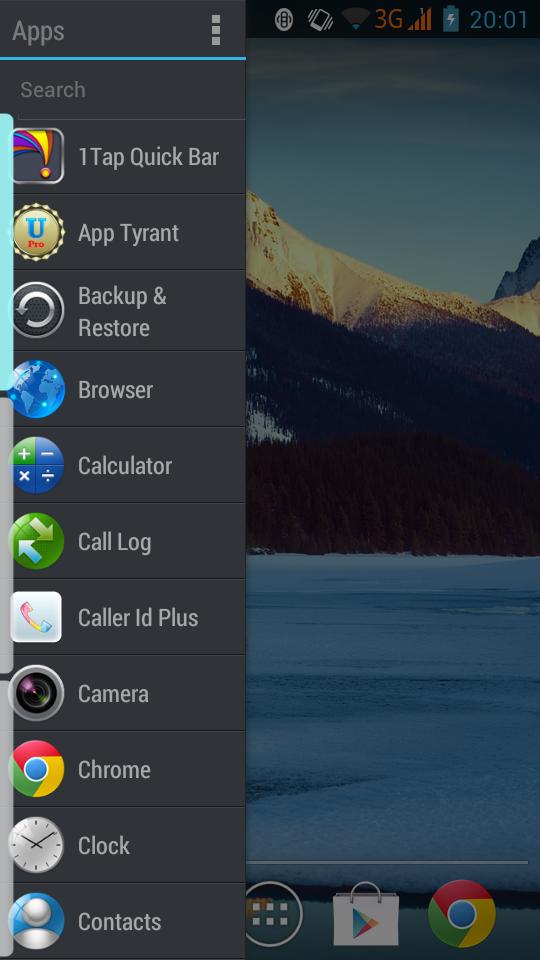
It's light, fast, customizable to your taste. You can put various items in the sidebars such as apps, contacts, commonly accessed settings, shortcuts, and DashClock extensions as well at widgets. It supports multiple bars, as well as change the visuals and trigger options for the bars.

Features

☆ Create multiple bars that can open from aside

☆ Pin apps, common settings, contacts, shortcuts into bar

☆ Big Bar brings favorite apps, frequent contacts, settings, weather, running apps, widgets in a bar

☆ Customize a bar with theme, colors, icon size, opacity, bar alignment (left/right)

☆ Deeply integrate to system: slide to open bar while using other app

☆ Include 3 themes: dark, light, holo-dark.

How to cook a bar

A bar consists of items and options. Items are apps, settings, shortcuts, contacts, bookmarks, widgets, Dashclock extension. No limit on a number of items on a bar. Bar restricts to items from the same category except mixed bar and big bar. Options includes themes, item style, icon style, sort order, search box and bar opacity.

How to use a bar

☆ Slide from left side (or right side if right sidebar alignment) OR

☆ Long-click on leftmost (or rightmost) to open

☆ Fling to quick open

☆ Click on free area or fling in reverse direction to close

☆ Click on an item to run default action. Long-click on a action to run secondary action

☆ Click on sidebar notification to toggle sidebar visibility

☆ Shortcut to quickly open a bar

Notification

To prevent Sidebar from being kill by system.

Languages

☆ English

☆ German

☆ French

☆ Japanese

☆ Dutch

☆ Polish

Portuguese/BR

☆ Turkish

☆ Czech

☆ Spanish

☆ Italian

5 days of full feature trial. After the trial period, you can use upto 2 bars (10 items per small bar or 4 items per big bar) without upgrading

Full user guide: http://www.rootuninstaller.com/p/sidebar-plus.html

Permission: http://goo.gl/Up2l84

Vote for new features: http://goo.gl/Hr4oRM

What's New in the Latest Version 4.1

Last updated on Aug 21, 2017 - Update language pack
- Material design
Download(2.47MB)
Users also viewed
  • Top News GO Locker Theme

    Top News GO Locker Theme

    1.0 October 18, 2026
  • Times Tables

    Times Tables

    3.0.2 October 18, 2026
  • RETRO JORDANS Live Wallpaper

    RETRO JORDANS Live Wallpaper

    444 October 18, 2026
  • Wear OS Toolset Complications

    Wear OS Toolset Complications

    4.1.3 October 18, 2026
  • Weather Models Europe

    Weather Models Europe

    0.5.4 beta October 17, 2026
  • Lightning Camera

    Lightning Camera

    3.1 October 17, 2026
  • Wild Leopard Lite

    Wild Leopard Lite

    1.6 October 17, 2026
  • Kids Carnival Photo Montage

    Kids Carnival Photo Montage

    1.2.4 October 17, 2026
  • home window design 2018

    home window design 2018

    1.0 October 17, 2026
  • New Photo Editor 2016

    New Photo Editor 2016

    1.1 October 16, 2026
  • Appools

    Appools

    1.1.0 October 16, 2026
  • Pomodoro Cards

    Pomodoro Cards

    2.0 October 16, 2026
  • Add text

    Add text

    8.2.4 October 16, 2026
  • Photo Editor Collage Maker

    Photo Editor Collage Maker

    1.43 October 16, 2026
  • Disable Manager

    Disable Manager

    3.0 October 16, 2026
About Privacy Policy Terms of Service Cooking Policy

© Copyright 2017-2026 downzq.com