• Home
  • Games
    Action-adventure Simulation Business Role Playing Sports Competition Casual Intelligence Card Strategy Music Rhythm Text Puzzle Flying Shooting Love Development
  • Apps
    Business Office Newsletter Social Life Entertainment Online Shopping Practical Tools Travel Financial Management Educational Learning Information Reading Sports and Health
  • Articles

English 中文(简体) 中文(繁体) 한국어 日本語 Português Español Русский العربية Indonesia Deutsch Français ภาษาไทย
Home Apps Business Office SHOT NOTE
SHOT NOTE

SHOT NOTE

1
2
3
4
5
Download
  • Version 1.7.2
  • Category Business Office
  • Package Name com.kingjim.shotnote
  • Update Time January 13, 2025
  • Size 8.13MB
About this app

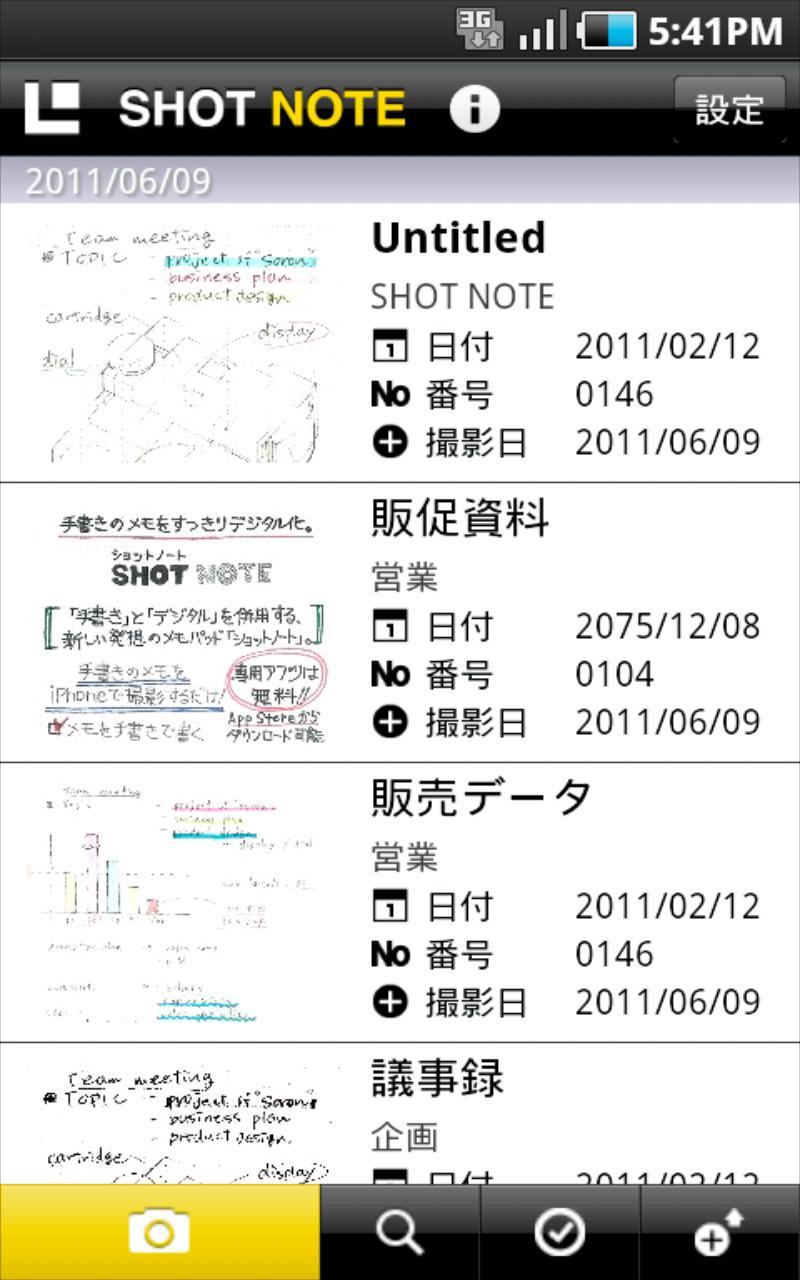
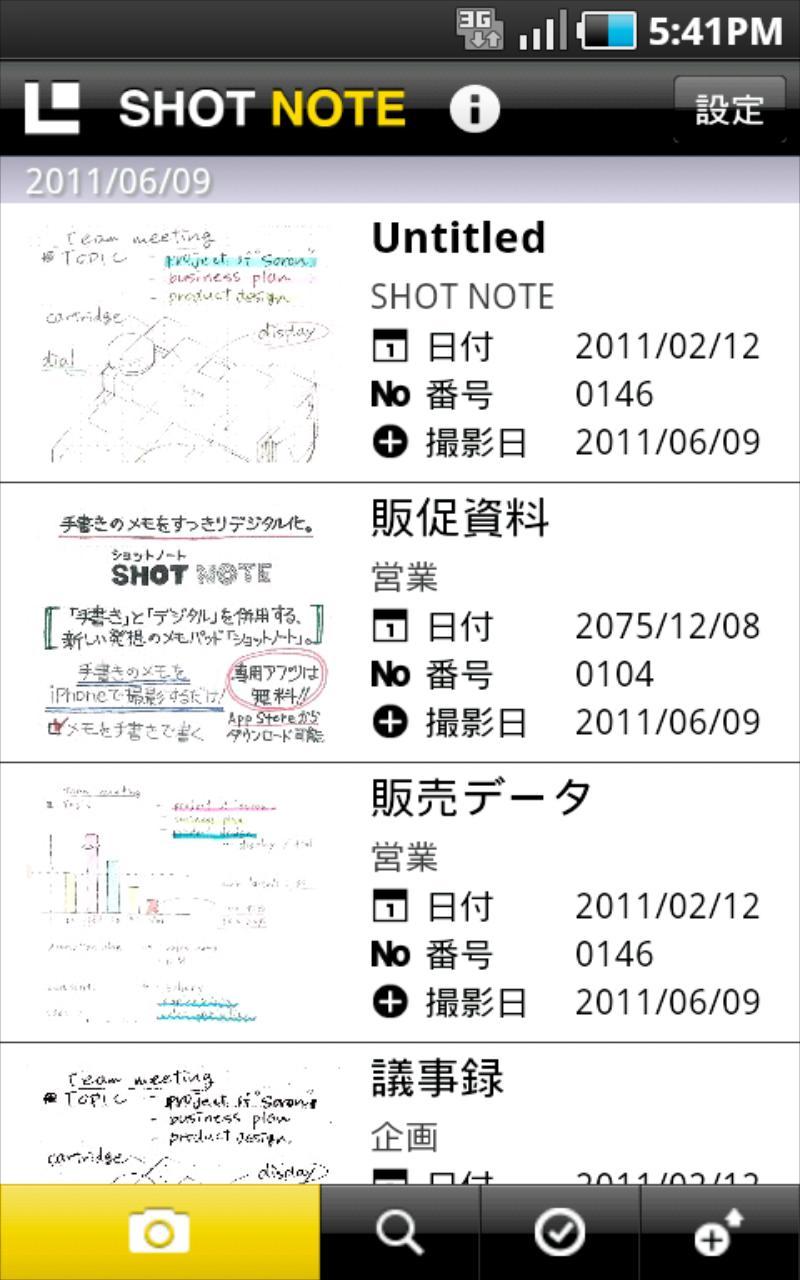
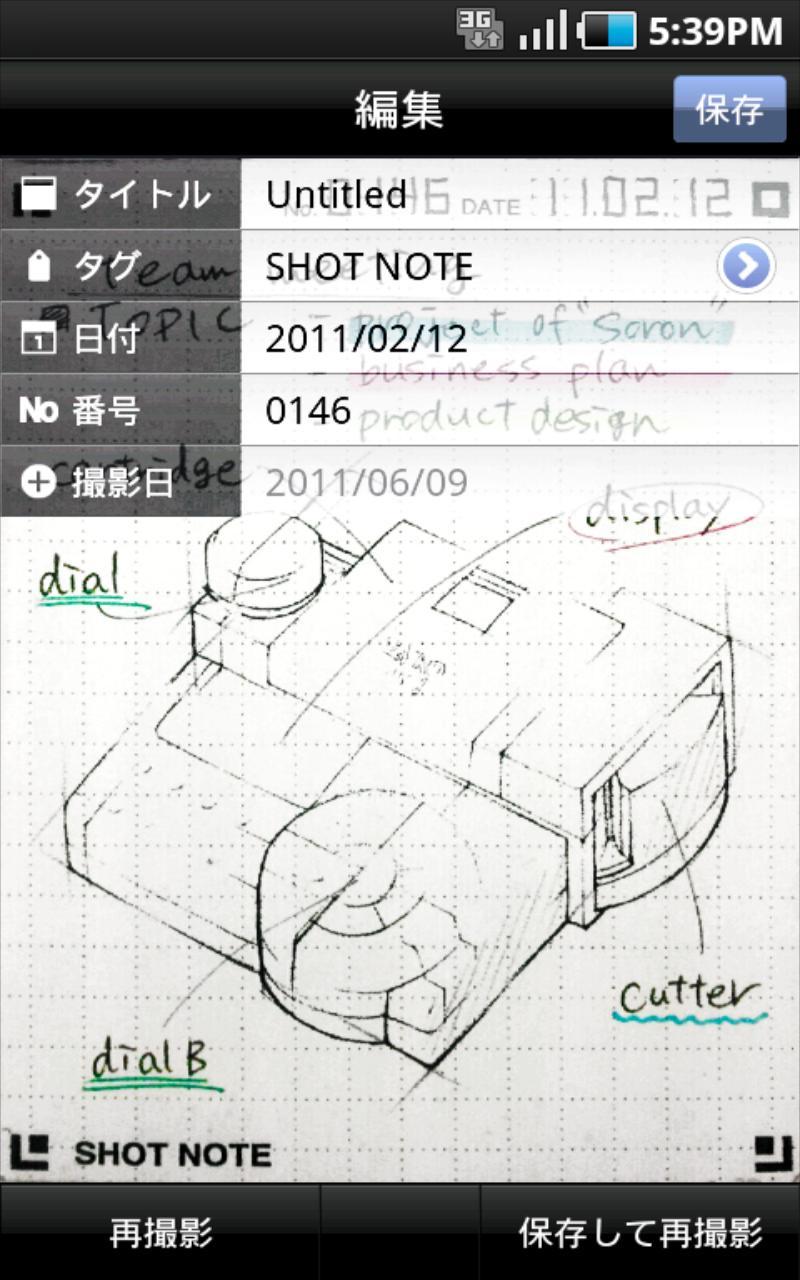
SHOT NOTE is a new notebook you can digitize and organize handwritten notes.

SHOT NOTE is a new notebook you can digitize and organize handwritten notes.

SHOT NOTE is needed to use this application.

Get yours at your nearest KING JIM retailer or at Amazon.com.

Write > Shoot > Organize >Share Handwritten Notes!

Digitally store and organize handwritten notes easily.

◆The models already confirmed you can use SHOT NOTE

[ NTT docomo ]

ARROWS X LTE (F-05D/2.3)

MEDIAS PP (N-01D/2.3)

MEDIAS WP (N-06C/2.3)

ELUGA power (P-07D/4.0)

GALAXY Tab 10.1 LTE (SC-01D/3.2)

GALAXY SⅡ (SC-02C/2.3)

GALAXY SⅡ LTE (SC-03D/2.3)

GALAXY Note (SC-05D/2.3)

GALAXY Note Ⅱ (SC-02E/4.1)

GALAXY SⅢ (SC-06D/4.0)

AQUOS PHONE (SH-01D/2.3)

XPERIA(SO-01B/2.1)

XPERIA arc (SO-01C/2.3)

GALAXY S (SC-02B/2.2 2.3)

XPERIA acro (SO-02C/2.3)

XPERIA acro HD (SO-03D/2.3)

XPERIA GX (SO-04D/4.0)

[au]

INFOBAR (A01/2.3)

[ Function details ]

1.Shoot the page with your Android phone

After opening the SHOT NOTE App, just take a picture with your camera, and the page will automatically adjust to

fit perfectly on your screen.

2. The OCR function makes notes easy to find

By making use of the OCR function, dates and numbers can be added to notes making them easy to find and organize.

3. Shoot and Share

Send notes via e-mail or upload them to Evernote to access them anytime.

・Notes can post to Evernote / Dropbox / GoogleDrive / Twitter

・Rich sort function

・Tag import from Evernote

・Tags can be added automatically

・Multiple selection function to export or delete at the same time

・11 stages of brightness adjustment

・Color / two stages switch function

"Evernote" is a trademark or a registered trademark of Evernote Corporation.

"Dropbox" is a trademark or a registered trademark of Dropbox, Inc.

"Twitter" is a trademark or a registered trademark of Twitter,Inc.
What's New in the Latest Version 1.7.2

Last updated on Jul 15, 2020 *Fixed the problem that backup/import cannot be performed normally on some models.
Download(8.13MB)
Users also viewed
  • SpeakingPhoto

    SpeakingPhoto

    3.1 October 19, 2026
  • Silt - light notes & tasks

    Silt - light notes & tasks

    0.6.1 October 18, 2026
  • Device Stats

    Device Stats

    1.1 October 18, 2026
  • National Geography Free TV Online

    National Geography Free TV Online

    2.0 October 18, 2026
  • free iptv daily

    free iptv daily

    1.0 October 18, 2026
  • p2f Signature

    p2f Signature

    2.2.51 October 18, 2026
  • GOALS ToDo Free

    GOALS ToDo Free

    2.1.1 October 18, 2026
  • RFI Tools

    RFI Tools

    1.2 October 17, 2026
  • Wifi Display (Miracast) Pro

    Wifi Display (Miracast) Pro

    1.0 October 16, 2026
  • Deleted Video Recovery

    Deleted Video Recovery

    4.4 October 16, 2026
  • MAJESTIC IPCAM

    MAJESTIC IPCAM

    1.1.9 October 16, 2026
  • Words of Wisdom

    Words of Wisdom

    1.1 October 15, 2026
  • eSpeak

    eSpeak

    1.48.15 October 15, 2026
  • Recent Apps

    Recent Apps

    1.02 October 14, 2026
  • Breezy

    Breezy

    1.3.35 October 14, 2026
About Privacy Policy Terms of Service Cooking Policy

© Copyright 2017-2026 downzq.com