

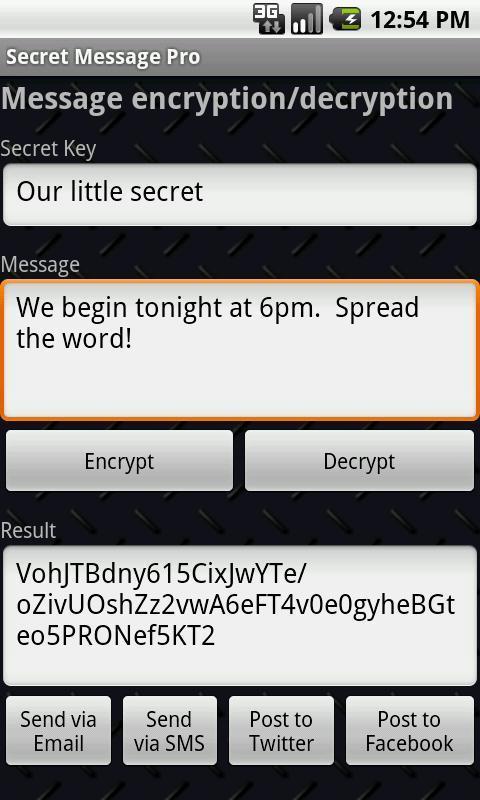
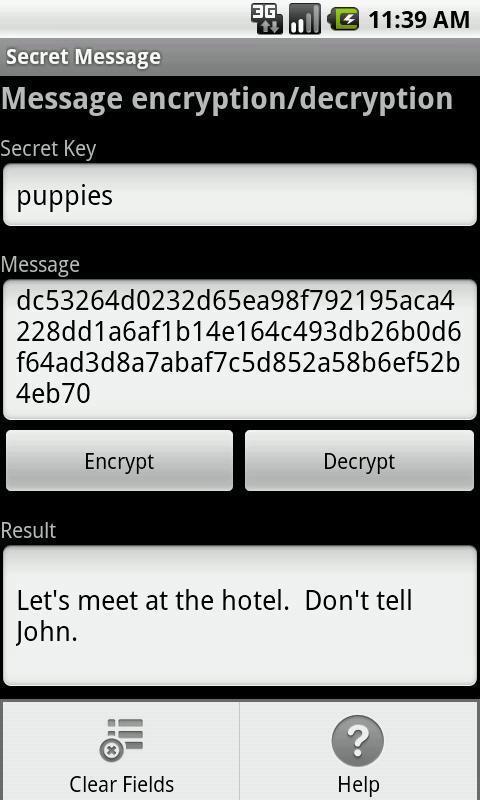
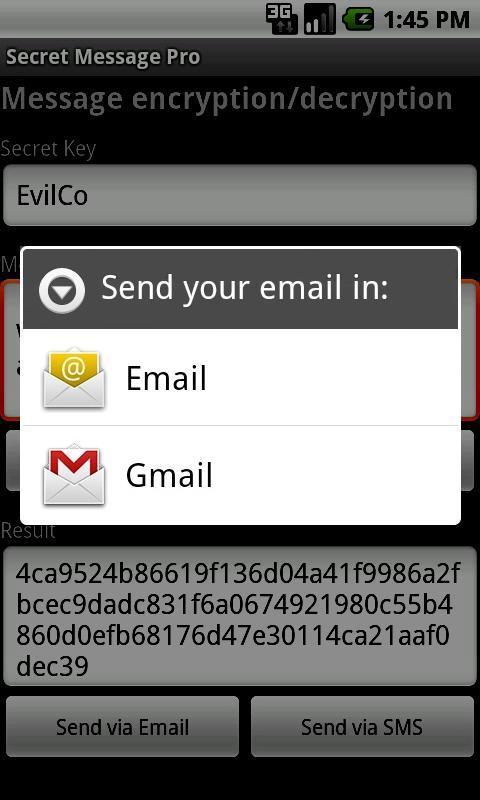
Simple & secure messaging. Encrypt it. Email, SMS, post to Facebook or Tweet it!
Secret Message is now available for iPhone, iPad, Android and Windows Phone 7 mobile devices!
NEW: 256-bit encryption now available and compatible in Android and WP7 versions.
Secret Message Elite now combines the functionality of message encryption and image file encryption, so you can encrypt text and photos all from one app!
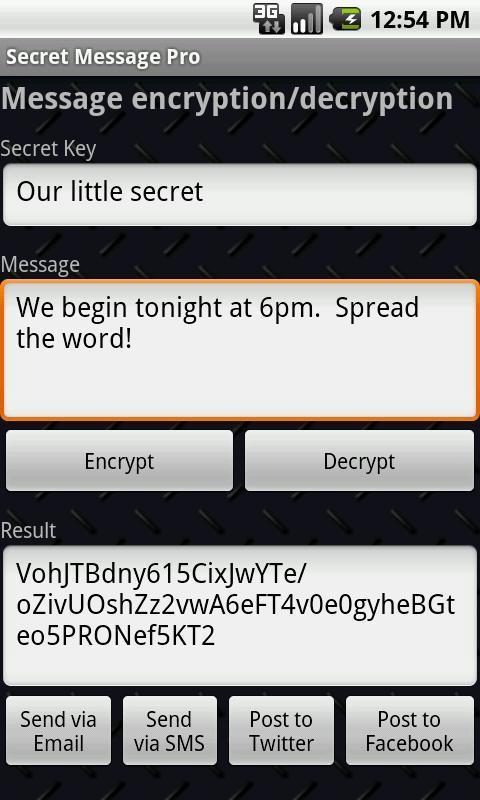
Email, SMS, Tweet or post on Facebook secret messages between friends, co-workers, lovers using this simple application that encrypts a given text with a given key/passcode, and just as easily decrypts a given text with the same key. AES cipher algorithm is used to secure the message, resulting in very sound communication encryption that helps you keep your private conversations safe from prying eyes.
Agree on a secret key. Write it. Encrypt it. Email it. SMS it. Post it on Facebook or Twitter!
Here's how you use it:
1. Agree on a secret key with your friend/co-worker/lover/cat.
2. Enter your message.
3. Click 'Encrypt'.
4. And then send your encrypted/encoded message. You can:
- Email it.
- SMS/Txt it.
- Share any other way you want: Facebook, Twitter, Google+, etc.
Message encryption or decryption not working? Always make sure that you have the latest (most up-to-date) version of the app. Also make sure you and the other person both use the same encryption mode (128 or 256-bit). Still not working? Please tell us - [email protected].
FREQUENTLY ASKED QUESTIONS:
Q:
Why does this app require all these permissions?
A:
Different permissions are necessary for different parts of the app to function properly. Some more commonly asked about permissions are briefly explained below:
* WRITE_EXTERNAL_STORAGE - necessary for image file encryption/decryption, and storage.
* PROCESS_OUTGOING_CALLS - necessary for Stealth Mode feature to work. App gets activated when 3666 is dialed. No other number is intercepted.
Q:
What is Stealth Mode?
A:
While in Stealth Mode the app is not visible in the app list (drawer). There is no open button; The only way to launch Secret Message is to dial "3666" and press the call button.
Q:
What are Salt & Iteration options in Settings menu?
A:
These are relevant only for 256-bit encryption. If you're not familiar with these cryptography terms, read this: http://en.wikipedia.org/wiki/Salt_(cryptography)
Q:
Is 128 and 256-bit encryption compatible?
A:
No, if you encrypt something with 256-bit option enabled, no one will be able to decrypt using 128-bit version (or vice versa).
Q:
Once the person receives the encrypted message how do they decrypt it?
A:
The receiver of your encrypted message has a couple of options when it comes to decrypting and reading your message:
1. Copy the encrypted message itself and paste it into their Secret Message app on their iPhone, iPad, Android device or Windows Phone 7 mobile device. This obviously requires the other party to also have Secret Message installed on their phone.
2. If sent via email or Facebook wall post, a link should've been generated for a web page which can help the other person decrypt the message. For example, try this link: http://www.secretmessageapp.com/decrypt/a1501a67125c4fee99e7575766075d3d with the secret key "test" (without quotes).
In general, if you're sending the message to someone who doesn't have the app installed or doesn't even have an iPhone, iPad, Android or Windows Phone 7 mobile device, you can always direct them to http://www.secretmessageapp.com/decrypt where they can manually paste in the encrypted message and enter the secret key to decode the message.
Please send us your suggestions, questions and bug reports. We would love to make this your ideal secure messaging app! Please feel free to email us at [email protected].
New in version 1.1:
- Added preference setting for hiding instructional text about getting the app if user doesn't have it.





 Download