• Home
  • Games
    Action-adventure Simulation Business Role Playing Sports Competition Casual Intelligence Card Strategy Music Rhythm Text Puzzle Flying Shooting Love Development
  • Apps
    Business Office Newsletter Social Life Entertainment Online Shopping Practical Tools Travel Financial Management Educational Learning Information Reading Sports and Health
  • Articles

English 中文(简体) 中文(繁体) 한국어 日本語 Português Español Русский العربية Indonesia Deutsch Français ภาษาไทย
Home Apps Business Office Ruckus SWIPE
Ruckus SWIPE

Ruckus SWIPE

1
2
3
4
5
Download
  • Version 2.7.42.1
  • Category Business Office
  • Package Name com.ruckuswireless.lineman
  • Update Time February 18, 2026
  • Size 19.96MB
About this app

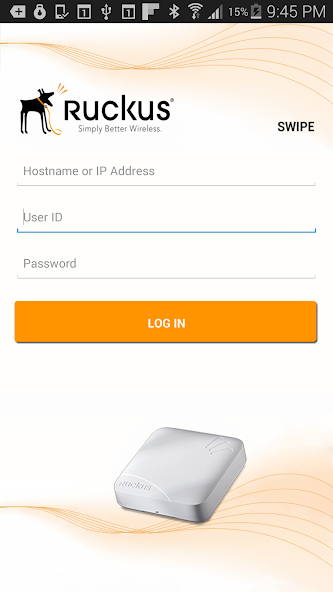
SWIPE facilitates the process of configuring & registering Ruckus APs

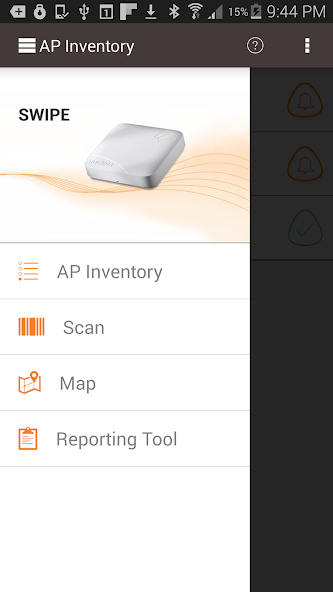
With Ruckus Smart Wireless Installation & Provisioning Engine (SWIPE), you can more easily register the Ruckus Access Points (APs) being managed by the Ruckus SZ or vSZ. Deploying a new AP is now as simple as scanning the barcode of the AP, entering in the AP Name, taking a picture of the installed AP, and choosing a configuration profile (AP Group) for that AP. The AP will automatically connect to the SZ & download the appropriate configurations.

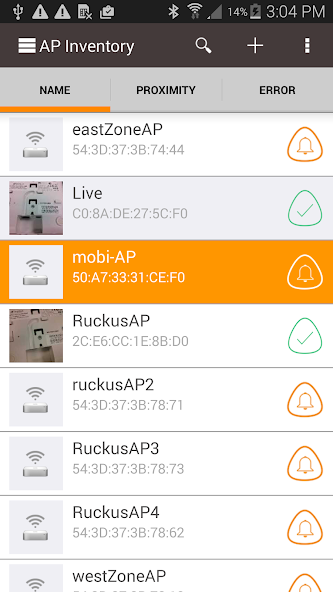
Ruckus SWIPE makes it easier to remotely manage or troubleshoot existing APs by highlighting APs with issues and one-click navigation using Google Maps. SWIPE can also test the performance of existing APs and store the data.

SWIPE also helps eliminate the inefficient and error prone process of manually updating backend systems with AP serial number, MAC addresses, location, IP address, etc. using a notepad, email or phone. SWIPE users can simply email information such as serial numbers, MAC addresses, AP model numbers, firmware version, location (Latitude/Longitude), as-built pictures, etc.

SWIPE Requires SZ or vSZ 2.5 or higher
What's New in the Latest Version 2.7.42.1

Last updated on May 17, 2024 Automated Frequency Coordination (AFC) support.
Bug fixes.
Download(19.96MB)
Users also viewed
  • DriveWorks 3D

    DriveWorks 3D

    1.9 April 17, 2026
  • My Cloud

    My Cloud

    1.0 April 16, 2026
  • Wifi Display

    Wifi Display

    1.0 April 16, 2026
  • Clips&Trick Toy Story 3

    Clips&Trick Toy Story 3

    1.0 April 16, 2026
  • Large Clock

    Large Clock

    3 April 16, 2026
  • 7 Weeks

    7 Weeks

    4.0.2 April 15, 2026
  • Jaguar Monza

    Jaguar Monza

    2.4.0 April 15, 2026
  • Nagios

    Nagios

    1.0 April 15, 2026
  • mAppWidget

    mAppWidget

    1.0.1 April 14, 2026
  • Podio Chat

    Podio Chat

    1.0.1 April 14, 2026
  • ListView Interactions

    ListView Interactions

    1.0 April 14, 2026
  • Dialog Box

    Dialog Box

    1.2 April 14, 2026
  • DIW PMIS

    DIW PMIS

    1.3 April 14, 2026
  • Live Face Detection

    Live Face Detection

    1.3 April 13, 2026
  • LG G Stylo (MS631) English

    LG G Stylo (MS631) English

    1.0 April 13, 2026
About Privacy Policy Terms of Service Cooking Policy

© Copyright 2017-2026 downzq.com