

Room Display 3 revolutionizes conference room bookings - manage your meetings
**OUT NOW** - All-new Room Display 4 with Centralized Administration
https://play.google.com/store/apps/details?id=com.gogetcorp.roomdisplay.v4
GoGet Room Display 3 is a professional meeting room booking system utilizing Android, Microsoft Exchange, and Google Apps. This flexible service can be configured to run on most 7”/10” Android tablets to improve your room booking workflow.
Request a local quote at https://www.gogetcorp.com/buy/
The GoGet Room Display 3 will improve the quality of life in your office through features including clear room status views, Quick Book functionality, and more effective resource usage.
Room Display has been implemented by IT and Facility Management Professionals in hundreds of offices worldwide. "Great App! Installing the paid version on 26 conference rooms. Has been a hit with employees." Kade Ross, Bandwith.com
Room Display Features:
Email Calendar integration
Room Display utilizes Android’s built-in support for most calendar systems, including Microsoft Exchange and Google Calendar, to sync room reservations with your calendars—no extra software needed!
Meeting Overview
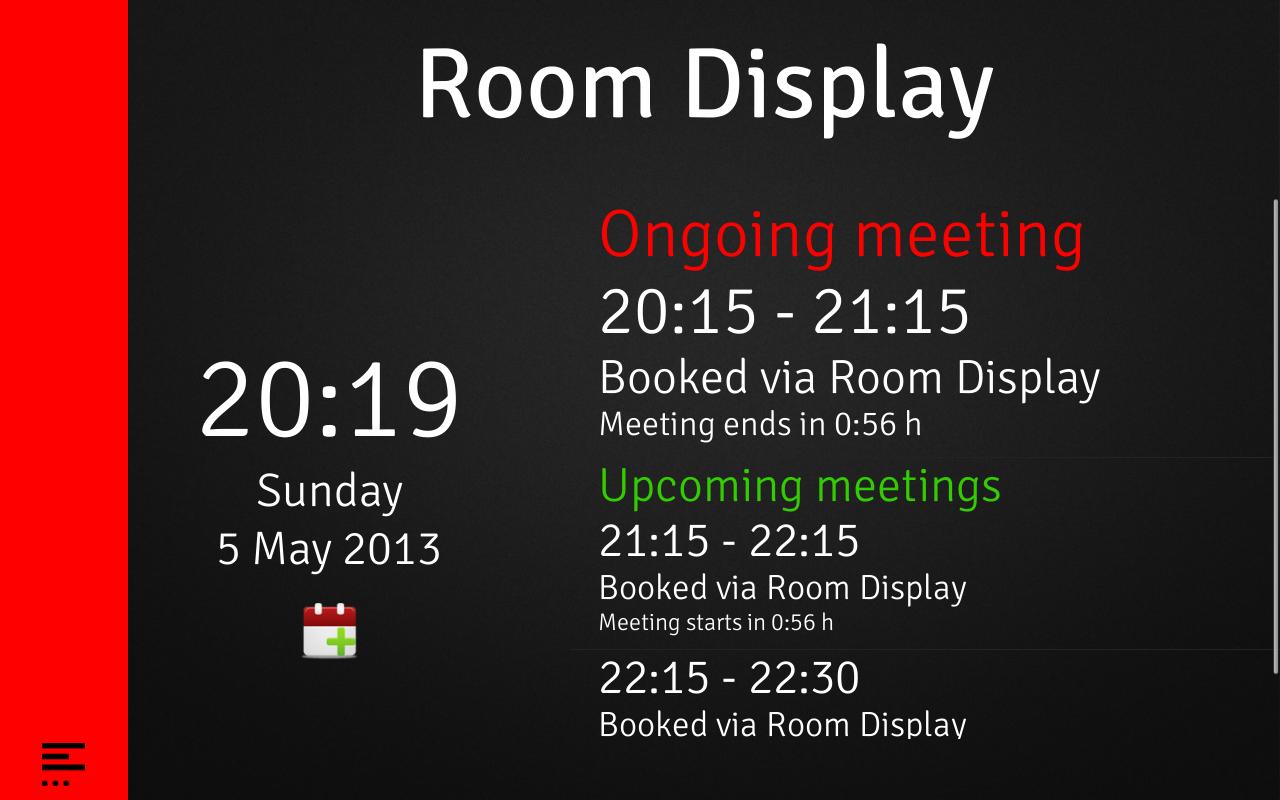
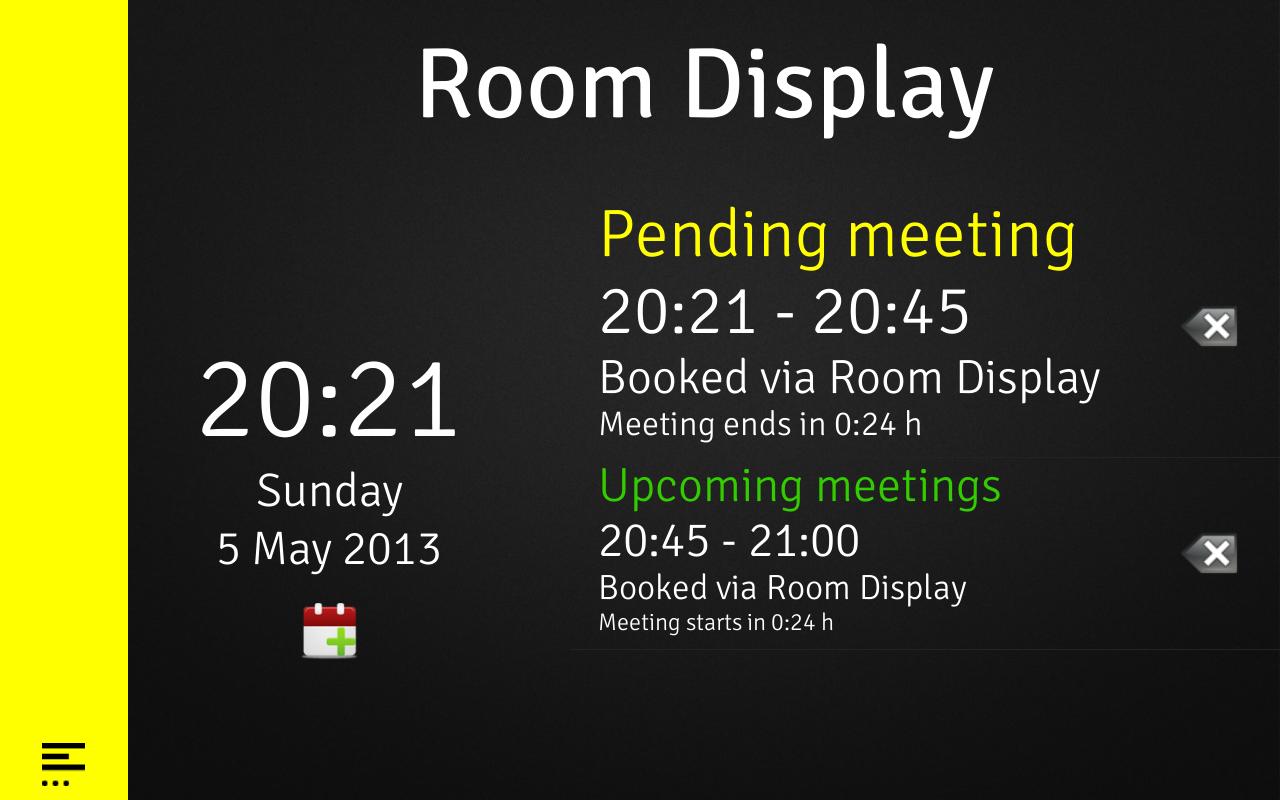
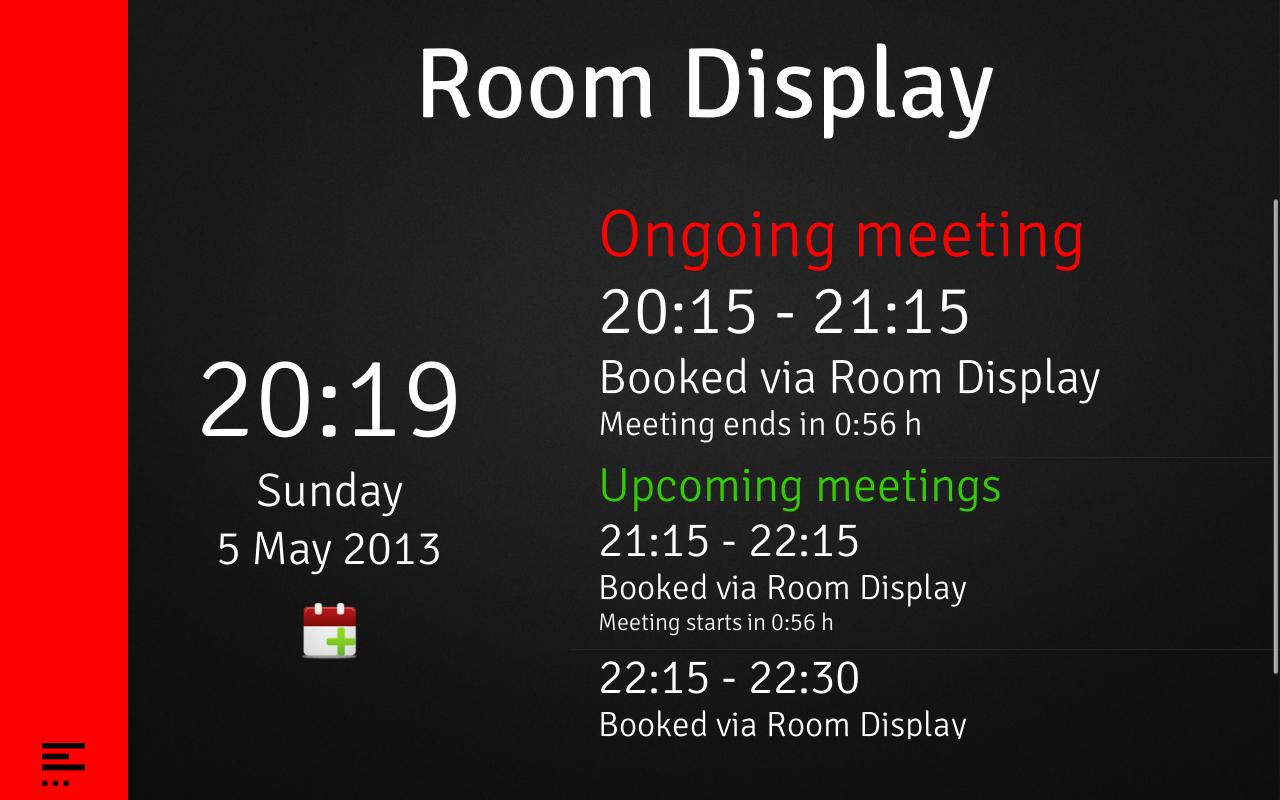
The highly customizable main view displays the status of a room through a simple status bar. Green indicates available, yellow shows a pending reservation, and red means the room is busy. Users can easily see the status of the room and, if desired, the name of the meeting organizer.
Quick Book
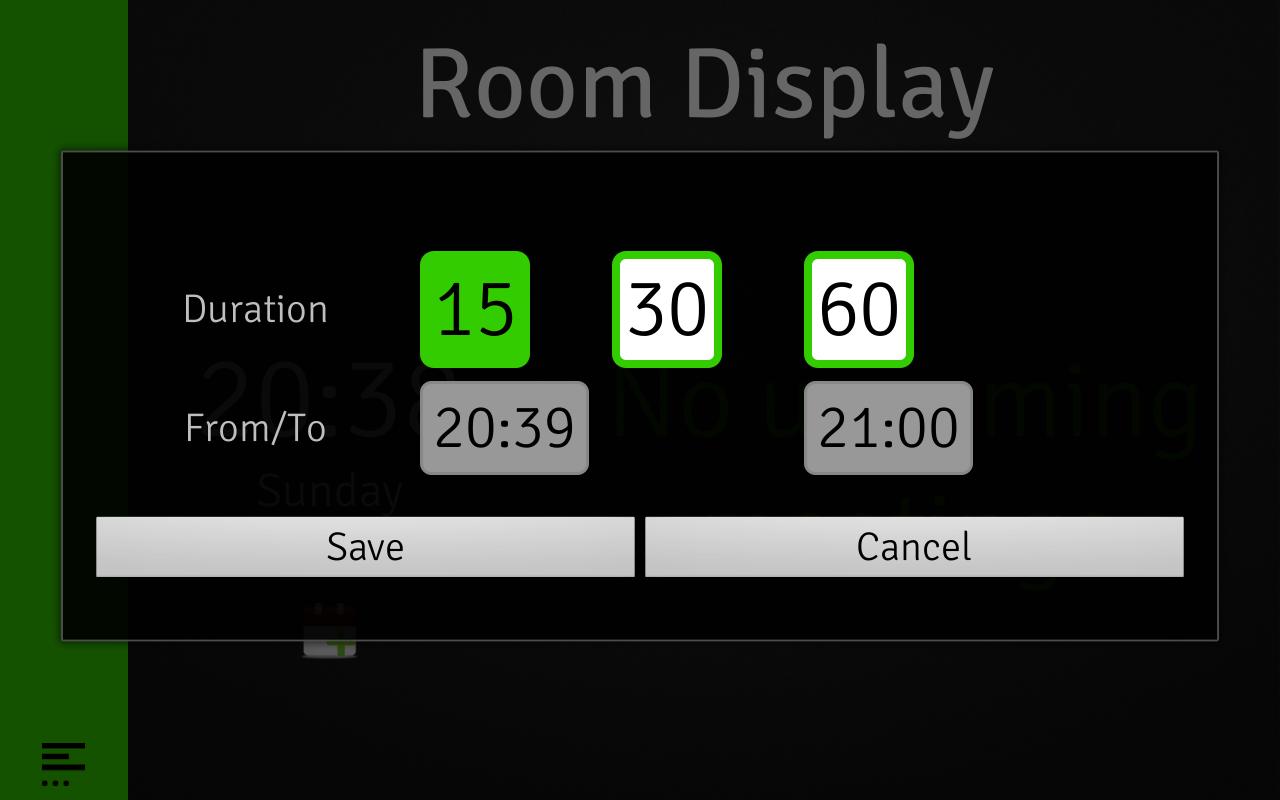
Quick Book lets users book resources while at the display outside the room. A few quick taps is all you need to reserve a room without the need for a computer. Quick Book can be disabled for a pure digital signage mode.
Room Check-In
Improve the efficiency of your meeting rooms by enabling reservation check-ins. If activated, users have to manually check in to meetings within a specified time range. If they don’t check in, the room will be released for other users to reserve.
Full Kiosk Mode
The GoGet Room Display features a full kiosk mode. This mode completely locks down the device, and eliminates the need for expensive kiosk apps or device rooting.
Language
We now support English, German, Swedish and Danish.
Room Display Licensing
Available Google Play version is a trial that enables you to try the fully functional app for 30 minutes. Thereafter there is a waiting period of 5 minutes until another 30 minute period is reactivated. Request a local quote of licenses at https://www.gogetcorp.com/buy/
Support
-You need to follow phone/tab producers guidelines on usage.
-All Android versions are supported.
-Exchange 2010/2007 through Android or all services that support EWS. Office 365 is also supported through EWS.
-Google Calendar
Technical specifications:
-Support for Local Exchange and Office 365 Exchange through EWS (2007, 2010, 2013)
-Support for Google Apps Resources and Gmail Calendar
-Android (2.2 to latest) – always up-to-date functionality
-Clear room status indicators (green - available/yellow - pending/red - busy)
-Highly customizable (colours, background, logo)
-Room check-in at the display, otherwise release the room reservation
-Quick Book - book resources while at the display outside the room
-Landscape/Portrait mode
-Built-in WiFi stabilizer for reliable network access
-Lightweight design
-Kiosk mode (without need of rooting)
-Night mode – dims display
-Hidden menus. Immersive mode from Android 4.4
-PoE functionality (with optional accessories)
-Languages: English, German, Swedish, Danish
-Minimal Internet access required (registrations and updates only)
Device Administrator
This app uses the Device Administrator permission. While this function is off by default, it can be turned on inside the app should the user want to activate Kiosk Mode.

 Download