

Digitalize e verifique os ingressos com códigos de barras ou códigos QR.
BarcodeChecker é um aplicativo para digitalizar e verificar os ingressos de eventos com códigos de barras ou códigos QR. It allows event organizers to verify barcode tickets at the entrance with one or multiple Android smartphones and log attendance.
You cannot use the app to scan lottery tickets or purchased tickets if you are not the event organizer and have a list of valid barcodes.
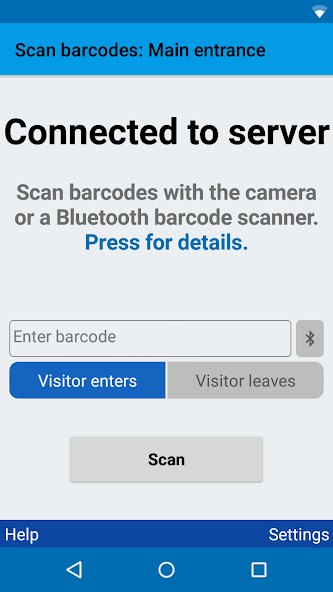
Each valid ticket is admitted only once; forged or copied tickets are rejected. Depois de digitalizar um código de barras válido, o smartphone pisca verde e bipe 1x, mas depois de digitalizar um código de barras inválido, ele pisca vermelho, vibra e bipe 3x.
Você pode verificar os tickets de código de barras impressos com o software TicketCreator ou importar qualquer outra lista de códigos de barras ou códigos QR de um arquivo do Excel. For registered tickets the name of the ticket holder or additional info can be displayed after the scan.
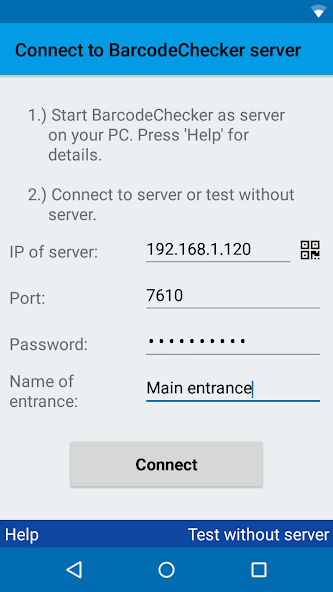
Durante a digitalização, os smartphones devem ser conectados a um PC Windows, que executa o software BarcodeChecker como servidor e contém a lista de códigos de barras válidos.
OBSERVAÇÃO:
The app is free, however, you must purchase and install the BarcodeChecker for Windows software to run the server on your PC. You can test the server for free in trial mode.
CARACTERÍSTICAS:
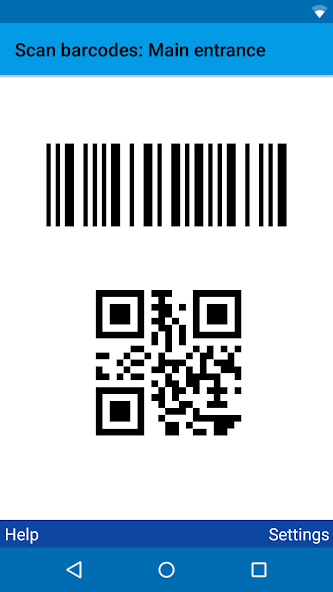
• Scan ticket with barcodes or QR codes
• Check tickets that were printed with the TicketCreator software
• Import and check any list of barcodes or QR codes from an Excel file
• Scan with multiple smartphones
• Display name of ticketholder for registered tickets (reception/welcome function)
• Record time of arrival and departure
• Export attendance list
• Restrict access to certain sections
• Supports Bluetooth barcode scanners
• Damaged barcodes can be entered manually
• Requires Windows PC as server
CONFIGURAR:
1.) Download BarcodeChecker app to smartphone.
2.) Install BarcodeChecker software for Windows on PC. The software must be purchased or can be tested in trial mode for free.
3.) Start BarcodeChecker software on PC as server and open list of valid barcodes.
4.) Connect smartphones by WIFI to BarcodeChecker server PC.
5.) Scan tickets with smartphones.
Supported barcode formats:
• QR codes
• Code 39, Code 128,
• UPC-A/E, EAN-8/13
• PDF 417
• Code 2 of 5 interleaved
• Data Matrix
• Aztec
Mais informações:
https://www.TicketCreator.com/BarcodeChecker_app.htm




 Download