

Tree Pocket Memo is a new sense of a tree that can move freely organized notes.
"Pocket Memo Free" is a new type of memo pad, with a simple and ready-to-write memo function, and pockets to save and arrange your memos in a hierarchical way.
One of Pocket Memo's greatest advantages is that the memos you make are displayed inside square boxes called "memo pockets", which you can freely move around with your fingers.
You can not only permutate, but you can also arrange related memo pockets in a hierarchical manner. At first glance, it's like managing memos using the Windows explorer, so you can easily put together all of your discrete memos. It is an application that will become essential as your memos increase. When you no longer need the memo, you can drag and drop it to the garbage box to remove it.
Furthermore, you can cover both personal and business scenes by saving the entire memo pocket into the upper layer folder. For example, by separating memos to folders such as private, friends, hobby, business, etc., you can easily manage voluminous data within a single application.
Pocket-memo - Thoroughly pursued the benefits of smart phone applications. Why not try it for your memo pad application?
Advantages of the Pocket-memo
"Folder" function - Sort memos comprehensively.
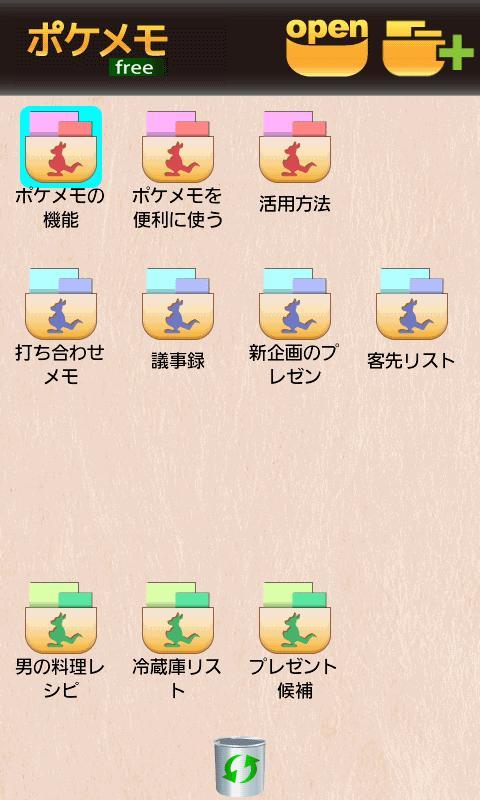
Folder where you want to save the note, you can create up to three. Color can be selected from the three colors. Feel free to be attached so the folder name, folder contents at a glance you can create. You can also place a folder in the free position of the screen by dragging.
"Memo Pocket" function - Make memos, move them freely and group them in hierarchical way.
Highly recommended function of this application. You can make or delete memos and check the entire memos at a glance.
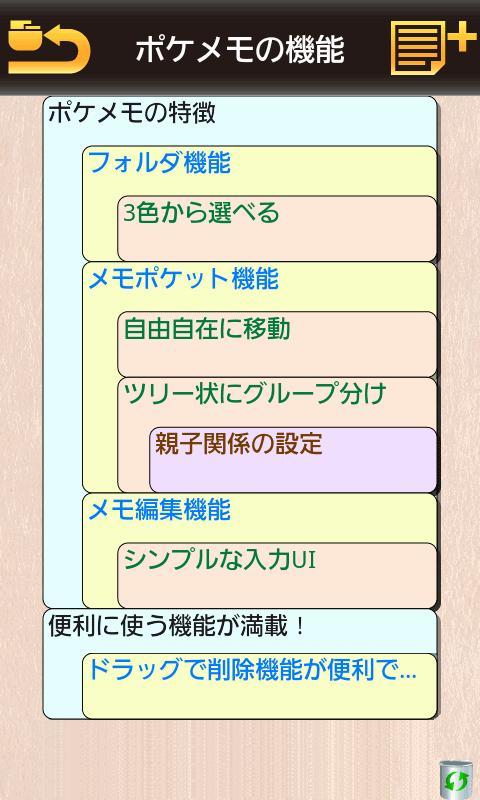
Memos that you make are displayed in square boxes called "memo pockets". You can drag each pocket freely to change orders or to group them in a hierarchical way, using a parent-child relationship.
You can also freely setup and change the background and letter colors of the pockets for each hierarchy.
"Memo editing function" - Write simply! Watch simply!
High-speed performance is crucial for memos. This application provides an instinctive and simple memo-editing function, just as if writing an email.
When the Pocket Memo finds an URL or email address within the memo, it opens a shortcut to promptly call dedicated application.
"Drag-and-delete function" - Quickly delete unnecessary folders and memos!
You can easily delete folders and memos that you no longer need. It require no special operation! You can delete it by a simple drag-and-drop to the "garbage box" in the screen, just as you do on a PC.
(In the paid version is more convenient)
In the paid version is available below more useful features.
+ Restriction of the number of folder creation.
Create a folder number can be stored up to three are pocket notes. Version you can create an unlimited number of paid.
+ Restricting the Use of Sharing.
The free version, the ability to share e-mail or in conjunction with the application Evernote, Facebook and the contents of the note or notes pocket was created can not be used.
Paid versions are available.
+ Hide ads
In the paid version does not display ads.
If you have any requests or find any bugs, we would very much appreciate if you would write them to the review page. Please also state your device model, in such cases.
<Supported OS>
Android 2.1/2.2/2.3/4.0
- Folder function
- Memo pocket function
- Memo editing function
- Drag-and-drop delete function







 Download