

Enjoy millions of the latest Android apps, games, music, movies, TV, books, magazines & more. Anytime, anywhere, across your devices.
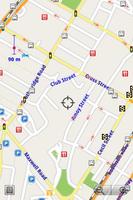
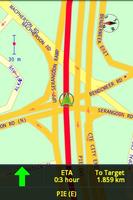
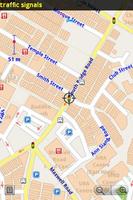
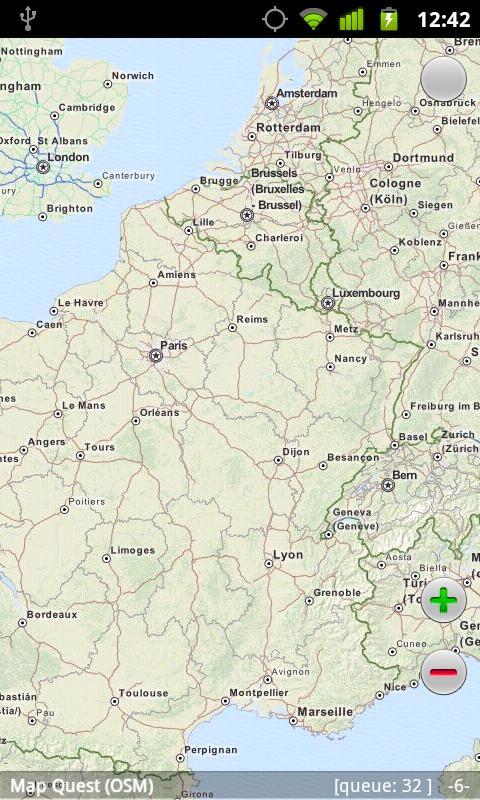
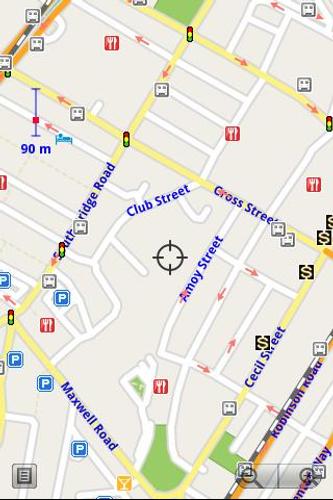
Offline Map for android, vector map, totally offline maps, no internet connection. Key features: Zoom in/Zoom out/Pan. Search street by name and/or intersection with other streets. Search point by name, type, distance or mix type+name, type+distance. Search GPS location by latitude and longitude in decimal format. Partial name search. Can touch any object on the map. GPS real-time tracking. Routing point to point. Rotate map so the driving direction (heading) is always up. Voice guidance (turn left/turn right)
Screenshots:
http://www.digitalmobilemap.com/screenshots
Basic User Guide
Touch and drag to move map, pinch to zoom in/out, tap on + button to zoom in, tap on - button to zoom out, tap on an object (street or point) to view its name, double taps on an object (street or point) to open context menu apply to that object.
There is an option to load routing nodes into memory. If you select this option, the application will calculate shortest/fastest route from point to point very fast.
How to use turn by turn navigation:
You can use AutoRouting together with GPS tracking to have turn by turn navigation. To use turn by turn navigation, follow these steps:
1. Increase your phone volume so that you can hear voice guidance.
2. Open Setup menu and check "In Car Navigation When Tracking/Routing" and "Keep On Road When Tracking" options. If these options have been turn off then turn them on.
3. Define start waypoint and target waypoint, select AutoRouting to calculate fastest/shortest route. After the application starts to demo the route, you can tap anywhere on the map to stop the AutoRouting demostration. The application remembered your route.
4. Select GPS tracking menu and wait for the phone to fix GPS signal. It may take a few minutes to fix GPS signal depending on your phone GPS receiver.
5. Mount your phone on the phone handle in your car.
6. Drive along the fastest/shortest route, the application will guide you to go straight, turn left or turn right. Follow the turn by turn instructions you will reach the target waypoint.
Please use this function turn by turn navigation carefully, always look at the road ahead while you drive instead of looking at the small phone screen to have a safe drive.
If you want to find pre-generated offline map for other cities, you can search digitalmobilemap in android market (https://market.android.com/search?q=digitalmobilemap.com)
If you want to generate offline map by yourself, you can search full version offmap.digitalmobilemap in android market (https://market.android.com/search?q=offmap.digitalmobilemap.com)
If you have any suggestion to improve the application, please contact us at www.digitalmobilemap.com



 Download