


The only complete spreadsheet for Android, with the features of a desktop app
This is a free 30-day trial version of PlanMaker HD, the only desktop-class spreadsheet application for Android tablets. This software is not designed for smartphones.
What users of Android tablets could only dream of until now is finally a reality.
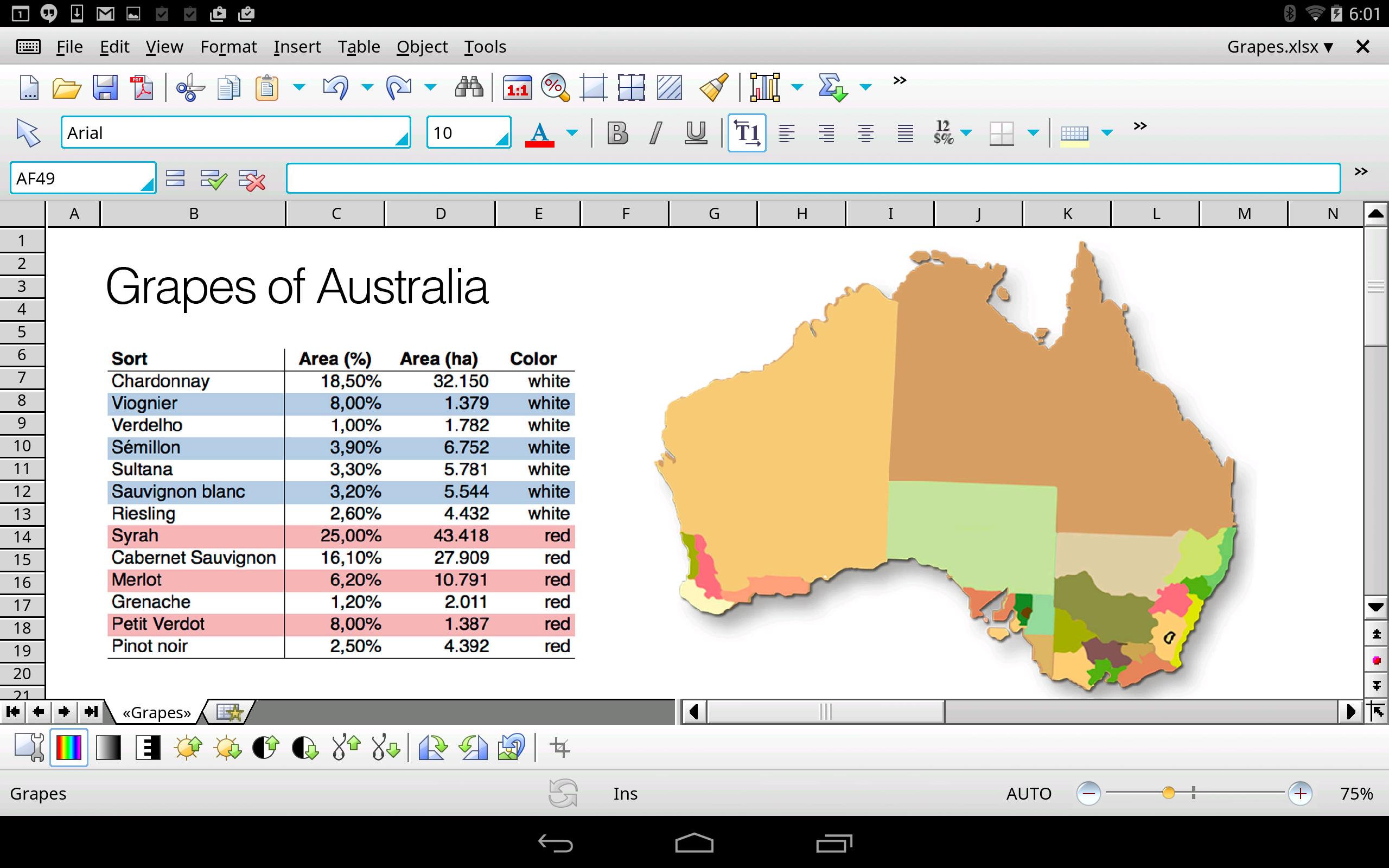
PlanMaker HD is the only complete spreadsheet program for tablet computers – the full set of features for editing and formatting spreadsheets that you know from your desktop spreadsheet program is at your disposal. Finally, you can calculate, analyze and present on your tablet computer like you do on your PC!
Uncompromising compatibility: PlanMaker HD reads and writes XLS, XLSX and XLSM files from Microsoft Excel 5.0 to 2016, including password-protected ones.
Intuitive to use: If you've already worked with PlanMaker or Excel, you'll pick up PlanMaker HD in no time. The user interface is just like the one on the PC, but perfectly adapted to touchscreen use.
Save locally or in the cloud: PlanMaker HD not only opens and saves documents on your Android tablet, but also in the cloud: Directly from PlanMaker HD, you can edit documents in Dropbox, Google Drive, Amazon Cloud Drive, Evernote and OneDrive.
PlanMaker HD brings the features of a desktop spreadsheet program to your Android tablet. Don't settle for less.
Files and printing
► Open and save XLS, XLSX and XLSM from Excel 5.0 to 2016 faithfully to the original
► Import and export assistant for text files and dBASE databases
► Create PDF files directly in PlanMaker HD
► Print via Google Print and other printing programs
► Scale the printout so that it fits on a specified number of pages
► Send worksheets by e-mail as XLS, XLSX, or PDF
Comprehensive calculation capabilities
► More than 350 calculation functions
► Worksheets with 1 million rows and 16,384 columns
► Complex numbers and array functions
► Perpetual time format (20:00 + 5:00 is not 1:00 but 25:00)
► Calculate with negative times
► External references (calculations that access data in other files)
Edit worksheets
► Freeze rows and columns
► Comments
► Syntax highlighting
► Formula auditing helps to troubleshoot worksheets
► Input validation (data validation)
► Sheet, workbook and document protection with encryption
► Spell checking in 17 and hyphenation in 33 languages
Analyzing data
► With pivot tables you can display data in a targeted way according to your individual specifications, summarize, sort into categories, compare and evaluate.
► AutoFilter
► Goal seeker
► Scenarios
► Create database ranges within worksheets
► Data grouping (outliner)
► Sort by up to 64 columns
► Transpose cell ranges
Creating attractive worksheets
► Cell and character styles
► Conditional formatting like in Excel 2016
► AutoFormat, borders, shading, fills
► Rotate and merge cells
► Center across columns
► Forms with input fields, checkboxes, dropdown lists etc.
► Headers and footers
► Colored tabs for worksheets
Graphics and drawing
► Draw and design directly in the worksheet using AutoShapes, freehand drawings and pictures
► Insert images in a range of formats, both from files and from the Android gallery
► Mirror effects, soft shadows and transparencies
► Crop images directly in the worksheet
► Change brightness, contrast and gamma of images directly in PlanMaker HD
► Connector lines between objects
► Large symbols library for flowcharts and org charts
► TextArt feature for amazing type effects
Present and visualize data
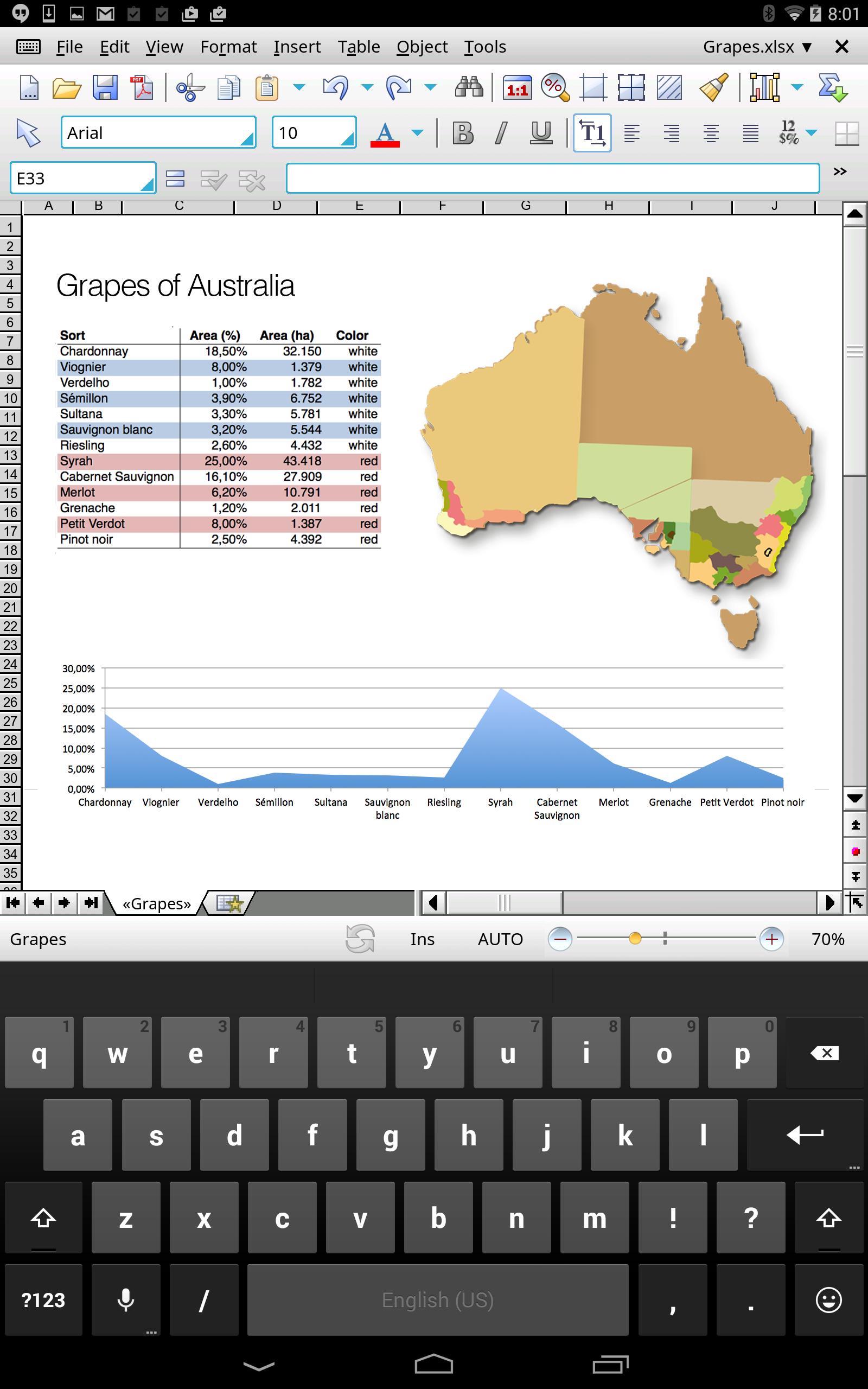
► 80 Excel-compatible chart types in 2D and 3D
► Impressive special effects in charts: soft shadows, bevels, transparency, light sources etc.






 Download