

[End-of-Support for Neo Notes]
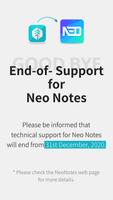
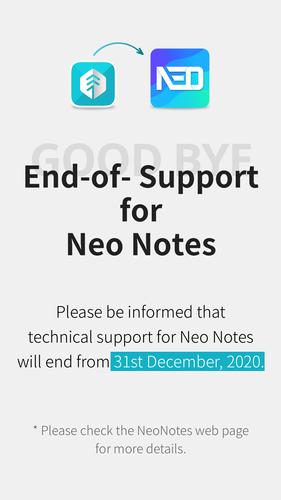
[End-of-Support for Neo Notes] Please backup your pen data to the mobile app "Neo Studio" by December 31, 2020. We will do our best to ensure that you can safely make a backup until the end of the support.
▶ End-of-Support for Neo Notes
We regret to inform you that support for Neo Notes will be stopped starting from 31st December, 2020. However, we are also glad to inform you that we'll be able to meet through a more convenient app, "Neo Studio".
Please check the URL below for more details.
ㄴCheck now: https://www.neosmartpen.com/en/neonotes/
We are truly grateful for all the love and support that was given to our service.
---------------------------------------------
Neo smartpen is an innovation which transfers the handwritten data to digital text by using technology.
Now, you can keep your handwriting in a digital form and bring them everywhere.
is a dedicated application of Neo smartpen. You can digitize your handwriting instantly and simultaneously. It also provides an offline mode that stores your handwriting and transfer when the pen is connected with your smartphone.
Transferred data can be easily edited and shared in a variety of platforms. Enhance your work productivity, learning, and self-development.
------------ Main Features -----------
[Digital Storage]
Neo smartpen saves the handwritten data to the connected smart device. Its sensitive pressure recognition saves the handwritten data on the Ncode notebook accurately.
[Editing Function]
You can edit and change the font color and size as you prefer or delete any unnecessary data. You can also emphasize important information with a highlighter in edit mode.
[Text Transcription]
You can transcribe handwritten to digital text with a simple touch with a fingertip. Convert your written data to a digital text and copy & paste it on your memos or emails. Neo Notes support up to 15 different language transcriptions.
[Auto Save Options]
Use our “Authentication Center” and log in with your choice of Cloud services; OneNote, Evernote, Adobe CC or Google Drive. Then you can toggle on Auto Save Function at “Auto Save Options”. Now, you can check your data anywhere.
[Easy and Convenient Share]
Your handwritten contents can be shared via email, SNS and different applications in PDF, image, text and vector format.
[Google Drive Backup and Restoring]
If you upload your written contents to Google drive, then you can download it to other smart devices and continue to write or edit. Even if you wish to use different devices alternatively or change it to brand new one, you can save and download the existing data from Google drive.
[Record & Playback]
Record your voice while you write down your notes. You can playback the audio files that are synced with the pen strokes. Do not miss any important parts of your lectures or conversation by using the record function.
[Tag & Search]
You can easily search for any data by using a tag function. You can effectively manage your handwritten data by tagging it into different subjects. You may easily search your saved written contents by data or text.
[Offline Sync]
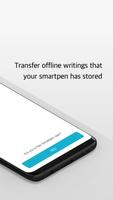
Neo smartpen saves written data on the offline mode and then automatically transfers and saves data once it is connected to your smart device. You can write without connecting it to your smart devices. (Neo smartpen is able to save up to 1,000 pages of written data)
[Notebox]
You can lock the used notebook before you use the same kind of notebook with this function. (If a used notebook is not locked your handwriting on the new notebook may overlap with used notebook)
[Calendar View]
The calendar view helps you to quickly search the data by date. Not only the date, but also the written place and the weather are recorded, so it is convenient to remember the environment at the time of writing.
[Calendar Sync]
Once you write your schedule on to “N Planner” it will sync with the designated online calendar. (Google Calendar, Outlook Calendar)



 Download