
• Home
  • Games
    Action-adventure Simulation Business Role Playing Sports Competition Casual Intelligence Card Strategy Music Rhythm Text Puzzle Flying Shooting Love Development
  • Apps
    Business Office Newsletter Social Life Entertainment Online Shopping Practical Tools Travel Financial Management Educational Learning Information Reading Sports and Health
  • Articles

English 中文(简体) 中文(繁体) 한국어 日本語 Português Español Русский العربية Indonesia Deutsch Français ภาษาไทย
Home Apps Business Office Multi Touch Pad Free
Multi Touch Pad Free

Multi Touch Pad Free

1
2
3
4
5
Download
  • Version 1.9
  • Category Business Office
  • Package Name com.tnksoft.winmultitouchfree
  • Update Time January 13, 2025
  • Size 811.7KB
About this app

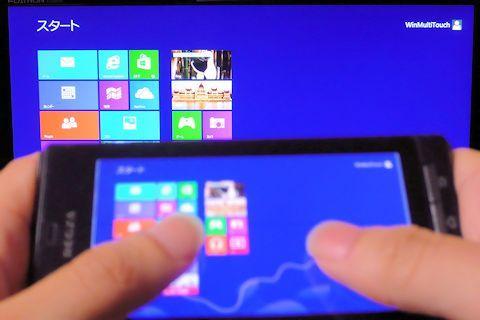
Gets to be able to do multi-touch operation of Windows by your Android devices.

*Please update a client software to latest version(Ver 1.4) too.

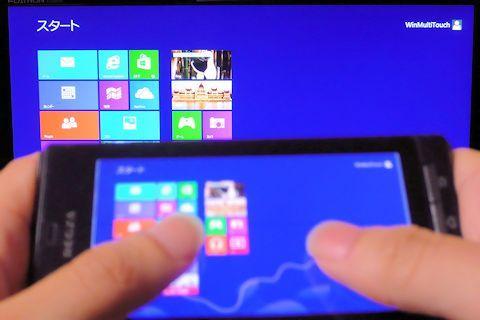
"Windows Multi Touch Pad" is an App which can do the multi-touch operation on Windows by your SmartPhone and Tablet.

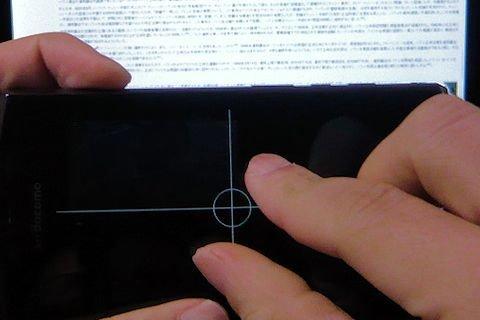
It displays a desktop screen on your device. Images are WebM streaming with NDK decoding and GPU rendering. So, its response is fast. However, you can disable a screen capture if you don't need it. It displays a grid or a central circle then.

You can choose LAN which can send much data, or energy-saving Bluetooth for communication.

Note:

Supports Windows 8, 7, Vista, and XP(XP is 32bit only). It becomes a single touch operation by the digitizer on Windows Vista and a single touch operation by the mouse on Windows XP.

You need to install the client software for transmitting and receiving operation data to your PC. Client software is free from [http://www.tnksoft.com/soft/phone/winmulti/].

HTML5 is used for the user interface of setting. Unless it has validated the standard browser of OS, these do not work properly.

Bluetooth connection is developed on condition that it operates with the default driver of Windows(Microsoft Stack). When connection fails, please uninstall a third party Bluetooth driver.

ARM compatible processor is required to the capture function. Intel Atom is not supported.

Not support multi-display environment.

An advertisement is displayed in this edition. Please buy the standard edition if you do not want to see an advertisement.
What's New in the Latest Version 1.9

Last updated on Aug 12, 2015 1.9 : Specifies the display of the navigation bar.
1.8 : Support Intel Atom(x86 processors)
1.7 : Fixed the vulnerability of the framework.
1.6 : Fixed the problem which a connection fails.
1.5 : Fixed the problem which digitizer cannot react easily.
1.5 : Append the reconnect function.
1.4 : Displayed the reason for a network error.
Download(811.7KB)
Users also viewed
  • Carrier Signal 3G/4G SpeedTest

    Carrier Signal 3G/4G SpeedTest

    3.0.4 December 15, 2025
  • Myat Min Keyboard - Unicode

    Myat Min Keyboard - Unicode

    2.0 December 14, 2025
  • BunkMaster

    BunkMaster

    3.2.1 December 13, 2025
  • SURFdrive

    SURFdrive

    4.1.0 December 13, 2025
  • Rich Data

    Rich Data

    5.22.3.0 December 13, 2025
  • Shinhan SOL Viet Nam

    Shinhan SOL Viet Nam

    3.4.2 December 13, 2025
  • Folder Notes

    Folder Notes

    1.06 December 12, 2025
  • Sermon de Vendredi au Fouta

    Sermon de Vendredi au Fouta

    1.2 December 12, 2025
  • Touch Text Keyboard

    Touch Text Keyboard

    3.4 December 10, 2025
  • My Ears

    My Ears

    1.131 December 10, 2025
  • FileDrop

    FileDrop

    4.0.0 December 10, 2025
  • Gun Sounds: Tough Guns

    Gun Sounds: Tough Guns

    8.7 December 9, 2025
  • GTD Task Manager - Free

    GTD Task Manager - Free

    0.99 December 9, 2025
  • Recetas de cocina

    Recetas de cocina

    1.5 December 8, 2025
  • Gps Notes Lite

    Gps Notes Lite

    1.03 December 8, 2025
About Privacy Policy Terms of Service Cooking Policy

© Copyright 2017-2025 downzq.com