

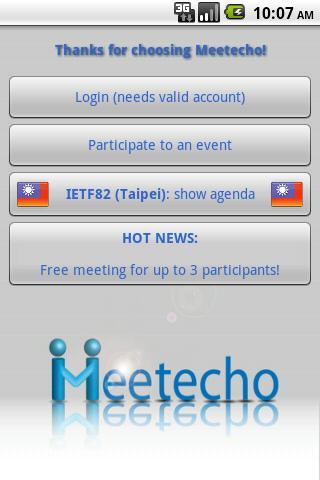
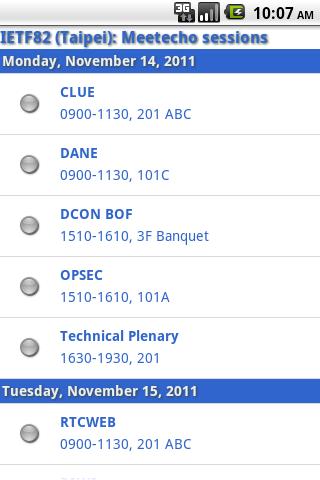
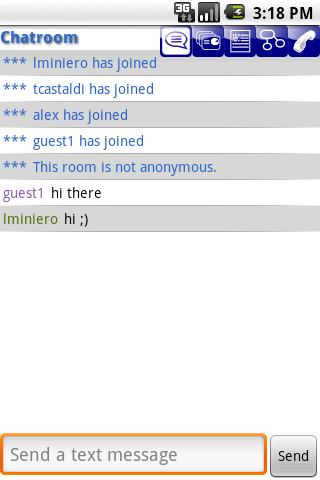
Join and attend Meetecho conferences on the road using Meetecho for Android!
Join and attend Meetecho conferences on the road using Meetecho for Android!
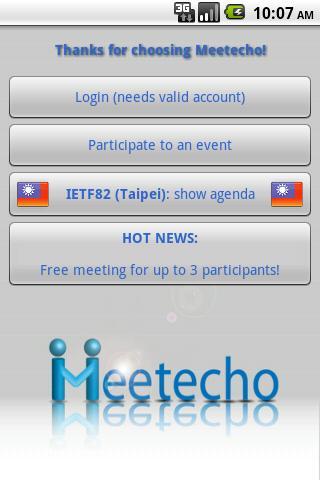
HOT NEWS: As it did in Prague, Quebec City, Taipei, Paris, Amsterdam (Interim meeting), Atlanta, Orlando, Berlin and Vancouver, Meetecho will also allow you to remotely attend in a synchronized way the upcoming IETF meeting sessions in London, check http://ietf89.conf.Meetecho.com for details!
Meetecho is a standard conferencing and collaboration platform. Meetecho for Android supports almost all the functionality made available by the desktop and web clients, and is completely interoperable with them: get the most out of your device and start collaborating with others as if you were sitting at your desk!
Check your conferences and join them by either logging in if you have an account, or by tapping on the URLs you receive in invitation mails whenever you're invited to an event.
Main Features of the Android app:
✔ Instant Messaging -- Chat with the other participants in the chatroom, or start private conversations with any of them at any time.
✔ Visual Feedbacks -- Send quick visual feedbacks to avoid disrupting the conference flow, and receive them from other participants to adapt your presentation accordingly (e.g., "you're presenting too fast", or "I agree").
✔ File Sharing -- Send any kind of file from your device (even a live camera picture) to the other participants in the conference, and receive any file they might share in the conference themselves.
✔ Presentation Sharing -- Present any kind of document you have (by uploading it from within the application or picking it from a list of preloaded, previously shared, documents) to the other participants, or attend a live presentation if one of the other participants has the floor: pass or receive presentation control during the conference at any time.
✔ Shared Text Editing -- Watch the synchronized updates on a shared text document in real-time, and save it locally for offline reading or forwarding/sharing: a perfect tool for minutes!
✔ Whiteboarding -- Watch the shared drawing/editing whiteboards in the conference in real-time, and save the current status of any of them as an image for offline reading or forwarding/sharing.
✔ Anonymous Polling -- Participate to anonymous single or multiple choice polls, answer the questions by sending your votes and graphically display the results to get the feel of the room!
✔ Audio/Video -- Join the audio/video part using either the integrated functionality (incoming/outgoing audio, incoming video), or, since the involved protocols are standard, use any other SIP phone (e.g., SipDroid or others) to join the conference call while using Meetecho for all the other features. You can even join the audio conference placing a regular phone call from your device (please note that some providers don't allow both data and voice calls to be on at the same time).
Soon to be added features:
✗ Conference creation and management.
✗ Active participation to the text editing.
✗ Active participation to the whiteboard.
✗ Creation and management of new polls.
✗ Outgoing video.
✗ Desktop and application sharing.
Get Meetecho for Android for free!
New to Meetecho? check the website (http://www.Meetecho.com) and the tutorials (http://conf.Meetecho.com) to learn more!
Should you need any help, make sure you check the troubleshooting section in the Android page of tutorials website: don't hesitate to contact us at [email protected] should you need further assistance!






 Download