

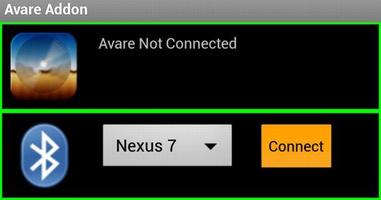

This is the free AddOn app for our free Avare aviation GPS & EFB app.
This is the free AddOn app for our free Avare aviation GPS & EFB app. 이 앱은 현재 Bluetooth 또는 WiFi 연결을 통해 Avare의 외부 전용 ADS-B 및 GPS 수신기를 사용하기위한 NMEA 호환성, 자동 조종 장치를 구동하기위한 NMEA 출력 및 XPANE 또는 FlightGear Flight Simulators와의 연결을 포함하여 AVARE에 대한 추가 무료 연결을 제공합니다. 이 확장 된 연결성을 기반으로 한 실제 기능은 추가 및 적극적으로 개발되므로 포럼, 웹 사이트 및 Play Store를보고 업데이트를 보려고합니다.
This Avare External I/O Plugin requires the free Avare app, which should be installed first. You can find Avare on Google Play in the list of our free apps under the "More from developer" section below. For details on installation and operation of Avare with this I/O app and use with specific devices, please see our website and search our Forum. The basic steps for use with an external GPS or ADS-B receiver are:
--Installation on your Android device--
- Avare를 설치하십시오
- Install this Avare External I/O Plugin app
--설정--
1. 외부 수신기 장치를 켜고 하늘과 안드로이드 장치 근처의 위치에서 Bluetooth (또는 Wi -Fi)를 통해 데이터가 준비되고 전송되는지 확인하십시오.
2. On your Android device, disable GPS in the settings (optional if you do not want GPS from
tablet internal), and ensure that Bluetooth (or WiFi) is on.
3. Launch the Avare app, go to Preferences, and under GPS select where you want to
get GPS messages (eg ADS-B or GPS device), then minimize Avare using Home button of Android device.
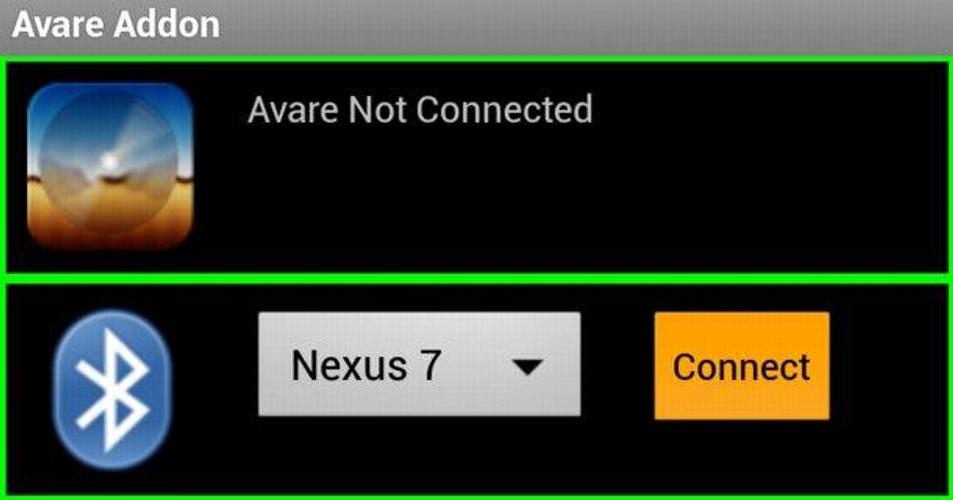
4. Launch the IO app, and connect your Android device to the ADSB/GPS device via Bluetooth.
5. Minimize the IO app (like Avare, it will continue running in background).
6. Return to the Avare app and your position will be displayed if available and if other Avare settings are correct. Note that Avare's GPS tab will be blank when using an external GPS in this way.
While all this may look complex, users report that once the initial setup is done the routine setup and operation is simple and intuitive.
참고 :
*Based on manufacturer and carrier implementations, Android devices handle Airplane Mode differently. If you use Avare in Airplane Mode, the Bluetooth transceiver in your device may or MAY NOT be active. 공항 모드를 활성화 한 후 Bluetooth가 장치에서 작동하지 않으면 비행기 모드에서 Bluetooth를 다시 켜면 작동 할 수 있습니다. 비행기 모드 수정 자와 같은 무료 도구로 장치가 실제로 비행기 모드를 처리하는 방법을 추가로 조사 할 수도 있습니다.
*많은 위치에서 ADS-B 수신을 거의 또는 전혀 사용하지 못할 수 있으므로 ADS-B 데이터를 수신하려면 3,000 '이상의 AGL에서 비행해야 할 수도 있습니다. If so, you may be able to receive at least the data from any long-haul airliners passing overhead transmitting ADS-B Out.




 다운로드
다운로드