

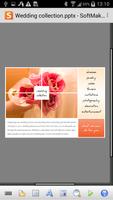
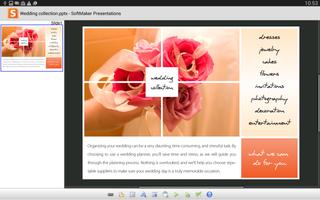
Work on your PowerPoint presentations wherever you are. Full document fidelity.
From now on, Office: Presentations Mobile is free to download and use, both for home use and business. Now there is no excuse to use an inferior office solution – you can have the best without paying a dime!
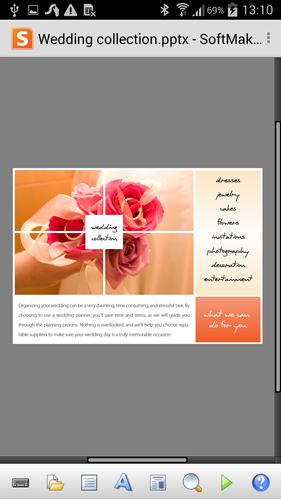
Office: Presentations Mobile is the only presentation program for Android that lets you open, edit, and save all your PowerPoint files while preserving all formatting and content. It displays your presentations exactly like they look on your PC, even including sound, animations, and slide transitions.
► Edit and save all .ppt and .pptx files from Microsoft PowerPoint 97 up to 2013 seamlessly, without losing formatting or content
► Also opens and saves password-protected Microsoft PowerPoint files.
► Run self-playing or user-controlled slideshows
► Play sound, all object animations, animation schemes, and slides transitions during slideshows
► Export to PDF format and as collections of image files directly from within the app
► On-the-fly spell checking for English (US+UK), German, Swiss German, French, Italian, Spanish, Portuguese, Norwegian, Swedish, Danish, Dutch
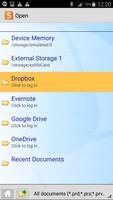
► Access documents in Dropbox, Google Drive, Evernote, and OneDrive directly from within the app.
► Many character formatting options, including bold, italic, underlined, font and size, text and background color, subscript and superscript, small caps, and all caps
► Flexible paragraph formatting: left and right indent, first-line indent, paragraph alignment, line spacing, space above/below paragraph, tabs
► Lists with bullets and automatic numbering
► Display any TrueType or OpenType font
► Insert tables and images into placeholders
► Built-in slide sorter, outline view, and notes view
► Insert, delete, duplicate, rename, and hide slides
► Automatic hyphenation in 33 languages
► Multi-level undo and redo
► Send presentations by e-mail directly from Office: Presentations Mobile in any of its file formats (PDF, PPT, PPTX, HTML, etc.)
► Menus and dialogs switchable between English, German, French, Italian, Spanish, Portuguese, Dutch, Japanese, Chinese, Russian, Hungarian, Bulgarian, Greek, and Turkish
► ... and much more!
Office: Presentations Mobile is the only presentation-graphics program for Android that truly deserves its name. Check it out now, you will be amazed by its capabilities, its spotless compatibility with Microsoft PowerPoint, and its friendly user interface.
Imagine this: You can start a presentation in Microsoft PowerPoint on your PC, edit it using Office: Presentations Mobile, then finish it with Microsoft PowerPoint. Everything stays intact, no formatting is lost. No other Android presentation program does this!
Supported file formats: SoftMaker Presentations, Microsoft PowerPoint (PPT, POT, PPS, PPTX, POTX, PPSX, PPTM, POTM, PPSM), RTF, HTML, many image file formats
Notes: If you have questions about this application, please do not post them in the ratings, but contact our support team directly:
E-mail: [email protected]
Forum: http://www.softmaker.com/forum
Web site: http://www.softmaker.com
We look forward to hearing from you!
You can view the built-in help pages by opening the menu and then tapping on Tools > Help. Additional tips can be found at http://www.softmaker.com/english/tipsandroid_en.htm





 Download