

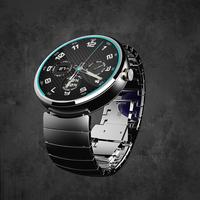
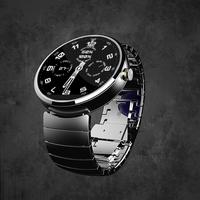
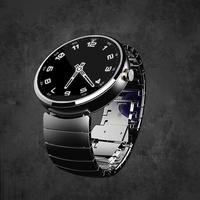
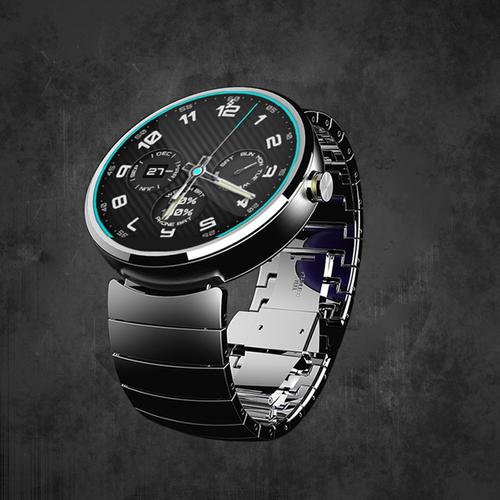
Carbon look watch face
Forza Watch is an Android Wear customizable watch face. With a dark carbon fiber background and big, visible indicators it is easy to read and sporty looking. You can unlock the app to have acces to the color settings and the small dials, or use it free, simple and lightweight.
Designed with a round watch face in mind it looks great on the Moto 360 but is also compatible with all round and square Android Wear watches.
Settings are available only in the Companion App. To acces them select the watch face in Android Wear app and a small settings gear will apear. Click the gear and the Config App will start.
Make sure you always have the latest version.
Watch Face Settings:
✔ Show / Hide Hours
✔ Show / Hide Minutes
✔ Show / Hide Small Dials in ambinet mode (PLUS Version)
✔ Enable / Disable Animations (PLUS Version)
✔ Enable / Disable Smooth Seconds Hand
✔ Select Red or Blue Theme
Unlock the PLUS version to have acces to all the watch configuration settings. The screen is divided in 4 customizable zones. For eah one of them you can choose the item you want from the list.
PLUS Version Settings:
✔ 4 Quick Select Theme Colors
✔ Custom Colors (Long press on the color)
✔ 24 Hour Watch
✔ Day (current date option)
✔ Date
✔ Phone and Watch Battery
✔ Small Seconds Hand
✔ Tap the Watch Face to cycle through the mini dials
Installing:
- Install from Play Store
- The sync with the watch may take 30 seconds to 2 minutes.
- If it takes to long run 'Resync app' on Android Wear App.
KNOWN BUGS:
- If you restart your phone the service responsible with phone battery update will stop and you'll have to start the config app again. Working on an update.
- If you get the error Authentication requied. You need to sign in google play account. Try clearing the cache and data from the Play Store App.
Your feedback is highly appreciated as well as improvements suggestions. If you would like some more items, like digital watch dial, or step counter, send your suggestions.
if you encounter any problems please contact me and I will respond ASAP.
Have a nice day and enjoy your watch face.
Watch Face:
Suports animations
Suports Tap events to change the mini dials
Smaller size, better memory efficiency
Better performance
Compagnion App:
Complete rebuild
Color options in free version
Custom Colors in PLUS version



 Download