




Quality pictures from a digital camera - instantly available on Android
This app is ONLY for use with an Eye-Fi Pro X2 card. Eyefi Mobi and Eyefi Mobi Pro card users should download the Eyefi Mobi app (https://play.google.com/store/apps/details?id=com.eyefi.android.mobi&hl=en) in order to take full advantage of the Mobi card features.
This application grants photographers the power to capture great quality pictures & videos from any digital camera, with instant access to view, edit, and share. Quickly and reliably transfer your pro images to your computer, smartphone or tablet with Eye-Fi ProX2.
When quality photographs are needed, you reach for your digital camera. Smartphones fall short for life’s most precious moments - these require zooming, high-speed shooting, low light and other features that make digital cameras superior. With an Eye-Fi ProX2 wireless SDHC memory card, you can quickly and easily turn the camera you already own and love into a top quality WiFi camera and showcase your best shots while streamlining your workflow. Use your favorite apps like Facebook, Instagram, Pixlr, and Snapchat to share instantly, and top editing tools to enhance and edit your best shots.
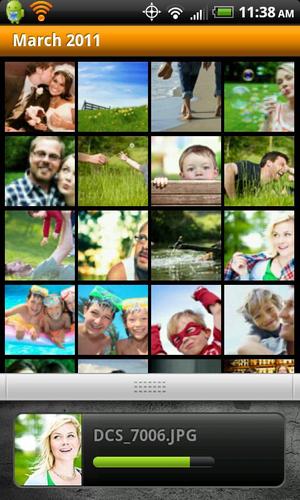
When paired with the Eye-Fi Android app, the Eye-Fi card transfers photos & videos directly to your camera roll, whenever new content is detected. No network or hotspot is required. Eye-Fi creates its own WiFi network so it works anywhere you are. Once the transfer completes, the card disconnects its WiFi to preserve battery life.
Eye-Fi ProX2 features:
• Instant transfer to your Android device
• Instant transfer to your Windows or Mac computer over a home WiFi network
• Class 10 speed for ultra-fast high speed performance
• Compatible with thousands of cameras (check at www.eye.fi/cameras)
• Uploads what you shoot (jpeg, RAW + many video formats)
• 8GB or 16 GB capacity
Getting started:
First, you will need to activate & set up your ProX2 card using Eye-Fi Center software on your Windows or Mac computer. After launching the Eye-Fi app, tap the sign in link at the bottom of the screen and enter your new Eye-Fi account credentials.
To learn more and buy an Eye-Fi SDHC wireless memory card, visit us at www.eyefi.com















 Download