

Offline 35000 word English Tagalog Dictionary, phrasebook and learning games
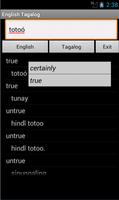
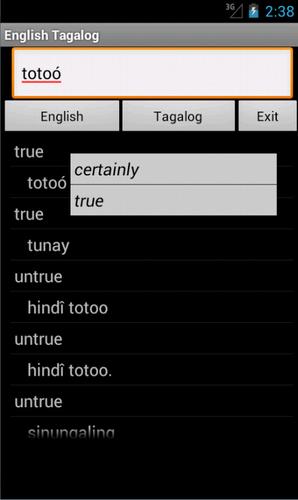
English Tagalog Dictionary – travel dictionary to translate English to Tagalog displaying a list of matching words. The dictionary also translates from Tagalog to English. Copying a word from the translated list for a reverse translation can be used to find synonyms and to understand the broader use of the Tagalog word in the English language. Although the English Tagalog Dictionary does not provide definitions or examples, the use of the translation software in this way provides you with a mechanism to better understand Tagalog words in the English context without the need for definitions. 35K offline references.
Combine the Phrasebook with the dictionary to make over a 100 essential phrases.
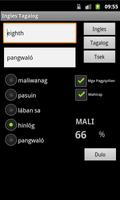
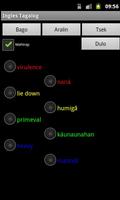
Learning games help to build vocabulary, using flashcard, multiple choice, spelling and word matching.
Play the classic Hangman game.
The word to guess is represented by a row of dashes, giving the number of letters. If the suggested letter occurs in the word, it is displayed in the correct position. If the suggested letter does not occur in the word, one element of the man it drawn. The game is over when the word is complete, or the hanged man is fully drawn.
View the history of words used in the games and click on the list to show synonyms.
Ideal for travelers, business people or students.
May require paid TTS voices.
FAQ
Q. How quick are the dictionary searches
A. This app takes up a small amount of space on your device and is very quick
Q. Are there definitions in the dictionary
A. No, but if you touch on any of the found words synonyms are displayed helping to show its use in a broader context
Q. How do I play the flashcard learning game
A. Select the language for the head word and select the matching word from the list below and select Submit.
Q. I am a more advanced learner can I play a harder set of words
A. Yes, tick the Advanced box to play against the full dictionary or untick to play against the 1500 words needed for high school
Q. Can I type an answer for the head word intead of having multiple choices, for the flashcard game
A. Yes, this is for more advanced learners. Untick the Multiple Choice box, type your answer and select Submit.
Q. How do I play the Word Match game
A. Select New, then touch the head word in the left column and it's matching word in the right column. Its colour will change. Repeat this for all words and then select Submit to check the answers
Q. Can I use the Word Match game as a revision aid or word of the day
A. Yes, select Revise to see the left and right words in matching order
Q. Can I see synonyms in the word games
A. Yes, touch any word in the game, after you have submitted your answer, to see synonyms and the broader meanings for each word.
Q. Can I see a list of words that have been used in the games
A. Yes, select Review History from the main menu
Q. Can I see synonyms in the History
A. Yes, touch any word in the history list to display synoyms
Q. Can I clear the game history
A. Yes, use a long touch on the list of word to be prompted to clear the history





 Download