• Home
  • Games
    Action-adventure Simulation Business Role Playing Sports Competition Casual Intelligence Card Strategy Music Rhythm Text Puzzle Flying Shooting Love Development
  • Apps
    Business Office Newsletter Social Life Entertainment Online Shopping Practical Tools Travel Financial Management Educational Learning Information Reading Sports and Health
  • Articles

English 中文(简体) 中文(繁体) 한국어 日本語 Português Español Русский العربية Indonesia Deutsch Français ภาษาไทย
Home Apps Educational Learning DocsConnect
DocsConnect

DocsConnect

1
2
3
4
5
Download
  • Version 1.17.1
  • Category Educational Learning
  • Package Name jp.co.ricoh.docsconnect.android
  • Update Time February 22, 2026
  • Size 11.86MB
About this app

Securely access and share files stored on the RICOH e-Sharing Box from anywhere.

This application is to use RICOH e-Sharing Service : Station with Android device.

Please contact your local sales office or dealer if you wish to use RICOH e-Sharing Service : Station.

DocsConnect is an application that works on Android device to connect with RICOH e-Sharing Service : Station.

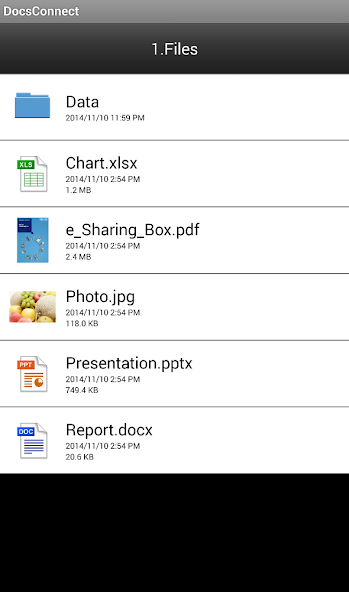
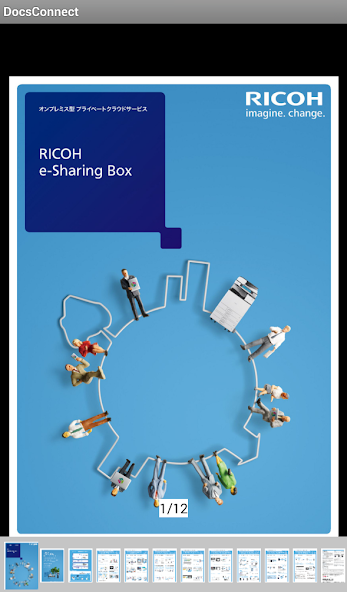
You can view files stored in RICOH e-Sharing Service : Station with this application and can print or project them from RICOH's MFP and Projector with simple operation.

Also, users can upload images saved on Android device to RICOH e-Sharing Service : Station directly with this application.

What you can do with this App:

1) You can connect your Android device RICOH e-Sharing Service : Station by just scanning the Connecting Code displayed on web UI of the RICOH e-Sharing Service : Station from your web browser.

2) You can view the content of the listed files stored in RICOH e-Sharing Service : Station.

3) You can print the selected file by scanning the Connecting Code displayed on the touch panel of RICOH's MFP. Similarly, you can project the selected file on RICOH's network capable projector by scanning the preprinted Connecting Code.

4) You can upload files or photos saved on Android device to RICOH e-Sharing Service : Station. Also you can scan paper documents to RICOH e-Sharing Service : Station from RICOH's MFP by scanning the Connecting Code displayed on the MFP touch panel with Android device.

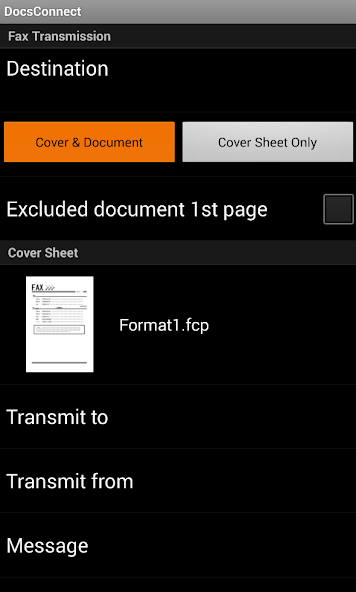
5) You can fax the selected file.

Supported Devices:

Android device (that has camera).

Android OS version 4.1 and later.

Note:

This application can be used with RICOH e-Sharing Box.
What's New in the Latest Version 1.17.1

Last updated on Feb 21, 2025 Support for email notifications of fax transmission results in RICOH e-Sharing Service V2.
Download(11.86MB)
Users also viewed
  • GLT Companion

    GLT Companion

    1.8.8-glt-Edition March 3, 2026
  • uniRDG

    uniRDG

    1.0.2 March 3, 2026
  • Fleet Complete Mobile

    Fleet Complete Mobile

    2.0.6 March 2, 2026
  • Alpmann eCards

    Alpmann eCards

    1.9.7.15 March 2, 2026
  • Sinocom Mobile

    Sinocom Mobile

    5.2.15 March 2, 2026
  • KEMPER HS2-App

    KEMPER HS2-App

    3.3.4 March 2, 2026
  • Trimble Unity

    Trimble Unity

    5.8.5 March 1, 2026
  • Pocket Penguins

    Pocket Penguins

    3.0.6 March 1, 2026
  • YOR Office

    YOR Office

    2.19 March 1, 2026
  • Virtuoso Week Exchange

    Virtuoso Week Exchange

    2.1 February 28, 2026
  • Global Exhibition on services

    Global Exhibition on services

    1.0 February 28, 2026
  • Geo SCADA Mobile

    Geo SCADA Mobile

    2024 (Build 202404241) February 28, 2026
  • Homework Help For Students

    Homework Help For Students

    2.59.1 February 28, 2026
  • Movilizer Pro

    Movilizer Pro

    2.6.40 February 28, 2026
  • Count the Dots

    Count the Dots

    1.3.01 February 28, 2026
About Privacy Policy Terms of Service Cooking Policy

© Copyright 2017-2026 downzq.com