• Home
  • Games
    Action-adventure Simulation Business Role Playing Sports Competition Casual Intelligence Card Strategy Music Rhythm Text Puzzle Flying Shooting Love Development
  • Apps
    Business Office Newsletter Social Life Entertainment Online Shopping Practical Tools Travel Financial Management Educational Learning Information Reading Sports and Health
  • Articles

English 中文(简体) 中文(繁体) 한국어 日本語 Português Español Русский العربية Indonesia Deutsch Français ภาษาไทย
Home Apps Practical Tools Digital Signature Creator
Digital Signature Creator

Digital Signature Creator

1
2
3
4
5
Download
  • Version 1.0.5
  • Category Practical Tools
  • Package Name com.whiztools.digitalsignaturecreator
  • Update Time February 17, 2026
  • Size 3.42MB
About this app

Signature Creator

Digital Signature Creator

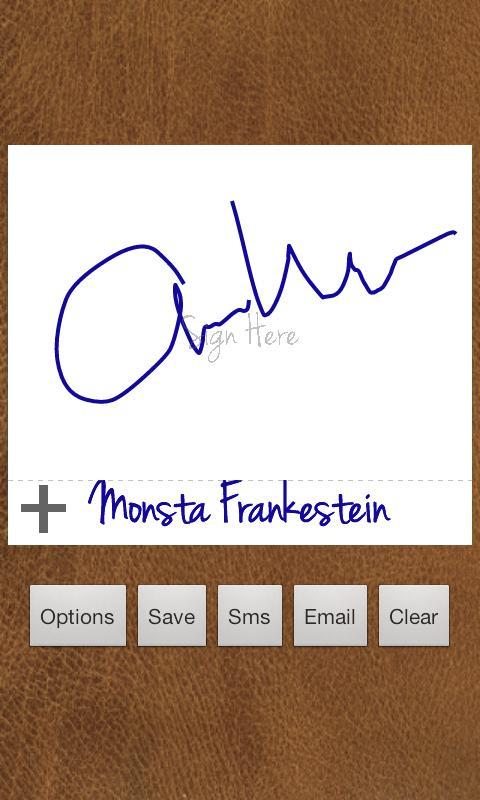
is an useful app to create your own digital signatures for your documents (Pdf,Word etc..)

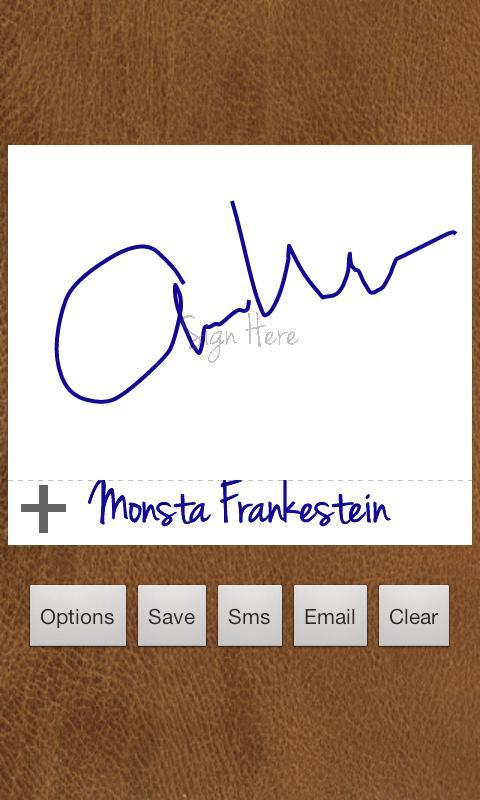
Without using a pen with realistic pen effects, now you can easily sign your documents and add your name with handwritten fonts on your phone in few steps. and send via SMS/EMAIL and other clients available on your phone.

Never leave your documents unsigned with Digital Signature Creator Pro you can always get it done.

End your pain of scanning documents in the office again and again just to get it signed,simply sign it on your phone and attach on any document anytime you need.

Why do I need it?

Problem

You work in a office, you receive tons of documents which you need to sign them.

What does normal office person do to sign his/her documents?

Print them out, sign them with your pen, then scan again and transfer on your pc.

This process can be tiring and time consuming when you have to deal with lots documents and when you have to follow up your boss' documents.

Solution

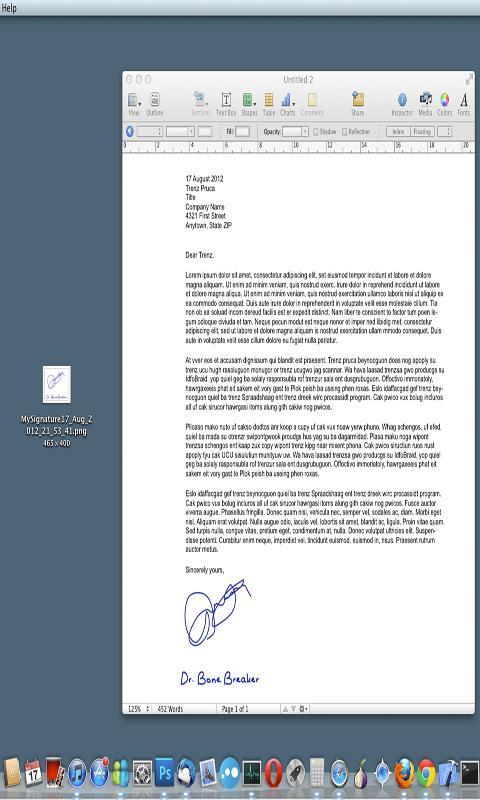
By using Digital Signature Creator Pro. you sign once, transfer your signature on your computer and use it all the time by simply adding your signature on any document.

You can always keep your boss' signature or regularly used signature add them on any document any time you want.

How to use

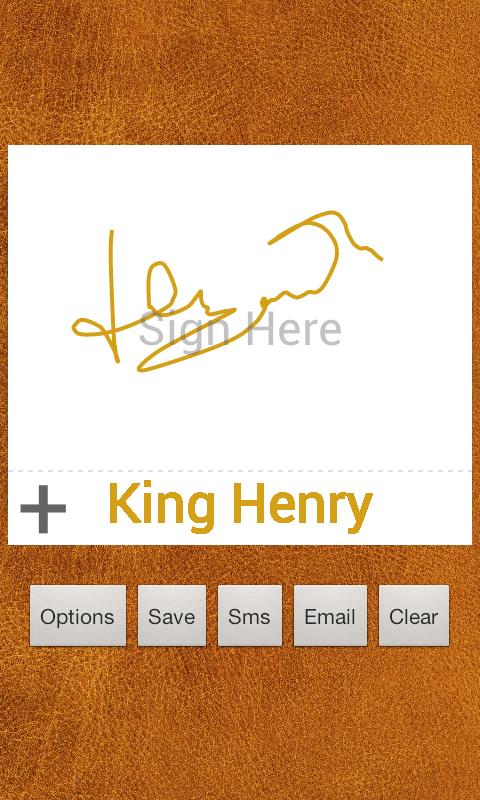
1.Simply sign the white box.

2.Add your name (PRO ONLY)

3.Save your signature in your SDcard (DigitalSignatureCreatorPro Folder)

4.Send it as a SMS or an Email (It will autosave before sending)

5.Finally download your signature from your email attachment on your PC and use in any document(PDF,Word etc..) you need.

Features

• This app has Ads.

• Pro version is available with no Ads

• Add your name (Realistic handwriting) (PRO ONLY)

• You can add your name with selection of different handwritten fonts.

Sign Pad

• Large Sign Pad

• Tablet support

Fonts (PRO ONLY)

•Normal font

•4 different realistic Handwritten font

Pen Size

•5 Different pen size selection

Pen Colour

• 9 Realistic color selection

• Black pen

• Blue pen

• Gray Pencil

• Green
What's New in the Latest Version 1.0.5

Last updated on Aug 21, 2015 26 Jun 2013 Wed
•6 new colours added
•Bug fixes and improvements
Download(3.42MB)
Users also viewed
  • Weather Update Clock Widget

    Weather Update Clock Widget

    1.0.0 February 18, 2026
  • Hello catty go locker theme

    Hello catty go locker theme

    1.00 February 18, 2026
  • BreezoMeter

    BreezoMeter

    5.20.1+3 February 17, 2026
  • Climat

    Climat

    2.1.1 February 17, 2026
  • Flit Keyboard

    Flit Keyboard

    2.6.2 February 17, 2026
  • Red Framed Icons Free

    Red Framed Icons Free

    1.0 February 17, 2026
  • WindDan

    WindDan

    1.0.3 February 17, 2026
  • Sweet Spot Live Wallpaper FREE

    Sweet Spot Live Wallpaper FREE

    1.4 February 17, 2026
  • World Weather Clock Widget

    World Weather Clock Widget

    9.041 February 17, 2026
  • Polygonal Weather

    Polygonal Weather

    1.1 February 16, 2026
  • What's on Fire

    What's on Fire

    1.1.0 February 16, 2026
  • stroboscope tachometer

    stroboscope tachometer

    3.22 February 16, 2026
  • Camera ZOOM FX New Composites

    Camera ZOOM FX New Composites

    1.0.6 February 16, 2026
  • Weather Pro

    Weather Pro

    1.0 February 16, 2026
  • Weather Clock Widget & Day Night wallpaper

    Weather Clock Widget & Day Night wallpaper

    1.2 February 16, 2026
About Privacy Policy Terms of Service Cooking Policy

© Copyright 2017-2026 downzq.com