

Please help your health to monitor blood glucose.
This application, blood glucose, insulin dose, medication, and the tools to simplify and manage the weight.
Data created in this application, by transfer to a PC, can also be a table or graph using Excel.
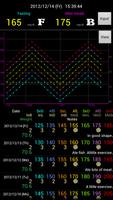
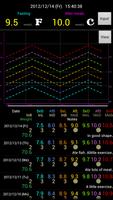
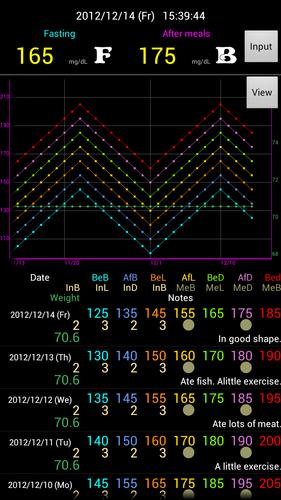
This app allows you to view all information on one screen, and to be able to see at a glance and the amount of blood glucose and insulin.
This app supports decimal values of insulin (2.5, 3.5, etc).
Feature
- Blood glucose levels before breakfast, after breakfast, before lunch, after lunch, before dinner, after dinner and before bedtime, you can record seven times a day.
- Insulin, medication records are at breakfast, at lunch, dinner and before bedtime, you can record four times a day.
- You can also record the weight.
- You can enter notes for up to 50 characters. You can write about the content of the diet and exercise and the implementation.
- Enter the numeric keypad can be easier.
- On one screen, the latest measurement and evaluation, chart, list all of the data is displayed.
- The input data can be exported to a CSV file.
- You can import and re-import the exported data.
- Up to chart allows you to view one year.
- Blood glucose data to a chart display can be specified.
How to use
- Press the Enter button to select the item you want to enter the menu, and enter the time and value. That's it.
- If you select a button to display the measurement time display, you can specify the data to the chart display.
- Tap to display the data in lists, the white line drawn on the graph at the appropriate date.
- Tap and long lists of data, you can delete the data.
- Press to delete all data, press the Menu button, you can initialize the data.
- Press the menu button and press export, the data in CSV format (Comma Separated Values) is stored on the SD card. CSV files can be edited in Excel and copied to the PC.
- The export destination, "sdcard / DIABETESLITE / PXXXXXXXX.csv" is.
- Where to find files on import, export destination is the same. (Sdcard / DIABETESLITE /)






 Download