• Home
  • Games
    Action-adventure Simulation Business Role Playing Sports Competition Casual Intelligence Card Strategy Music Rhythm Text Puzzle Flying Shooting Love Development
  • Apps
    Business Office Newsletter Social Life Entertainment Online Shopping Practical Tools Travel Financial Management Educational Learning Information Reading Sports and Health
  • Articles

English 中文(简体) 中文(繁体) 한국어 日本語 Português Español Русский العربية Indonesia Deutsch Français ภาษาไทย
Home Apps Information Reading ComicViewer
ComicViewer

ComicViewer

1
2
3
4
5
Download
  • Version 1.5.0b
  • Category Information Reading
  • Package Name com.juanvvc.comicviewer
  • Update Time February 17, 2026
  • Size 2.98MB
About this app

Shop Google Play on the web. Purchase and enjoy instantly on your Android phone or tablet without the hassle of syncing.

IMPORTANT! This is a test project to use in education. ComicViewer is by no means intended for final users. In any case, it should be highly usable and stable.

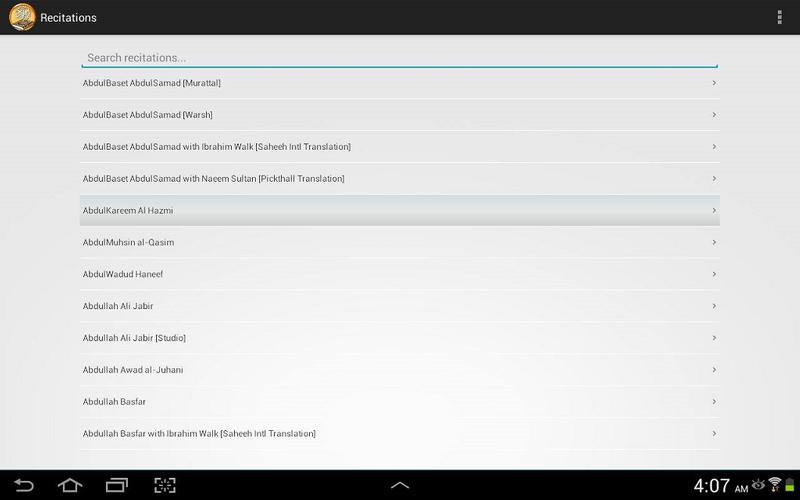
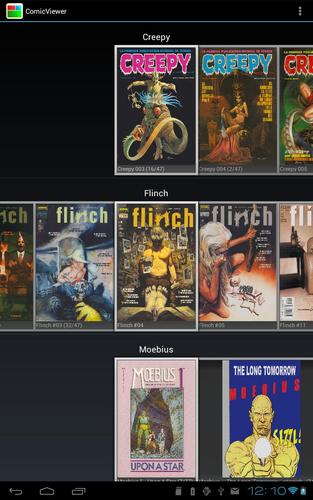
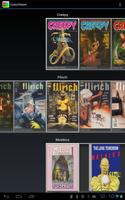
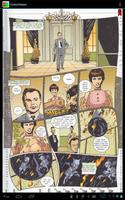
ComicViewer is a simple comic viewer for tablets with large screens. It has a gallery to manage available comics, bookmarks and supports comics in CBR, CBZ, PDF and directories of JPG/PNG images.

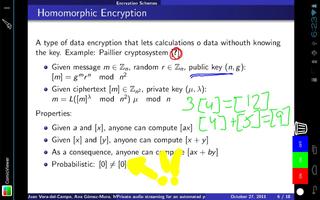
You can draw on the screen with 2 types of pencils and 8 colors. This feature is especially useful in PDF files with slides for meetings and presentations. I'm still testing this feature.

Under the GPLv3 license, the source code is available at https://github.com/Juanvvc/ComicViewer

Use:

- Select the comic directory in the menu

- Wait for a re-scan and open a comic. PDF pages with large images may take 3-4 seconds to load: be patient. Large pages in CBR files may throw OutOfMemory exceptions on low memory devices. If possible, convert your CBR files to CBZ.

- Next page: left or bottom sides.

- Prev page: right or top sides.

- Switch bookmark: top-right corner

- Change page scale: top-left corner

- Draw on page: switch drawing mode on (in the menu/toolbar) and the drawing toolbar should appear. You cannot change the page while drawing. Switch the drawing mode off BEFORE flipping the page. The drawing is automatically saved.

Enjoy

What's New in the Latest Version 1.5.0b

Last updated on Jul 30, 2015 * Registers as PDF, CBR and CBZ viewer
* Uses a newer version of mupdf: still has memory problems, but errors do not close the app
* Catalan translation
* Settings menu
* Uses more area of the screen
* Current page number is always visible
Download(2.98MB)
Users also viewed
  • LiveJournal Reader Free

    LiveJournal Reader Free

    1.3.3 March 3, 2026
  • medio.rs

    medio.rs

    4.0 March 2, 2026
  • Tech Guru | TechGuru.lk

    Tech Guru | TechGuru.lk

    1.0 March 2, 2026
  • WIFR News

    WIFR News

    6.0.14 March 2, 2026
  • Legend Strike Battleground Shooting Game

    Legend Strike Battleground Shooting Game

    1.0.1 March 2, 2026
  • American News

    American News

    8.4.0 March 1, 2026
  • Oxford Spanish Dictionary

    Oxford Spanish Dictionary

    11.4.602 March 1, 2026
  • btvnovinite.bg

    btvnovinite.bg

    3.0.6 March 1, 2026
  • Tu dien Duc Viet, Viet Duc

    Tu dien Duc Viet, Viet Duc

    1.05 March 1, 2026
  • Kashing

    Kashing

    1.0 February 28, 2026
  • Tips for Airtel TV & Airtel Digital TV  channels

    Tips for Airtel TV & Airtel Digital TV channels

    25.0 February 28, 2026
  • Mes dictionnaires free

    Mes dictionnaires free

    8.0 February 28, 2026
  • Indian Contract Act 1872 (ICA)

    Indian Contract Act 1872 (ICA)

    2.81 February 28, 2026
  • Ten Commandments 10 Commands

    Ten Commandments 10 Commands

    0.79.13446.15190 February 28, 2026
  • Pragativadi News

    Pragativadi News

    1.0 February 27, 2026
About Privacy Policy Terms of Service Cooking Policy

© Copyright 2017-2026 downzq.com