

Create your own comic strips in one minute
One Picture is more than a thousand words.
Comic Creator makes you create your own comic strips in one minute. When you use Twitter or Facebook or anything else to publish a message, what you actually publish is a short text or a photograph. It is cool but now it can be cooler. You can tell your story in the form of comic strips, with Comic Creator in one minute. You can select a page, use your photo, make your own avatar, draw a dialog box and add your text.
The mission of Comic Creator is to make comic strips a regular way for regular people (not an artist) to express themselves, as easy as the way of a short text.
Try it.
One sentence tutorial:
Drag the image to the pages.
Simple tutorial:
You can skip this at first and just download and try the APP at first.
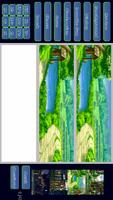
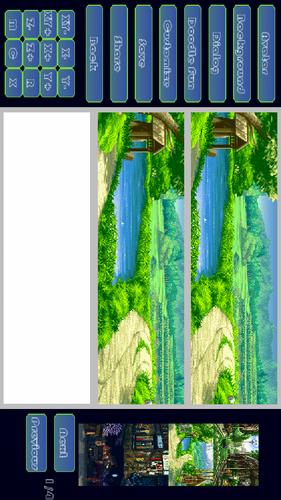
1 Select the page pattern (1*1, 2*1, 3*1 or 4*1).
2 In the edit screen click the background button and the demo background image will appear in the right hand. Explore them and drag the one you like to the page.
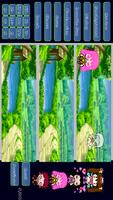
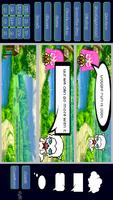
3 Similar buttons are to select different type of image just like the background button. Avatar button lets you explore the demo avatars. Dialog button lets you explore the dialog boxes and when you drag a dialog box, you can make a text input. Doodle button lets you explore the self made cartoon avatar by Doodle Fun and it is highly recommended than you use the “Doodle Fun” APP with Comic Creator together to make the process more fun. Customize button lets you explore you SD-card and you can select directories photos or images as you like.
4 In the page you can drag the image to move the position as you like.
5 When you click a image or text, it will blink which means it is selected. Then you can use the edit buttons at the left bottom side to edit the single image. The meanings of the buttons are as follows.
“X+”: increase the image in the X direction.
“X-”: decrease the image in the X direction.
“Y+”: increase the image in the Y direction.
“Y-”: decrease the image in the Y direction.
“XY+”: increase the image in both X and Y directions.
“XY-”: decrease the image in both X and Y directions.
“Z+”: take the image to the front layer.
“Z-”: take the image to the back layer.
“X”: delete the image.
“C”: change the color of the image.
“R”: rotate the image.
6 The save button saves your comic strips as PNG files.
7 The share button lets you select your own way to share your comic strips with friend.
8 The “My Gallery” Screen lets you explore the comic strips created by you. Remember you can click the small image and to see it in more detail and more options.










 Download