

Mobile Scanner - SCAN, CREATE, SHARE with CMC Image Scanner! PDF CREATOR
CMC Image Scanner (CIS) is a Mobile Scanner, Fax and PDF creator, it helps you to scan an object or physical file from your android SmartPhone/Tablet and save the scan file as PDF or JPEG. User can instantly share scanned files using Bluetooth, GMail, etc. or upload to the Cloud from the application itself. User can convert multiple scanned PDF files into a Single PDF file. It is free mobile document scanner app on android platform and app is widely accepted by android users worldwide. Digitize your paper documents using CMC Image Scanner for future reference.
CMC Image Scanner (CIS) application gives you high quality scanned file as PDF or JPEG which is 100% compatible with your capture image file. It also helps you to view scanned file using inbuilt Gallery for image or PDF-Viewer for PDF File or share using mail or upload scan file to cloud or google drive.
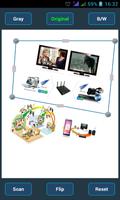
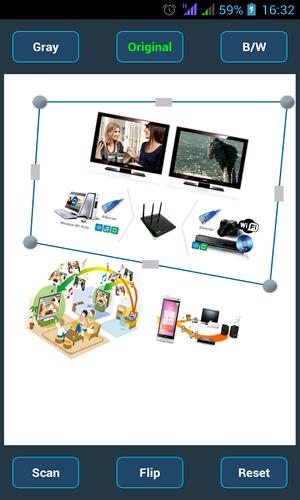
User can adjust scanning area from scanning rectangle (Top, Down, Left or Right) and four corner points of the rectangle as per user wish. User can rotate scanned file as 5/10/90 degree left or right to make alignment and save scanned filed as PDF or JPEG.
Feature:
* Capture a image for desire scanning object using inbuilt device camera
* Open a preloaded image file for scanning
* Adjust any side of the scanning rectangle
* Save scanned file as PDF (A4) or JPEG (4x6, 3x2 etc)
* View scanned file using inbuilt Image Viewer or pre-installed PDF viewer
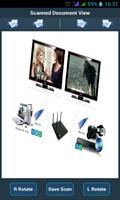
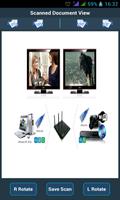
* Rotate scan file 90 degree left or right before saving
* Share scanned file using Bluetooth, Gmail, or upload to Cloud - GoogleDrive, DropBox etc
* Scanned image is 100% compatible with original image/ object
* Merge multiple PDF files into Single PDF File - Unique feature
* Share scanned file using email, Bluetooth etc. or upload file to cloud, Google Drive etc.
* Scan your meeting room contents or class room contents and share as PDF file to all by email.
* No advertisement and no hidden internet data connection from app
* Free to download and free for lifetime
* Premium scan features in single app - no gimmick on app!
* True Scanner on Mobile for documents digitization
For any queries or issue related to CMC Image Scanner, please send e-mail to
We are happy to help you.
Description:
- Bug Fixed
- App optimization and smoothing
Previous Release:
- x86 device supported
- Flip Feature (180 degree rotation) on capture image
- Gallery Image selection issue on KitKat is fixed
- GUI update for better Scan File View
"PLEASE SEND US MAIL BEFORE GIVING YOUR NEGATIVE FEEDBACK AT PLAY STORE, WE WILL HELP YOU. Mail to : [email protected] "





 Download