

Clipboard manager,simply copy,paste,texts, images, manage your clipboard history
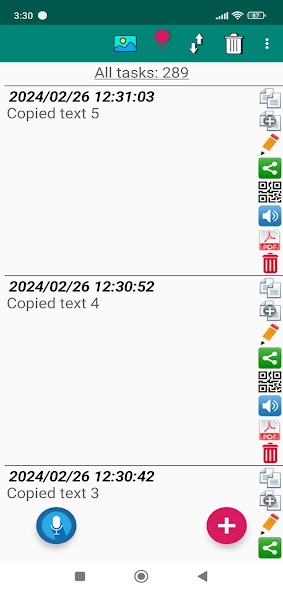
Clipboard CopyPaster is a powerful clipboard manager designed to improve productivity and efficiency by managing multiple clipboard entries and history. With the application, you can easily, simply, and effectively copy, paste various texts, links, images, and more, and create notes. Clipboard CopyPaster has many additional, useful, and necessary features such as:
✔ Save all copied data from the clipboard (texts, links, images, etc.), unlike the standard clipboard, which stores only the last copied item.
✔ Create an unlimited number of tabs.
✔ Copy from the Clipboard CopyPaster application saved data to the clipboard and then paste it to the desired location in just a few taps.
✔ Convenient content editing.
✔ Share saved data via instant messengers, social networks, etc.
✔ Easily manage the clipboard history, which allows you to quickly, conveniently access and reuse previous clipboard contents.
✔ Sorting of contents.
✔ Easy creation of notes.
✔ Convenient editing of notes.
✔ Merging of notes.
✔ Search for quickly finding specific entries in saved data.
✔ Creating (generating) and scanning a QR code for data exchange.
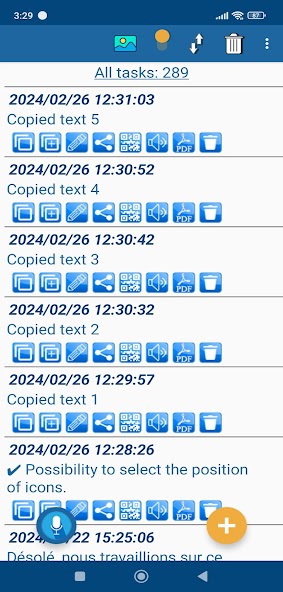
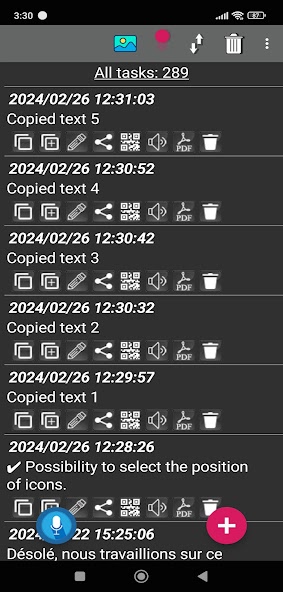
✔ Selecting the theme and icons of the application design for individualization.
✔ The ability to select the position of icons.
✔ Selecting the font size of the text.
✔ Instantly clearing the contents of the clipboard.
✔ For security, set a password to log in to the application.
✔ The ability to use biometrics when logging in to the application with a password.
✔ Export / import data as a backup copy and the ability to transfer them between devices with the Clipboard CopyPaster application
✔ Voice listening to the text of saved notes.
✔ Creating notes using voice.
✔ The ability to edit notes by voice.
✔ Floating window (on top of all windows and applications for instant copying of saved Clipboard CopyPaster content to the clipboard)
✔ Easily convert data (text or image) to a PDF file.
The application has convenient settings and an intuitive interface. Very convenient for working with content and sending information posts to WhatsApp, Facebook, Instagram, X (Twitter), etc. by saving, accessing, editing, organizing copied content. Clipboard CopyPaster is the perfect application for those who want to stay organized and productive every day. Start managing your clipboard easily, simply and effectively with the Clipboard CopyPaster application!
In Android 10 and above:
To save the clipboard content, after copying it, you need to launch or open the Clipboard CopyPaster application from the notification panel and you can see the saved content in the main window.
Try Clipboard CopyPaster and start managing your clipboard effectively today!
Thank you for using the application!
Pro version does not contain ads:
https://play.google.com/store/apps/details?id=com.evvasoft.clipboardcopypasterpro





 Download