

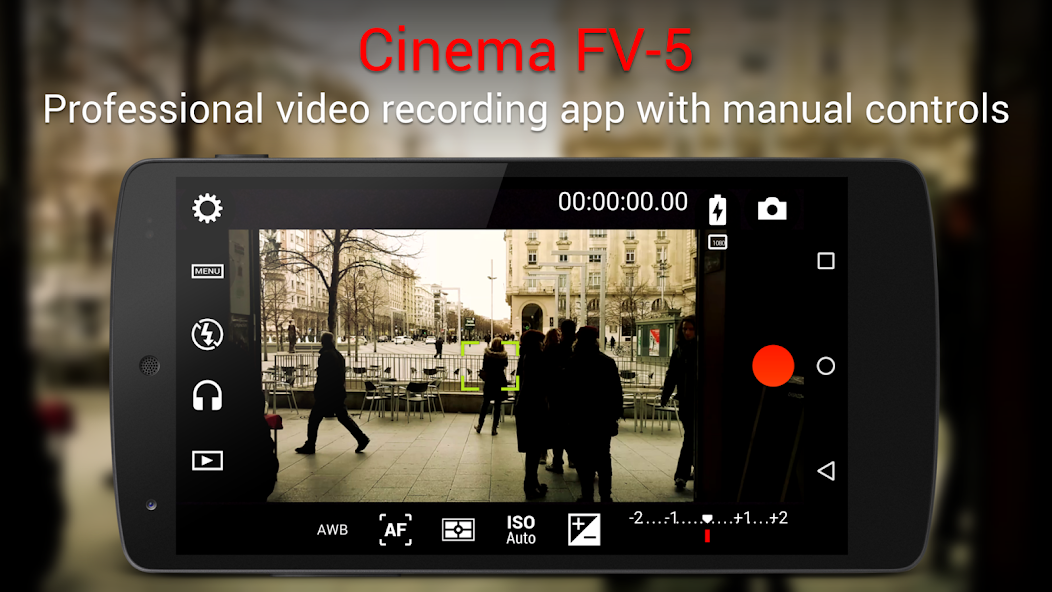
Record HD quality professional videos with manual controls on Cinema FV-5 Lite.
Cinema FV-5 is a professional video camera application for mobile devices, that puts professional manual controls in your fingertips. Tailored to enthusiast and professional videographers and filmmakers, with this video camera application you can capture the best footage with top-of-the-line controls for perfect postproduction purposes. The only limit is your imagination and creativity!
Major features:
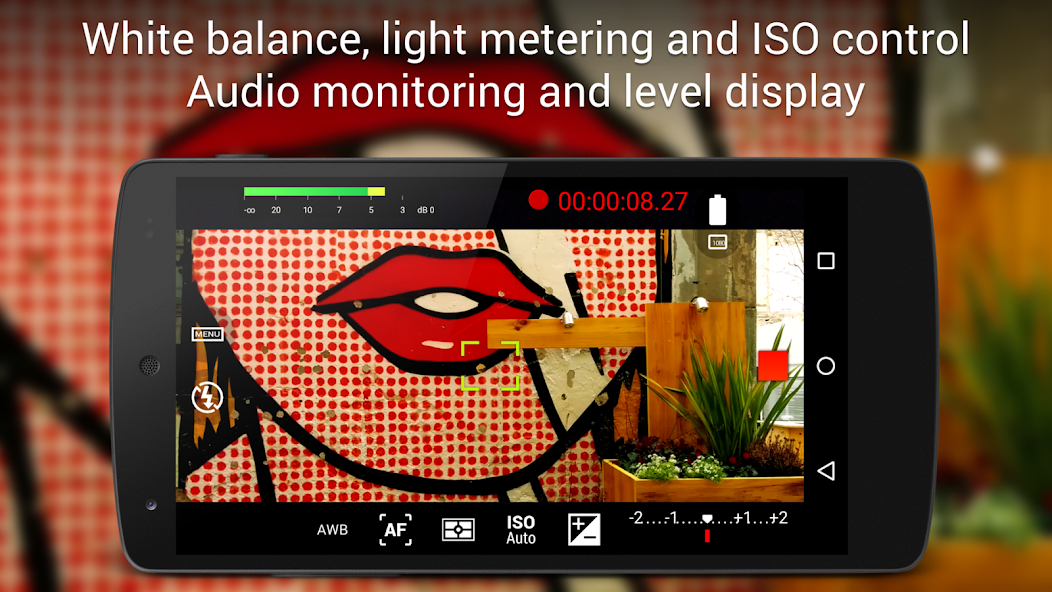
● Adjust all the image sensor parameters that you only thought pro-videocameras had: exposure compensation, ISO, light metering mode (matrix/center/spot), focus mode and white balance.
● Change sensor parameters (like ISO, exposure compensation or white balance) also during recording.
● Focus adjustments during recording: lock focus on your subject before recording and change focus planes while recording.
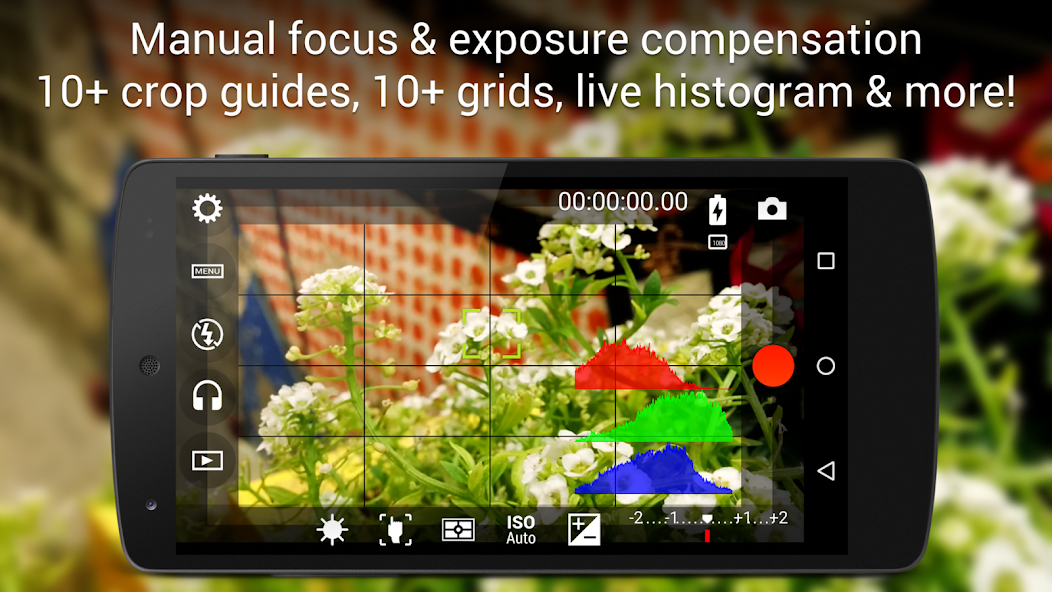
● Professional viewfinder: 10+ compositing grids, 10+ crop guides available, safe areas display and much more.
● The most advanced electronic viewfinder on a video camera: live RGB and luminance histogram are available also during recording.
● Professional sound metering options: display audio peaks and sound clipping warnings during recording.
● Use any audio input source for your video: built-in microphone, external (wired) microphone or wireless (Bluetooth) headset.
● Choose video and audio codec, adjust the bitrates, audio sampling rates and number of channels.
● Record in 4K UHD (Ultra High Definition) video on supported devices.
● All camera functions assignable to volume keys. You can adjust EV, ISO, color temperature, zoom and more using volume keys (including those in cable-headsets) as well as focusing and recording. Devices with hardware camera shutter keys are also supported.
● Video geotagging support.
● Autofocus, macro, touch focus and infinity focus modes, plus a focus lock switch (AF-L).
● Autoexposure (AE-L) and auto white balance (AWB-L) locks in Android 4.0+. You can also lock exposure and white balance during clip recording automatically.
● Zoom after and while recording. Set specific focal lengths thanks to the 35mm equivalent-based focal length display.
● Powerful video clips organization options: different storage locations and fully customizable file names (even with variables).
Cinema FV-5 is the perfect app for producing the best footage for any short- to medium-sized production. With it you can record the best material possible with any medium- to high-end device. Cinema FV-5 specially supports Android-based compact cameras, so you can even leverage a high-quality, optically stabilized zoom. The footage captured with Cinema FV-5 can be easily edited on any NLE.
For more information, visit the official website http://www.cinemafv5.com or download the official Cinema FV-5 User Guide at http://www.cinemafv5.com/tutorials/user_manual.php. For technical support, please read the FAQ (http://www.cinemafv5.com/faq.php) or write to [email protected].
The Lite version is a fully-functional version without any time or feature restriction: it just limits the maximum length of the individual clips you can record. Please acquire the paid version to remove this limitation and record clips of any length.
Permissions explained:
- Approximate location and precise location: only used for geotagging functionality (disabled by default, and requires manual GPS activation).
- Modify or delete the contents of your USB storage and take pictures and videos: required for the usual camera operation.















 Download