• Home
  • Games
    Action-adventure Simulation Business Role Playing Sports Competition Casual Intelligence Card Strategy Music Rhythm Text Puzzle Flying Shooting Love Development
  • Apps
    Business Office Newsletter Social Life Entertainment Online Shopping Practical Tools Travel Financial Management Educational Learning Information Reading Sports and Health
  • Articles

English 中文(简体) 中文(繁体) 한국어 日本語 Português Español Русский العربية Indonesia Deutsch Français ภาษาไทย
Home Apps Practical Tools BT Camera
BT Camera

BT Camera

1
2
3
4
5
Download
  • Version 1.10
  • Category Practical Tools
  • Package Name com.hereyouare.btcamera
  • Update Time July 11, 2026
  • Size 6.8MB
About this app

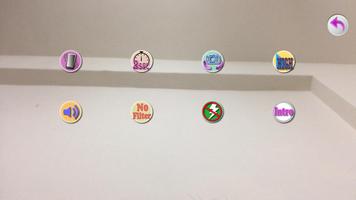
Use Bluetooth Headset as remote controller to take a photo now!

You can use Bluetooth Headset as the remote controller of your phone to take a photo via BT Camera.

Use the following methods to shoot photo:

1. Turn on or turn off your Bluetooth Headset. (BT Camera will shoot automatically when bluetooth connected or disconnected with your Bluetooth Headset.)

2. Inset your Wired Headset, click Volume Up or Volume Down button to shoot.

3. Press Volume Up or Volume Down button of your phone to shoot.

4. Press the shoot icon on the screen of BT Camera application.

BT Camera supports all kinds of Bluetooth Headsets as the remote controller to take a photo! (Note: Bluetooth Headsets need to pair with your phone before use, and remember to turn on Bluetooth function on your phone.) It also supports all kinds of Wired Headsets to take a photo.

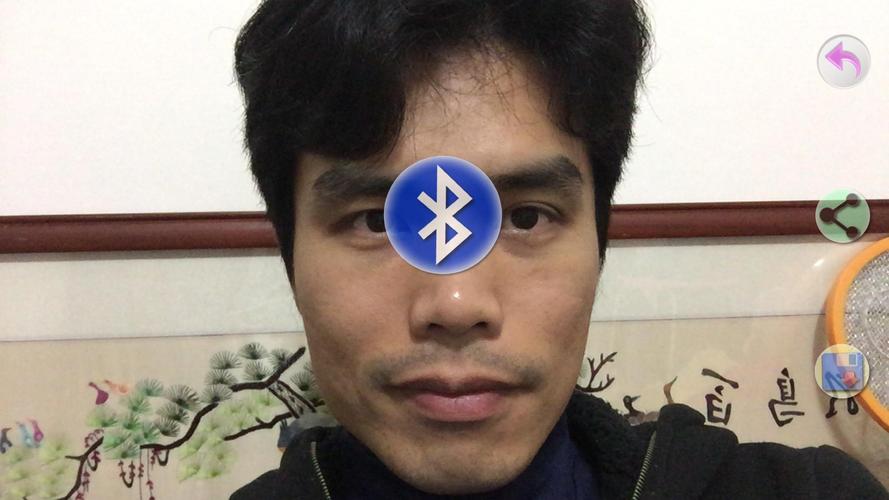
p.s. It takes a while to pair between Bluetooth Headsets and your phone, when Bluetooth Headsets turn on. Thus it also take a while to take picture. But it should take a photo immediately if the Bluetooth Headsets turn off. (You can distinguish if bluetooth is connected or disconnected to your Bluetooth Headsets via the appeared icon in the center of screen. And it is better to choose disconnect to trigger camera shoot.


What's New in the Latest Version 1.10

Last updated on Jan 9, 2020 Version 1.9 : Update libraries and move ad banner from bottom-left to top-left to prevent mistouch

Version 1.8 : Fix bug on some devices

Version 1.7 : Fix photo browser error

Version 1.5 : Add choose camera resolution function in setting page (not just high or low resolution)
p.s. Higer resolution may make recording slower, and may cause out of memory problem!
Download(6.8MB)
Users also viewed
  • WeatherRadar

    WeatherRadar

    1.0.6 July 18, 2026
  • Bluez IME

    Bluez IME

    1.20 July 18, 2026
  • Pet Get

    Pet Get

    1.3.0.0 July 17, 2026
  • 3D Flip Clock & Weather

    3D Flip Clock & Weather

    7.11.1 July 17, 2026
  • Snowman go launcher theme

    Snowman go launcher theme

    1.2 July 17, 2026
  • MyHRMIS Mobile

    MyHRMIS Mobile

    2.2.1 July 17, 2026
  • ICEE Icon Pack

    ICEE Icon Pack

    3.0 July 17, 2026
  • Cube City 3D Live Wallpaper

    Cube City 3D Live Wallpaper

    1.112 July 17, 2026
  • APK Creator

    APK Creator

    1.5 July 17, 2026
  • Beautiful Landscape Wallpaper

    Beautiful Landscape Wallpaper

    1.0.7 July 17, 2026
  • IWS Smart Switch

    IWS Smart Switch

    2.0.13 July 16, 2026
  • VS Life Counter for BUDDYFIGHT

    VS Life Counter for BUDDYFIGHT

    1.0a July 16, 2026
  • Aircraft wallpapers 4k

    Aircraft wallpapers 4k

    2.0.4 July 16, 2026
  • Weather Time - Tu app de clima

    Weather Time - Tu app de clima

    4.4 July 16, 2026
  • Inspiration Home Fence

    Inspiration Home Fence

    3.0 July 16, 2026
About Privacy Policy Terms of Service Cooking Policy

© Copyright 2017-2026 downzq.com