

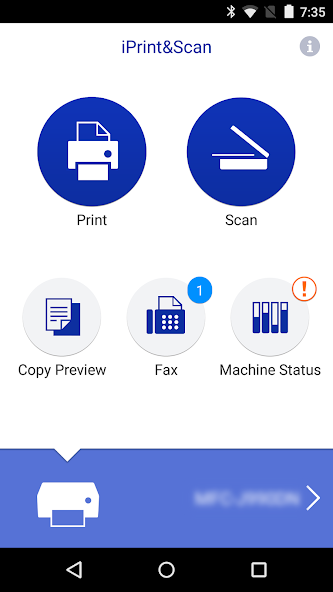
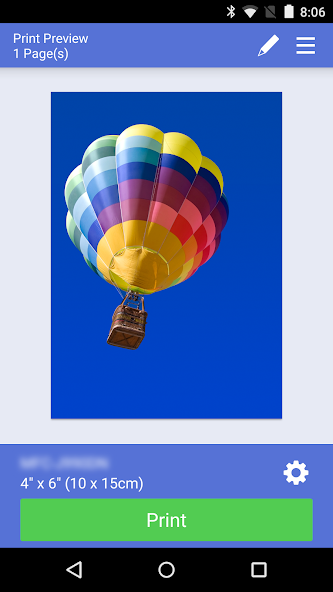
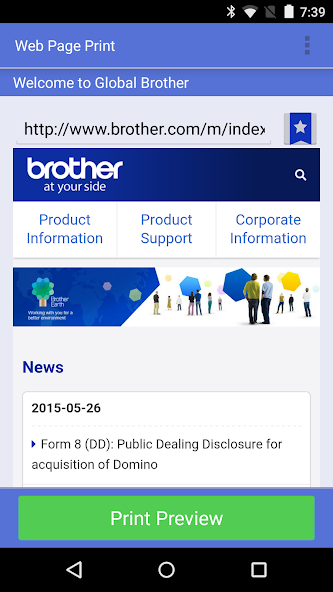
Brother iPrint&Scan lets you easily print and scan photo/document/webpage/email.
Brother iPrint&Scan is a free app that lets you print from and scan to your Android device. Use your local wireless network to connect your Android device to your Brother printer or all-in-one. Some new advanced functions have been added (edit, fax send, fax preview, copy preview, machine status). For a list of supported models, please visit your local Brother website.
[Key Features]
- Easy to use menu.
- Simple steps to print your favorite photos, web pages, emails (Gmail only) and documents (PDF, Word, Excel®, PowerPoint®, Text).
- Print your documents and photos directly from the following cloud services: DropboxTM, OneDrive, Evernote®.
- Scan directly to your Android device.
- Save scanned images to your Android device or email them (PDF, JPEG).
- Automatically search for supported devices on a local wireless network.
- No computer and no driver required.
- The NFC function is supported, this enables you to print or scan by simply holding your mobile device over an NFC mark on your machine and tapping the screen.
*Memory card needed for printing and scanning.
*To use the NFC function, both your mobile device and your machine need to support NFC. There are some mobile devices with NFC that cannot work with this function. Please visit our support website (https://support.brother.com/) for a list of supported mobile devices.
"[Advanced Functions]
(Only available on new models.)"
- Edit previewed images using the editing tools (scale, straighten, crop) if necessary.
- Send a fax directly from your mobile device.(This app feature requires access to the contacts list on your mobile device.)
- View received faxes stored on your machine on your mobile device.
- The copy preview function enables you to preview an image and edit it if necessary before copying to avoid copy errors.
- View the machine’s status such as ink/toner volume and error messages on your mobile device.
*Compatible functions will depend on the selected device.
[Compatible Print Settings]
- Paper Size -
4" x 6" (10 x 15cm)
Photo L (3.5" x 5" / 9 x 13 cm)
Photo 2L (5" x 7" / 13 x 18 cm)
A4
Letter
Legal
A3
Ledger
- Media Type -
Glossy Paper
Plain Paper
- Copies -
Up to 100
[Compatible Scan Settings]
- Document Size -
A4
Letter
4" x 6" (10 x 15cm)
Photo L (3.5" x 5" / 9 x 13 cm)
Card (2.4" x 3.5" / 60 x 90 mm)
Legal
A3
Ledger
- Scan Type -
Color
Color (Fast)
Black & White
*Compatible settings will depend on the selected device and function.
*Evernote is a trademark of Evernote Corporation and used under a license.
*Microsoft, Excel, and PowerPoint are either registered trademarks or trademarks of Microsoft Corporation in the United States and/or other countries.
*Please note the email address [email protected] is for feedback only. Unfortunately we cannot reply to inquiries sent to this address.












 Download