

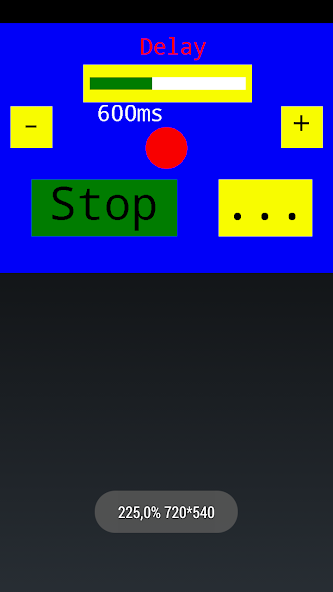
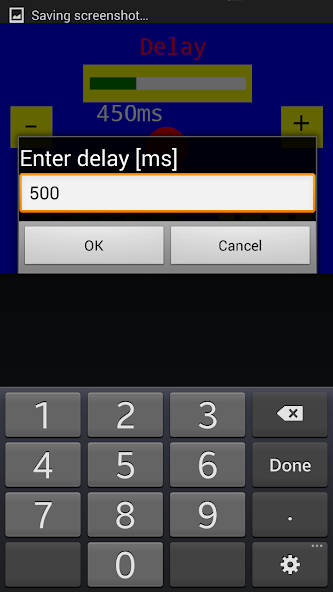
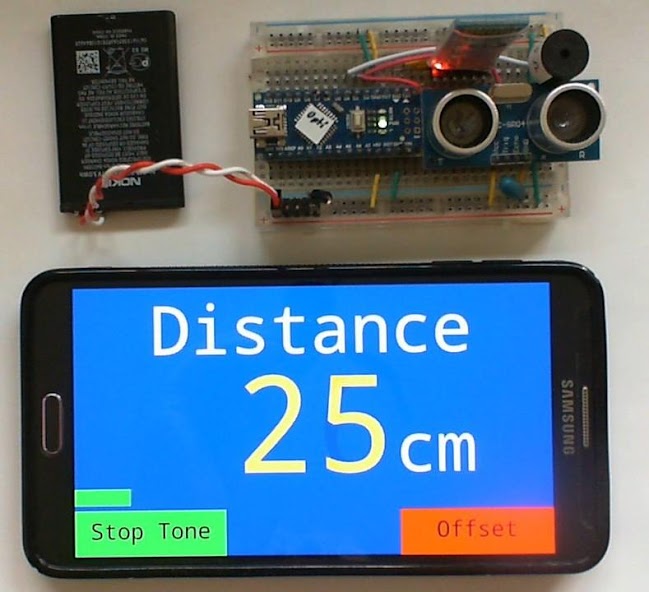
Converts Smartphone into a remote touch display for your Arduino or ARM project.
Open source software to convert your smartphone / tablet into an Android remote touch display for your Arduino and ARM projects using a Bluetooth adapter like HC-05 or an USB OTG cable.
Let the Arduino sketch create a GUI with Graphics, Buttons and Sliders on your smartphone by simply connecting a HC-05 to the rx/tx pins of your Arduino.
Directly connecting the Arduino with an USB cable and an USB-OTG adapter to your smartphone is also supported.
BlueDisplay receives draw requests from Arduino over Bluetooth and renders it.
Basic GUI elements as buttons and sliders are still implemented in the app to reduce Arduino code size.
GUI callback, touch and sensor events are sent back to Arduino.
No Android programming needed!
Features:
- Open Source.
- C++ Libraries for Arduino and ARM (STM)
- Graphic + text output as well as printf implementation.
- Draw chart from byte or short values. Enables clearing of last drawn chart.
- Play system tones.
- Touch button + slider objects with tone feedback.
- Button and slider callback as well as touch and sensor events are sent back to Arduino.
- Automatic and manually scaling of display region.
- Easy mapping of UTF-8 characters like Ohm, Celsius etc..
- Up to 115200 Baud using HC-05 modules.
- USB OTG connection can be used instead of Bluetooth.
- Local display of received and sent commands and data for debugging purposes.
- Hex and ASCII output of received Bluetooth data at log level verbose.
- Debug messages as toasts.
Sources + Examples:
Sources are available at https://github.com/ArminJo/android-blue-display.
Examples are contained in the Arduino BlueDisplay library https://github.com/ArminJo/Arduino-BlueDisplay.
Or use (Ctrl+Shift+I) in the Arduino IDE and search for BlueDisplay.
The library includes examples for easy initializing a HC-05 and for a simple DSO with 0.3 megasamples/sec.
Before using the examples, take care that the BT-module (e.g. the the HC-05 module) is connected to your Android device and is visible in the Bluetooth Settings.
All examples initially use the baudrate of 9600. Especially the SimpleTouchScreenDSO example will run smoother with a baudrate of 115200.
For this, change the example baudrate by deactivating the line `#define HC_05_BAUD_RATE BAUD_9600` and activating `#define HC_05_BAUD_RATE BAUD_115200`.
AND change the BT-Module baudrate e.g. by using the BTModuleProgrammer.ino example.
ARM example code can be found on https://github.com/ArminJo/STMF3-Discovery-Demos.
Version Info:
4.3
- New command FUNCTION_CLEAR_DISPLAY_OPTIONAL to enable resynchronization of slow displays.
- Bluetooth random delay detection.
- Fixed bug for micro-swipe suppressing.
- Added Slider SUBFUNCTION_SLIDER_SET_DEFAULT_COLOR_THRESHOLD.
- Opening options menu by swipe now not restricted on full screen and connected.
- Strings printed with Serial.print() are not interpreted, but stored in the log for debug purposes.
- Fixed bug in FUNCTION_BUTTON_REMOVE.
- Fixed bug for SUBFUNCTION_SLIDER_SET_POSITION.
4.2
- Swipe from the left border in application full screen mode opens the options menu.
- Removed faulty messages on no data received.
- Added parameter values *LOCK_SENSOR_LANDSCAPE and *LOCK_SENSOR_PORTRAIT for function setScreenOrientationLock().
- Slider caption handling improved.
- Added short `drawText` functions.
4.1 Improved startup. New message if no data received after connect and part of screen is inactive/black, to access the log.
4.0 Connection with USB OTG cable now also possible. In this case no Bluetooth adapter is needed.
Slider setScaleFactor() does not scale the actual value, which is delivered as initial value at init().
Improved tone volume setting - can be adjusted at the smartphone too.
trim() for all button caption strings.
Hint:
To enable programming of the Arduino while the HC-05 is connected, use a diode to connect Arduino rx and HC-05 tx.


 Download