

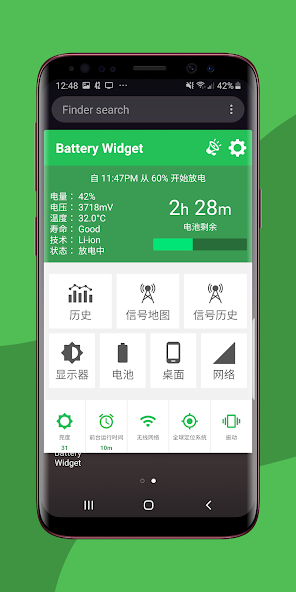
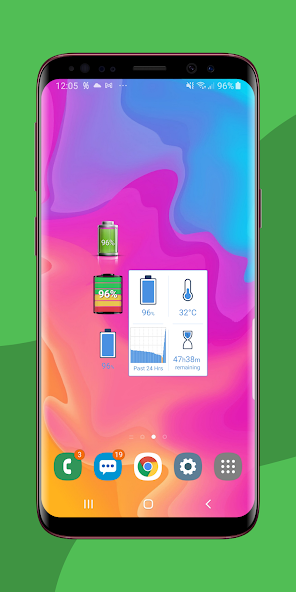
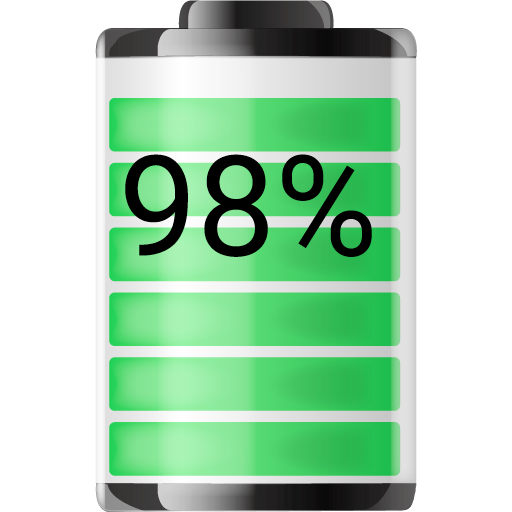
Live Battery Level Widget shows the battery percentage indicator in a 1x1 space.
Live Battery Level Widget shows the battery percentage indicator in a 1x1 space. The Best Signal Finder map shows where your battery drainage increases due to poor signal.
?Choose from 6 Live Battery % Widget styles that show the exact battery level % in a 1x1, 1x2, 2x1, or 2x2 space that also provide battery charging information, charge time remaining, charge temperature, battery history graph, and Best Signal Finder map. View crowdsourced signal data on the Best Signal Finder map to know how signal strength and battery drain relate.?.
?Battery Widget Features?
⭐️ Best Signal Finder Map
Check your mobile network signal strength in your location to know where your battery will last the longest. Battery drain increases as cellular strength decreases;
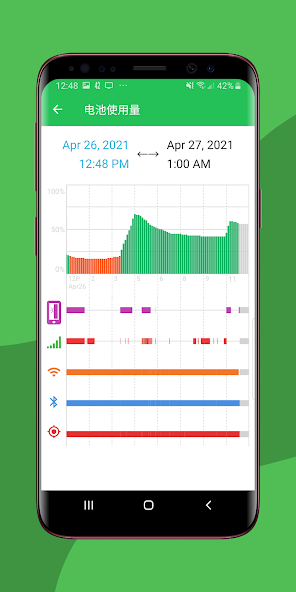
⭐️ Battery History Graph
Check your battery usage history graph and widget shortcut to keep track of excessive battery drain and identify why your battery is draining faster than it used to;
⭐️ Widget Builder
Build your custom widget with either battery %, battery temperature, battery time remaining, or Battery History;
⭐️ Set Battery Alarms
Customize your own battery % alert notifications from 5 different alert conditions (fully charged, level drops to, level rises to, temperature rises to, and battery health condition);
⭐️ Desktop Toolbar Indicator
Various toolbar indicator circle/font styles that will show battery life level at a glance from your home screen;
⭐️ Color Themes
Custom battery color themes – customize Battery Widget's app color theme to your liking;
⭐️ Widget Font Options
Widget font color/size options to help match your desktop
Battery Widget now comes as an app with a live battery life widget included so you can conduct a quick battery condition check anytime. To install the widget onto your home screen, go to “Menu” or tap and hold on your home screen -> Add -> Widgets -> Battery Widget.
Please let us know what you think of Battery Widget! We are listening to all of your reviews and requests. 5 star reviews are greatly appreciated and encourages us to continue improving Battery Widget for you.
If you have found an issue with the latest version, please reach out to us at [email protected]. We appreciate your help in improving Battery Widget for everyone.













 Download