• Home
  • Games
    Action-adventure Simulation Business Role Playing Sports Competition Casual Intelligence Card Strategy Music Rhythm Text Puzzle Flying Shooting Love Development
  • Apps
    Business Office Newsletter Social Life Entertainment Online Shopping Practical Tools Travel Financial Management Educational Learning Information Reading Sports and Health
  • Articles

English 中文(简体) 中文(繁体) 한국어 日本語 Português Español Русский العربية Indonesia Deutsch Français ภาษาไทย
Home Apps Practical Tools AutoAlarm
AutoAlarm

AutoAlarm

1
2
3
4
5
Download
  • Version 1.6.3
  • Category Practical Tools
  • Package Name com.joaomgcd.autoalarm
  • Update Time June 21, 2026
  • Size 2.97MB
About this app

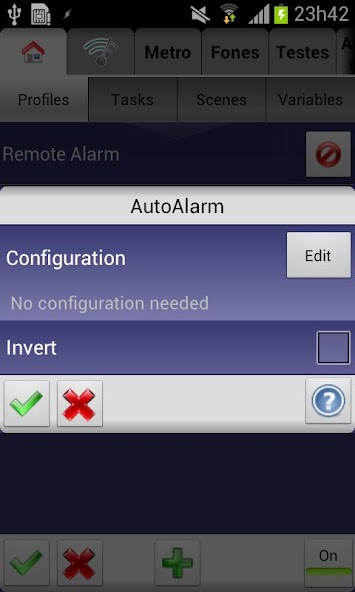
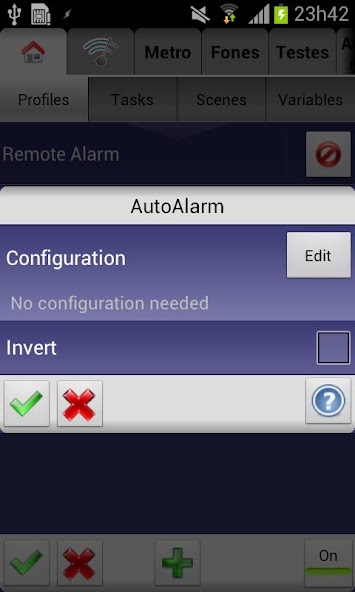
Check when the next alarm is going to be in Tasker

Know when the next system alarm is going to be and act on it in Tasker, with AutoAlarm!

You could make a pre-alarm task like the very cool one Andreas Ødegård describes in his SLEEP MODE here: http://goo.gl/rRw0I. He uses it to create his own personal sunrise by making his room light up gradually before the actual alarm fires.

(WARNING: YOU MUST HAVE TASKER INSTALLED FOR THIS APP TO BE OF ANY USE: AutoAlarm will not show up on your homescreen or app drawer. It is only usable as a plugin in Tasker)

To get started check out the video. You'll see how to quickly setup AutoAlarm. The video shows how you can see the amount of hours remaining till the next alarm, but you can use any other Tasker action with the alarm info. Here are the variables you can use with AutoAlarm:

Absolute values:

"%day"

"%month"

"%year"

"%hour"

"%minute"

"%second"

Times to next alarm:

"%milis"

"%seconds"

"%minutes"

"%hours"

Cumulative times to next alarm:

"%secondsc"

"%minutesc"

"%hoursc"

"%daysc"

String variables:

"%raw" (will have the time as reported by the system, i.e. "Sun 14:00")

Also, very important, if there's an error while retrieving the next alarm it will be in the "%error" variable.

Note: there are several users reporting that the app doesn't work with their language. Please make sure you're using the default Android alarm app to get the most compatibility.

Drop me an email if something goes wrong and I'll always try to fix it!

What's New in the Latest Version 1.6.3

Last updated on Nov 22, 2022 - added note that AutoAlarms action and event can now be achieved using native Tasker actions
- set target API to 33
Download(2.97MB)
Users also viewed
  • Top News GO Locker Theme

    Top News GO Locker Theme

    1.0 October 18, 2026
  • Times Tables

    Times Tables

    3.0.2 October 18, 2026
  • RETRO JORDANS Live Wallpaper

    RETRO JORDANS Live Wallpaper

    444 October 18, 2026
  • Wear OS Toolset Complications

    Wear OS Toolset Complications

    4.1.3 October 18, 2026
  • Weather Models Europe

    Weather Models Europe

    0.5.4 beta October 17, 2026
  • Lightning Camera

    Lightning Camera

    3.1 October 17, 2026
  • Wild Leopard Lite

    Wild Leopard Lite

    1.6 October 17, 2026
  • Kids Carnival Photo Montage

    Kids Carnival Photo Montage

    1.2.4 October 17, 2026
  • home window design 2018

    home window design 2018

    1.0 October 17, 2026
  • New Photo Editor 2016

    New Photo Editor 2016

    1.1 October 16, 2026
  • Appools

    Appools

    1.1.0 October 16, 2026
  • Pomodoro Cards

    Pomodoro Cards

    2.0 October 16, 2026
  • Add text

    Add text

    8.2.4 October 16, 2026
  • Photo Editor Collage Maker

    Photo Editor Collage Maker

    1.43 October 16, 2026
  • Disable Manager

    Disable Manager

    3.0 October 16, 2026
About Privacy Policy Terms of Service Cooking Policy

© Copyright 2017-2026 downzq.com