• Home
  • Games
    Action-adventure Simulation Business Role Playing Sports Competition Casual Intelligence Card Strategy Music Rhythm Text Puzzle Flying Shooting Love Development
  • Apps
    Business Office Newsletter Social Life Entertainment Online Shopping Practical Tools Travel Financial Management Educational Learning Information Reading Sports and Health
  • Articles

English 中文(简体) 中文(繁体) 한국어 日本語 Português Español Русский العربية Indonesia Deutsch Français ภาษาไทย
Home Apps Educational Learning Attendance Clock GIRITON
Attendance Clock GIRITON

Attendance Clock GIRITON

1
2
3
4
5
Download
  • Version 3.1.96
  • Category Educational Learning
  • Package Name cz.giriton.android.dochazka.ui
  • Update Time July 23, 2025
  • Size 25.28MB
About this app

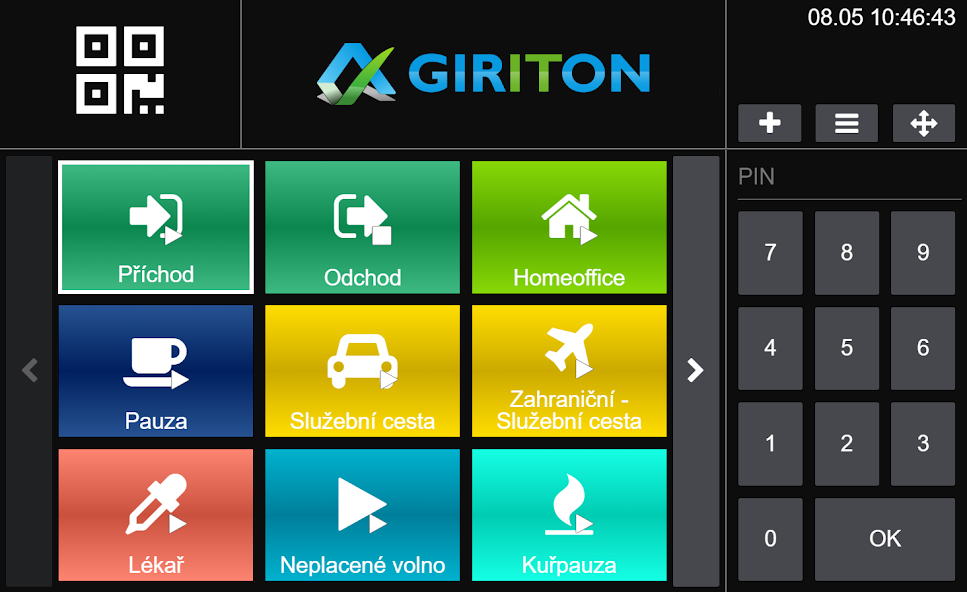
Attendance Clock client app for Online Cloud Attendance system GIRITON.

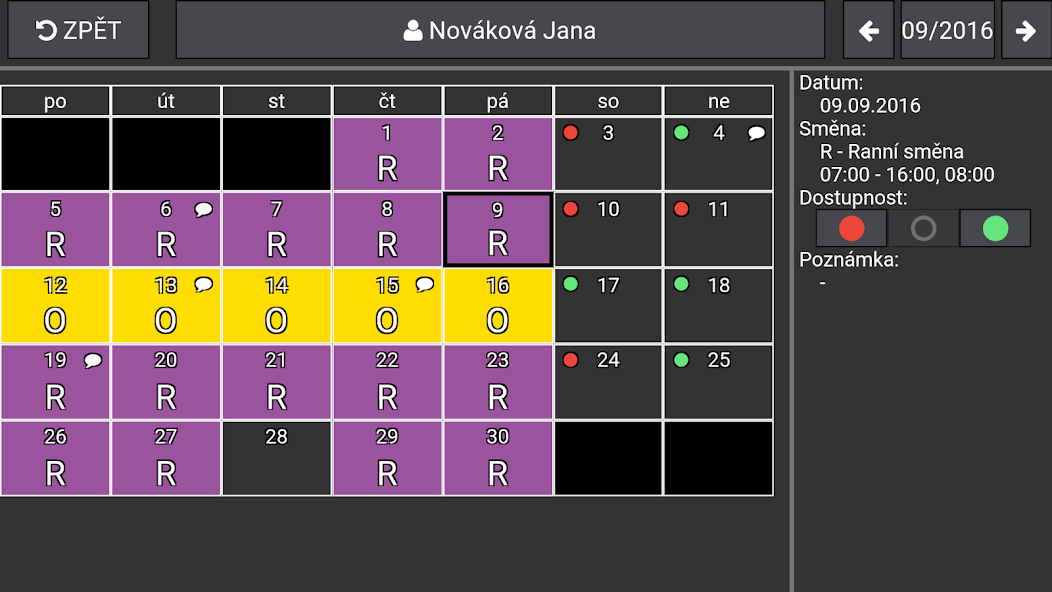
Online Attendance GIRITON allows you to easily monitor and evaluate the attendance of employees, monitor business trips in real time, create and share shift plans or measure work on individual projects.

Use the tablet or webapp as Attendance Clock inside the buildings or smartphone to record and view attendance in the field.

►►► To use the Attendance GIRITON please create the account on https://giriton.com ◄◄◄

Employees can use following means to enter attendance:

• NFC chips / contactless credit cards

• QR codes (printed directly from the cloud app)

• RFID chips (via card reader connected to tablet via USB)

• Magnetic cards (via card reader connected to tablet via USB)

• Numeric PIN code

When clocking in, app can take a picture of current user and record a GPS position. All data are immediatelly sent to Online Attendance GIRITON. In case the network goes down, everything is saved in device and will be synced automatically as soon as device goes online.

Employees can use the Attendance Clock also to browse their own attendance data or attendance of others (depends on permissions of current user).

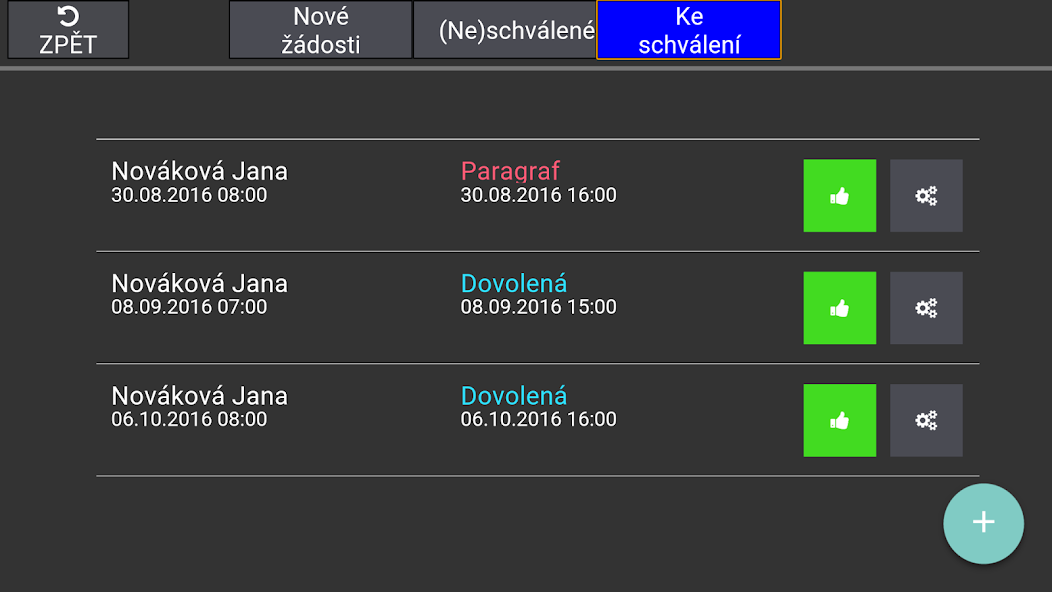
Also attendance requests (Vacation request, Doctor request, ...) can be submited from the app to be approved or rejected by admin in cloud app.

For more information about the app or to open a cloud account visit https://giriton.com .
What's New in the Latest Version 3.1.96

Last updated on Jan 21, 2025 - Improved support for the Whistleblowing module.
- Descriptions of projects are shown below project name.
- New setting "Project must be always enabled" forecs users to select the project they work on for every clocking in.
- New setting "Mobile data must be turned on". If enabled, user can not enter attendance if mobile data are turned off.
- Improved work with GPS positions while adding attendance with GPS.
- Bugfixes and optimizations
Download(25.28MB)
Users also viewed
  • Common English Phrases

    Common English Phrases

    1.3 April 17, 2026
  • Learn Math 2th Grade

    Learn Math 2th Grade

    37 April 17, 2026
  • T biz Messenger

    T biz Messenger

    1.3.3 April 17, 2026
  • Sex Dalam Islam

    Sex Dalam Islam

    1.0 April 17, 2026
  • 7shifts

    7shifts

    2024.42.1 April 17, 2026
  • Luckdraw

    Luckdraw

    2.0 April 16, 2026
  • CMAT/MH MBA-CET

    CMAT/MH MBA-CET

    1.1.5 April 16, 2026
  • JCI World Conference 2014

    JCI World Conference 2014

    1.0.1 April 16, 2026
  • IMTS 2014

    IMTS 2014

    1.0.3 April 16, 2026
  • Kids Vegetable World

    Kids Vegetable World

    1.4 April 15, 2026
  • inSitu Sales (Legacy)

    inSitu Sales (Legacy)

    3.9.4d April 15, 2026
  • FCCHD

    FCCHD

    2.2.2.1 April 15, 2026
  • Oxford Learner's Bookshelf

    Oxford Learner's Bookshelf

    5.20.1 April 14, 2026
  • G11 Physical Science Toolkit

    G11 Physical Science Toolkit

    2.1.0 April 14, 2026
  • Revive Academy

    Revive Academy

    1.5.3.5 April 14, 2026
About Privacy Policy Terms of Service Cooking Policy

© Copyright 2017-2026 downzq.com