• Home
  • Games
    Action-adventure Simulation Business Role Playing Sports Competition Casual Intelligence Card Strategy Music Rhythm Text Puzzle Flying Shooting Love Development
  • Apps
    Business Office Newsletter Social Life Entertainment Online Shopping Practical Tools Travel Financial Management Educational Learning Information Reading Sports and Health
  • Articles

English 中文(简体) 中文(繁体) 한국어 日本語 Português Español Русский العربية Indonesia Deutsch Français ภาษาไทย
Home Apps Practical Tools aToolBox
aToolBox

aToolBox

1
2
3
4
5
Download
  • Version 4
  • Category Practical Tools
  • Package Name com.coultard.atoolbox
  • Update Time November 4, 2025
  • Size 87.82KB
About this app

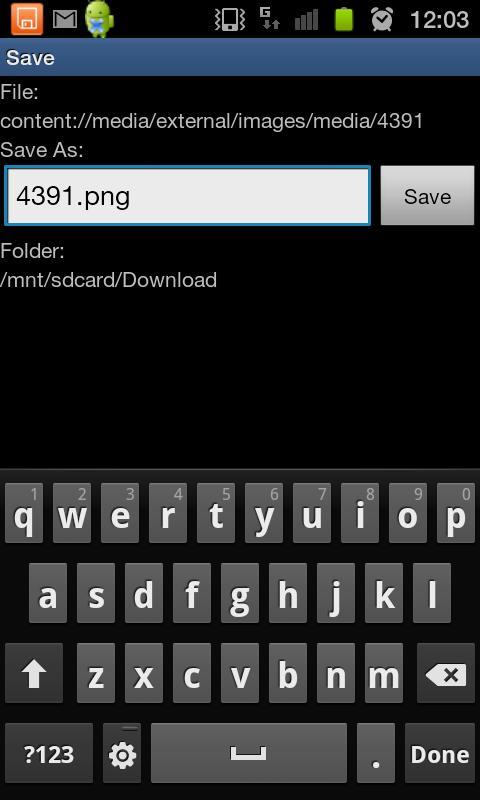
Save any file from any source to disk e.g. from Google Docs App or via 'Share'.

aToolBox is a utility to handle downloading or opening files that Android doesn't recognise or from apps that don't support it e.g. Google Docs

Built originally as a supplement to the Google Docs application to enable opening of all file types by saving them to disk first then choosing the application to open them with.

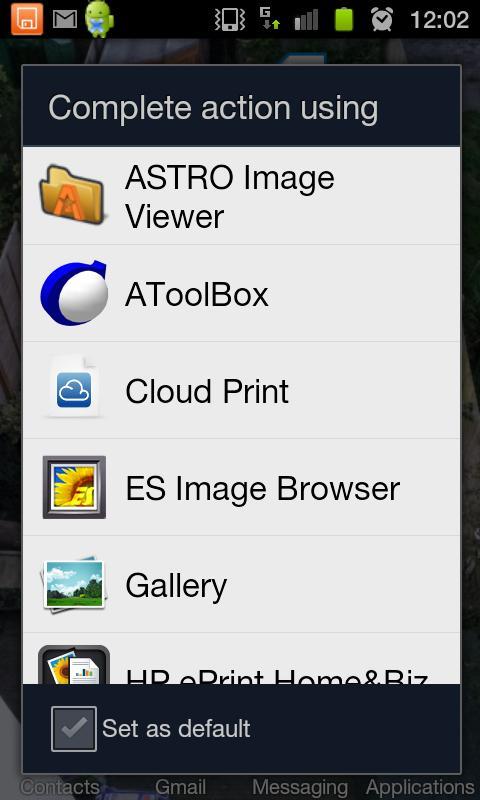
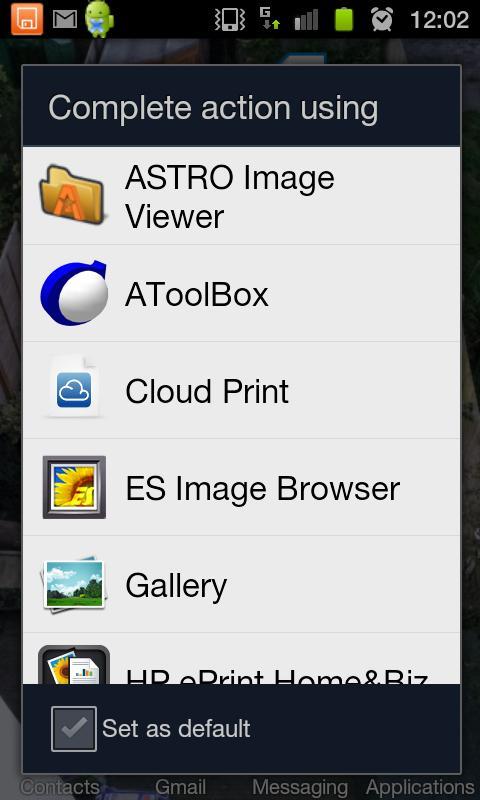
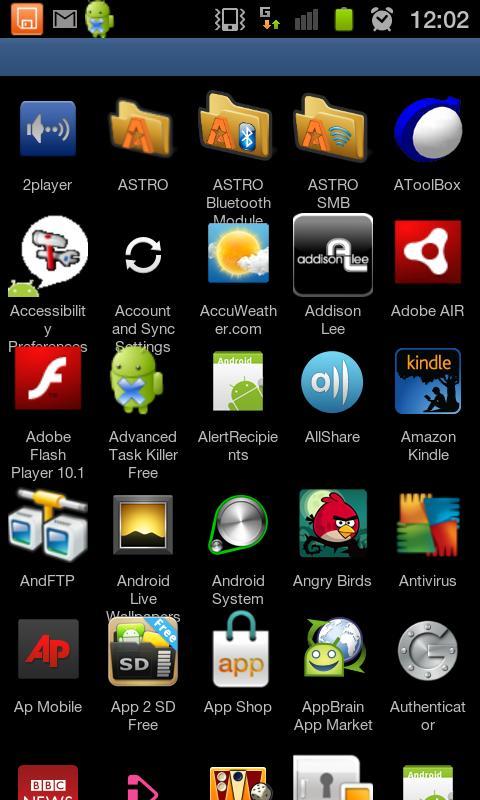
aToolBox will present itself in the "Complete Action Using" or the "Share via" menus and from there you can choose to either:

-Save the file to disk and then open it with an application of your choice from a complete list of installed applications.

or

-Open it directly with the chosen application.

Instructions

Chose aToolBox from the "Complete Action Using" menu to download, open or share any file by saving it to a folder first (you can edit the folder and file name). Once saved you can choose to open the file with any application from a complete list of applications installed on the device.

App Open

Ability to handle "Complete Action Using" and "Share" actions then choose from a complete list of installed applications to handle the file directly.

Please note

I have found limited success in opening files directly, in fact I may remove this feature as I find it rarely works. Rather save them to disk first, then open them.

Feedback

Please provide feedback or suggestions to: [email protected]

What's New in the Latest Version 4

Last updated on May 23, 2016 Faster: Offers choice to save file or load directly (previously loaded application list by default).
More functionality: Handles 'Share via' handler e.g. for saving a web page from a browser.
Better user experience: Progress dialogue when loading applications rather than a blank screen; Application list and adverts load in an asynchronous task.
Better support for lower Android versions: Requires Android version 2.2+ (previously 2.3+)
Download(87.82KB)
Users also viewed
  • Dialer MetalGate Aqua theme

    Dialer MetalGate Aqua theme

    100 December 1, 2025
  • Laredo, TX - weather and more

    Laredo, TX - weather and more

    1.0 December 1, 2025
  • Air4ASEAN

    Air4ASEAN

    1.0.7 December 1, 2025
  • RunCam HD App

    RunCam HD App

    1.1 December 1, 2025
  • Root Verifier

    Root Verifier

    2.0 December 1, 2025
  • Mountain Weather

    Mountain Weather

    1.8.2 December 1, 2025
  • Pest Detection

    Pest Detection

    4.0 December 1, 2025
  • ADWTheme Symbian

    ADWTheme Symbian

    1.0.5 November 30, 2025
  • Third Party Inspections

    Third Party Inspections

    1.6 November 30, 2025
  • Key Chain

    Key Chain

    1.7 November 30, 2025
  • dodol Phone (data)

    dodol Phone (data)

    3.1.33 November 30, 2025
  • Fast Translator

    Fast Translator

    1.0 November 30, 2025
  • Kawaii Pic

    Kawaii Pic

    1.085 November 30, 2025
  • South African ID

    South African ID

    7.4.0 November 30, 2025
  • Puppies Live Wallpaper

    Puppies Live Wallpaper

    2.12 November 29, 2025
About Privacy Policy Terms of Service Cooking Policy

© Copyright 2017-2025 downzq.com