

App Fetch makes it easier to find, launch and organize your applications.
App Fetch (app filter, organizer and launcher) - Find and launch your applications without scrolling.
Ever find yourself scrolling backwards and forwards trying to find an app? Maybe, it is because you have a lot of apps and pages. Maybe, you don’t use that app very often and forgot where it was. Maybe, you don’t have time to organize manually into folders. Or, maybe, you even forgot what it is called. Still, your eyes are tired and you would like some help.
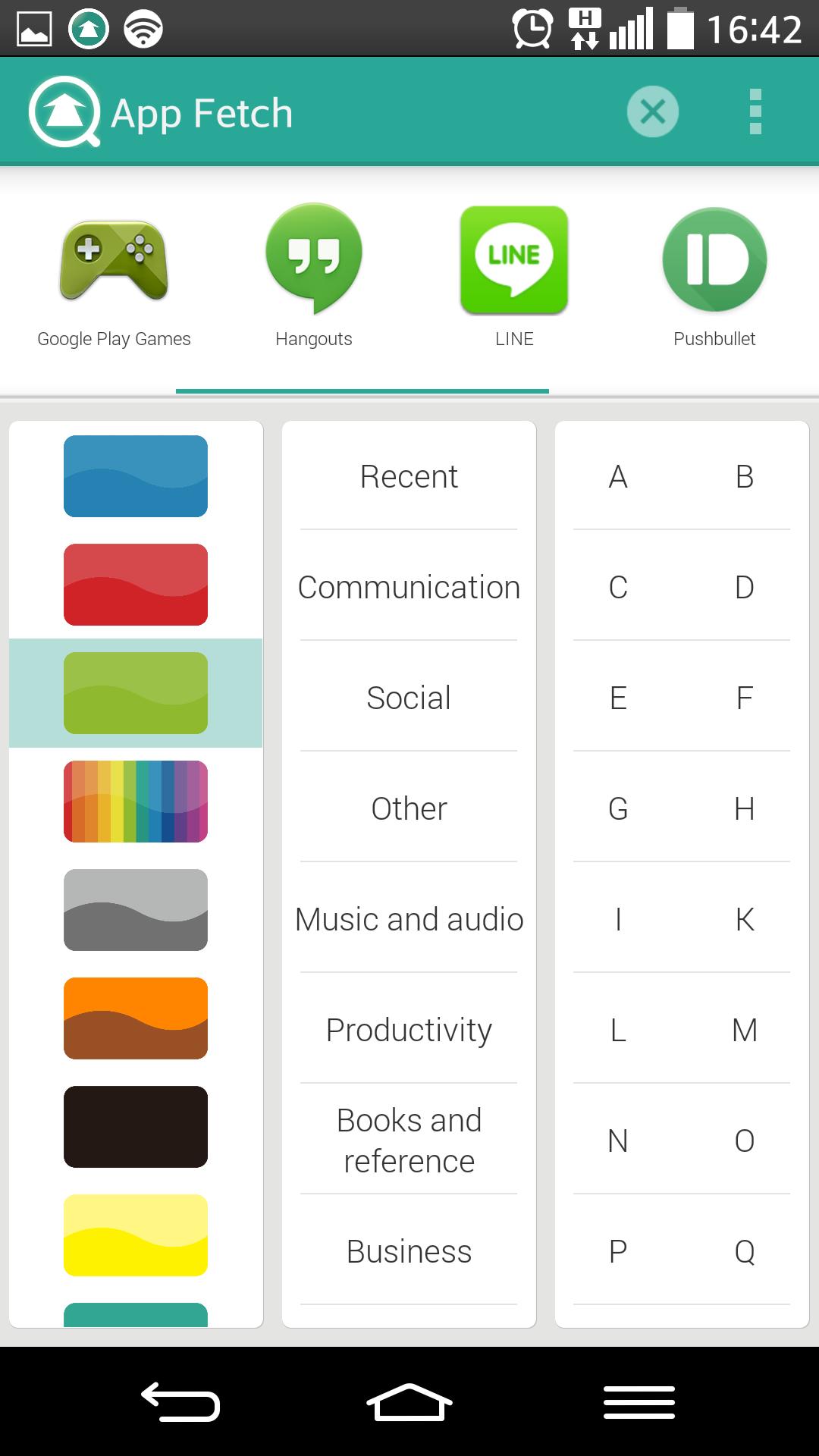
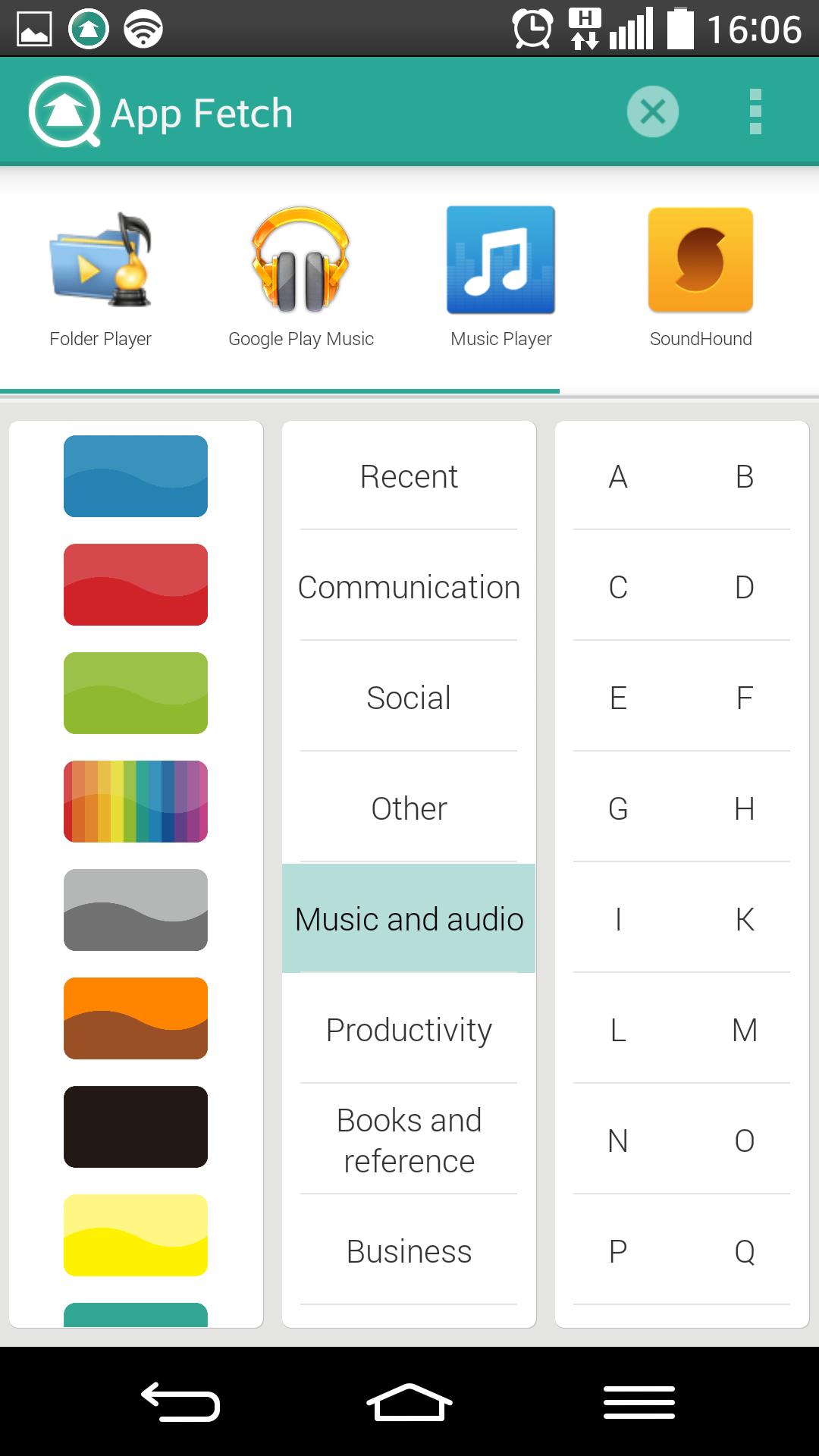
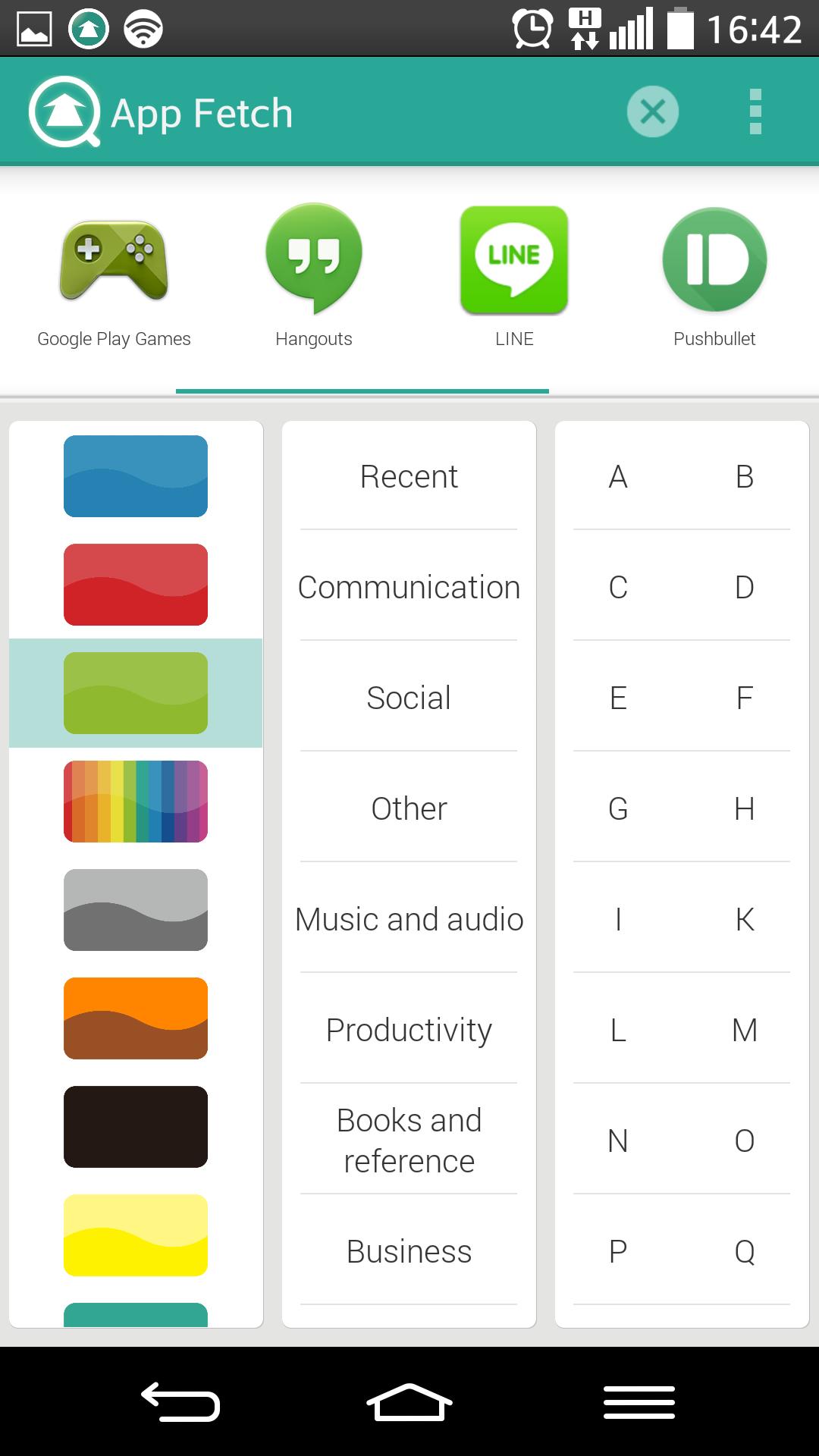
App Fetch's patent pending technology automatically organizes your apps by icon color, first letter of the alphabet and GooglePlay categories. These filters - icon color, first letter of the alphabet and GooglePlay categories - are then arranged on tabs on scroll able columns next to each other. You can then find your app by simply tapping anyone of the tabs and then narrowing down by one or two of the others. You never have to leave App Fetch main page to find your app.
For example, press 'F', 'Social' and 'Blue' to get Facebook. Just pressing 'F' would get all the apps beginning with the letter 'F', to then press 'Social' will remove all 'F' apps that are not related to 'Social' and a further press of 'Blue' will remove all other colors so we are only left with apps that have a blue icon, are found under communication and begin with the letter F.
Flexible way to change search results
You can change the app search results in two different ways:
Just need to change one filter - If you only need to change one filter. For example, you pressed Blue, F, and Social, but then you remember the app icon is red - You don't need to do another search just tap Red and App Fetch will give you the results for Red, F, Social. You can do this as many times as you want.
New Search - If you want to cancel the search results and start fresh, just tap the X at the top.
Floating window
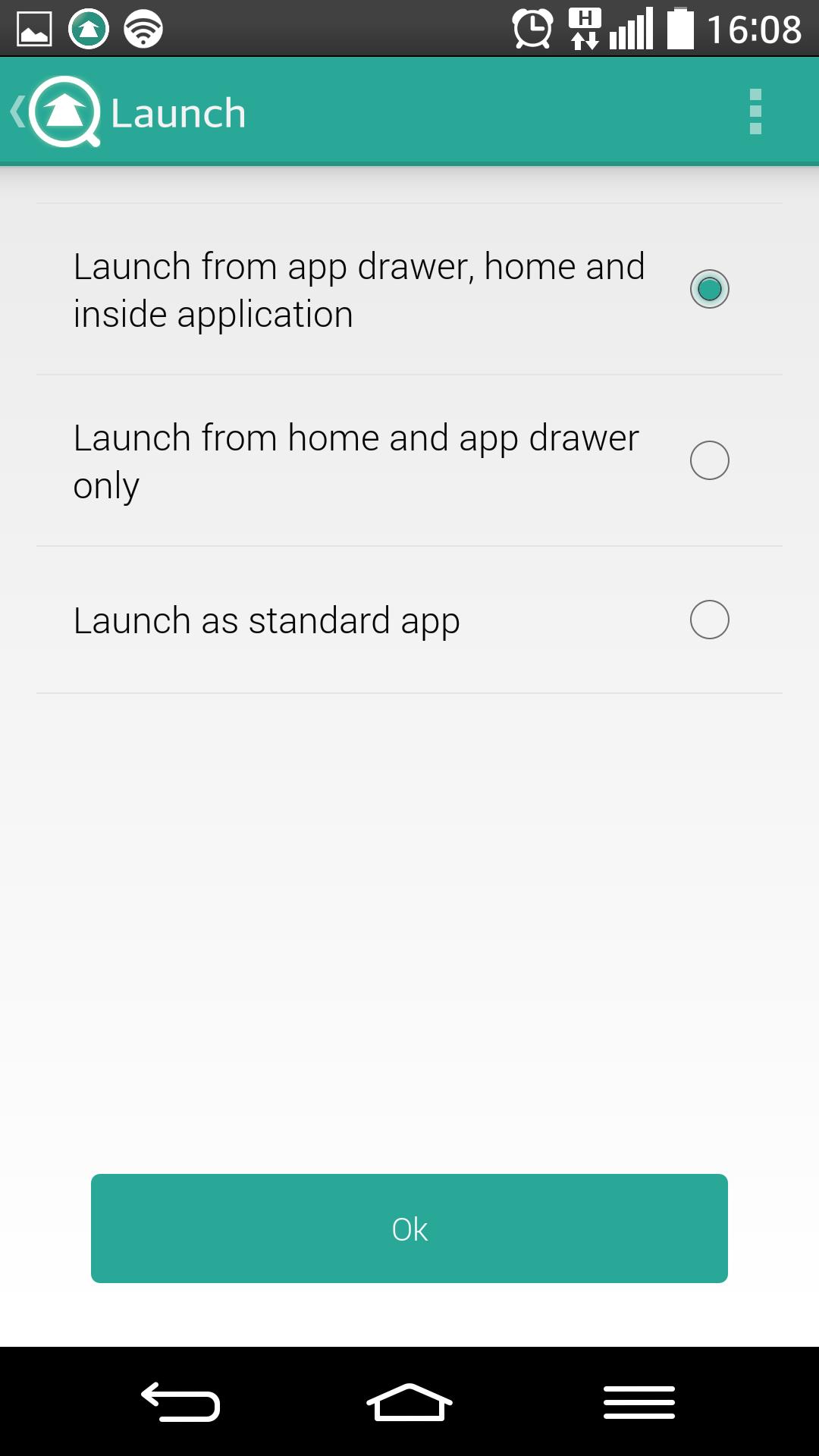
To get to your apps even faster you can turn on the floating window which, like Facebook Messenger, will give you icon that sits at the edge of the screen even while you are using an app. This way you can launch App Fetch even faster. This feature is entirely optional and can be turned on and off on the menu by pressing Launch Preferences.
Other Features
App Fetch has a number of inapp purchases to improve usage:
Remove Ads
App Fetch is ad supported but to maximize screen space and get an extra row or so to reduce scrolling you can remove ads.
Uninstall
App Fetch makes it easier to not only find and launch your apps, but also to find and uninstall. Once you have found and narrowed down to your app you can then uninstall in 2 ways:
Tap and hold on an icon in the search results box.
Go to edit categories, tap uninstall at the top and then choose an icon.
Edit Categories
This is an option to personalize the middle column. If you prefer to name the categories differently or reduce/increase the number, you can do so with our rename, add and delete category functionality.
App Fetch brings the following benefits to help you find, search, uninstall and launch your apps:
1) Speed – Tapping on any of the filters instantly delivers results in the search area for you to tap on and launch. Much quicker if you don't remember where your app icon is, but also quicker than having to scroll through several pages.
2) Many filters and clues – If you forget the name of an app you are looking for you have a 2nd chance to find it without having to just scroll aimlessly through the pages of your app drawer. For example, you might remember that it is a game or a productivity app and therefore you can tap those tabs.
3) Column and tab layout – Even if you don't remember the color or category the tab and column layout helps you to search more systematically and faster. For example, start at the top of the column of tabs and work your way down.
4) Automation – As more apps are added or deleted App Fetch will dynamically add them to the right filter.
Note: Minimum Android requirements is 4.0.



 Download