• Home
  • Games
    Action-adventure Simulation Business Role Playing Sports Competition Casual Intelligence Card Strategy Music Rhythm Text Puzzle Flying Shooting Love Development
  • Apps
    Business Office Newsletter Social Life Entertainment Online Shopping Practical Tools Travel Financial Management Educational Learning Information Reading Sports and Health
  • Articles

English 中文(简体) 中文(繁体) 한국어 日本語 Português Español Русский العربية Indonesia Deutsch Français ภาษาไทย
Home Apps Business Office AiWiFi
AiWiFi

AiWiFi

1
2
3
4
5
Download
  • Version 1.8.0
  • Category Business Office
  • Package Name jp.co.a_i_service.aiwifi
  • Update Time December 24, 2025
  • Size 389.49KB
About this app

Enjoy millions of the latest Android apps, games, music, movies, TV, books, magazines & more. Anytime, anywhere, across your devices.

Upload files in the specified folder to online strages automatically.

Now ftp(s),Dropbox,SugarSync is available.

The paid app(AiWiFi Pro) is available.

Please use the paid app if you want to use limited function.

Setting method

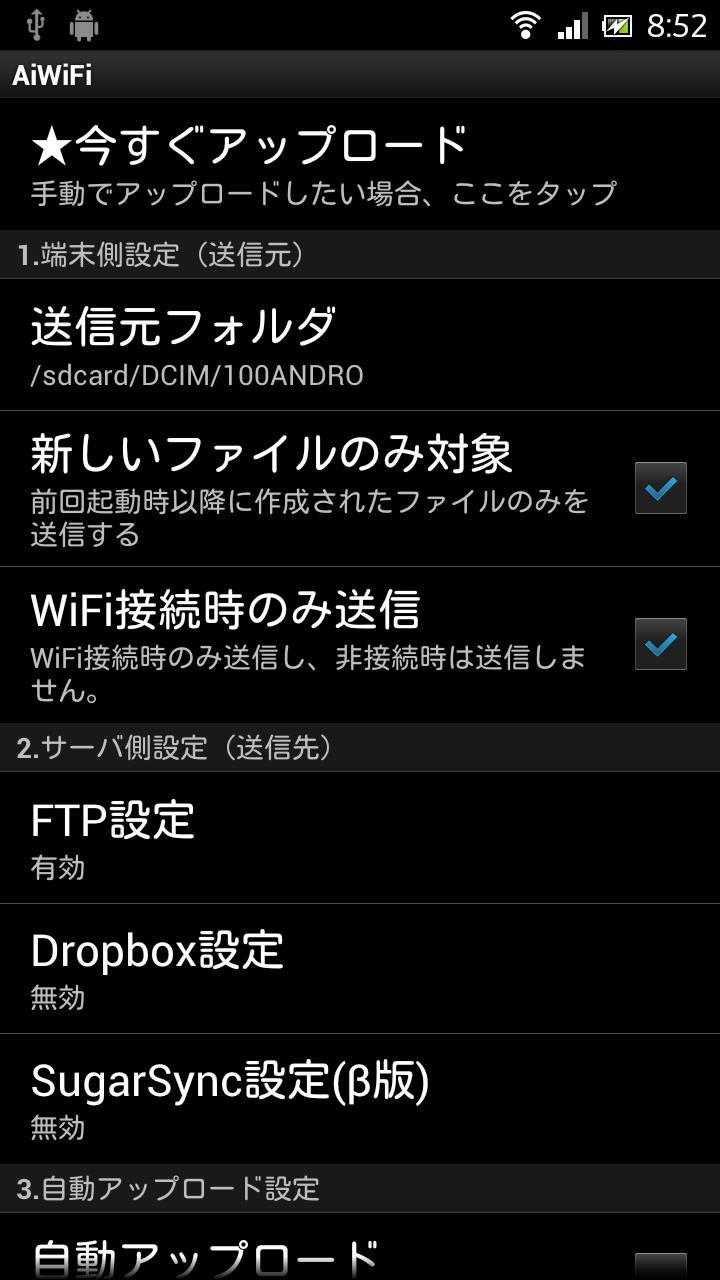
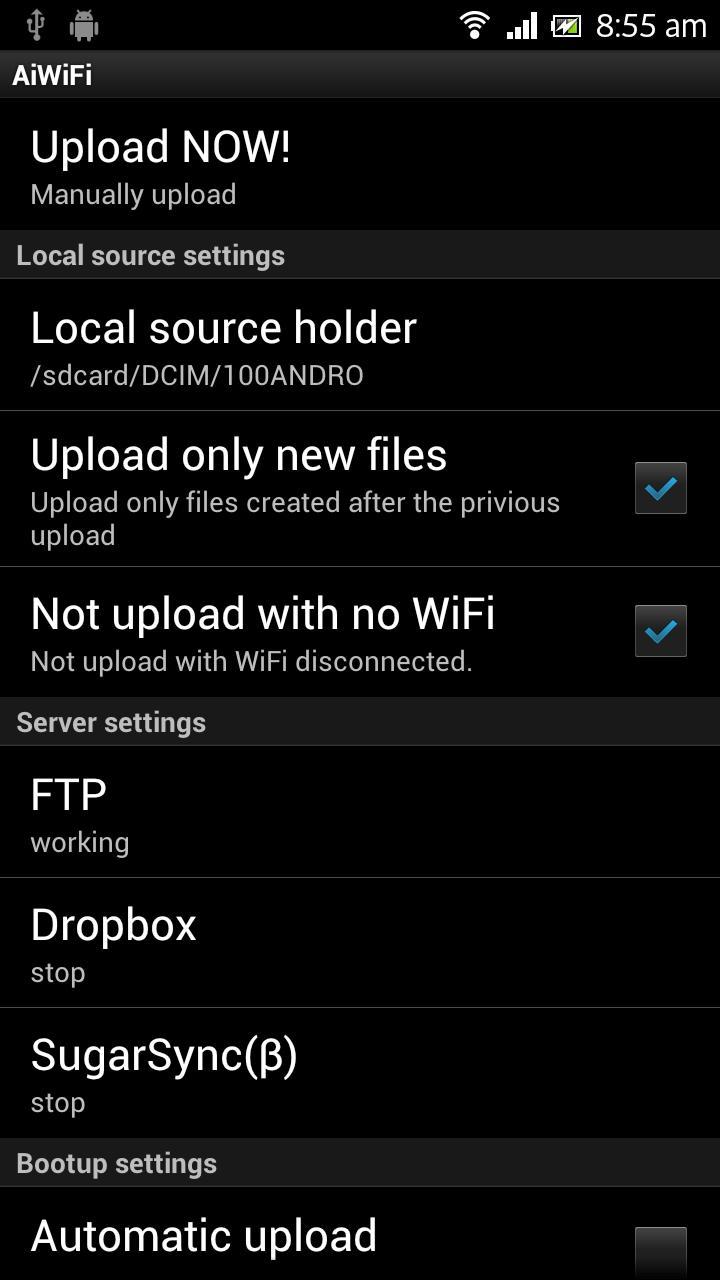
1. Upload settings.

Set up Source holder.

Set up Upload interval.

2. Server settings

Turn on Upload to ***

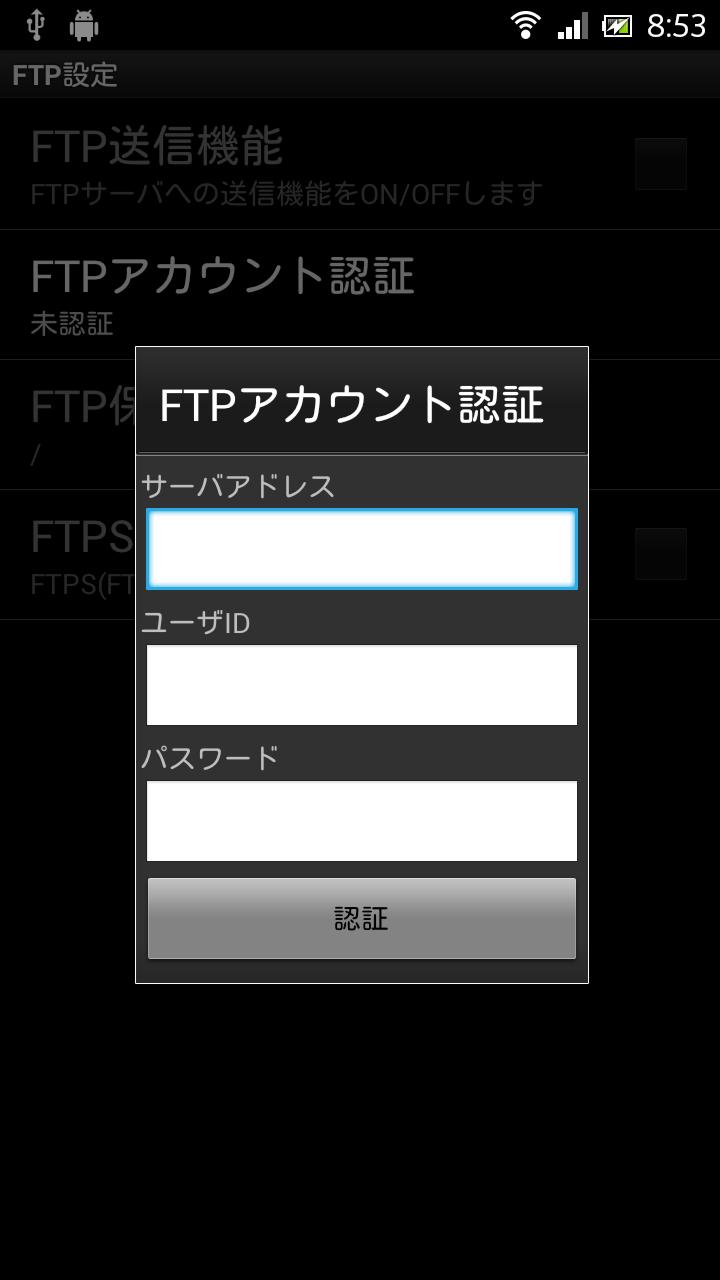
Set up Host,UserID,Password for FTP.

Set up Dropbox account for Dropbox.

Set up E-mail,Password for Sugarsync.

Set up a destination holder.

3. Enable upload.

Turn on Enable upload, and this application starts upload regularly according to the upload interval.

Click "Upload NOW!" on the top of list when you start up immediately.

Before using this application

Confirm whether the files were uploaded correctly before full-scale operation. If they are not uploaded, confirm settings.

FAQ

Files on the subholders are not sent.

Function limitation

The existing files are not sent.

Detailed information

http://www.a-i-service.co.jp/AiWiFi.html

Other information

The options window is viewed narrowly with Android3.0- devices.

Changes.

Version 1.8.0

Change PreferenceScreen.

Choose folder,not directly-input.

Authnicate account with setting.

Set dependencies.

Exactly stop service after servce finished.

Change upload to not upload,when turn on "Automatic upload" and reboot terminal.

Version 1.7.0

Fixed blinking notification.

Add FTPS function.

Version 1.6.0

Cancelled Evernote function.

Version 1.5.0

Catch up with new authenticate method of Sugarsync API.

Cancelled Windows Share(SMB) function.

Version 1.4.0

"Include all folders and files in the subfolder(α)" was added as a trial feature.(Now canceled)

What's New in the Latest Version 1.8.0

Last updated on Jan 5, 2016 Change PreferenceScreen.
Choose folder,not directly-input.
Authnicate account with setting.
Set dependencies.
Exactly stop service after servce finished.
Change upload to not upload,when turn on "Automatic upload" and reboot terminal.
Download(389.49KB)
Users also viewed
  • SphinxSurvey (SphinxMobile)

    SphinxSurvey (SphinxMobile)

    2.1.0 January 13, 2026
  • My India

    My India

    1.4 January 13, 2026
  • Add-On: Lenovo (c)

    Add-On: Lenovo (c)

    15.50.9076 January 13, 2026
  • HRMS

    HRMS

    1.2.3 January 13, 2026
  • WebView Android App

    WebView Android App

    1.2 January 12, 2026
  • ZED Arduino Android BT

    ZED Arduino Android BT

    1.7 January 12, 2026
  • Canal De Bendicion

    Canal De Bendicion

    11.0.0 January 11, 2026
  • Bricoma

    Bricoma

    1.3 January 11, 2026
  • Sri Lanka Prayer Times

    Sri Lanka Prayer Times

    Acju 2025 Time Update. January 11, 2026
  • Vecka

    Vecka

    1.3 January 10, 2026
  • Namaz Vakitleri

    Namaz Vakitleri

    2020_ramazan January 9, 2026
  • FastPay Wallet

    FastPay Wallet

    2.3.47 January 9, 2026
  • Huma HR

    Huma HR

    1.38.5 January 8, 2026
  • GQueuesInbox

    GQueuesInbox

    r2 January 7, 2026
  • Safe Vault - Lock and Hide!

    Safe Vault - Lock and Hide!

    2.1.3 January 7, 2026
About Privacy Policy Terms of Service Cooking Policy

© Copyright 2017-2026 downzq.com