

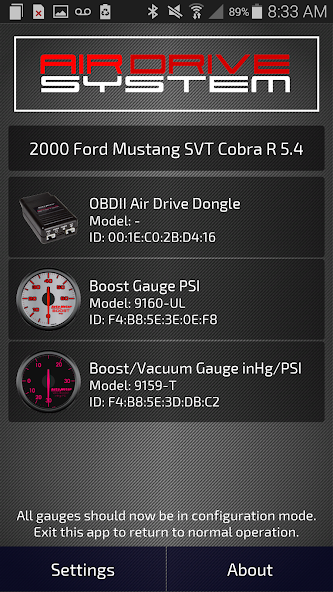
The AutoMeter AirDrive Configuration App puts you in control of your system
The AutoMeter AirDrive System Configuration App puts you in control of your AirDrive Instrumentation System.
The AutoMeter AirDrive System is the most advanced OBDII based plug-n-play perfromance instrumentation solution in the market. This highly engineered system delivers the best in instrumentation accuracy, ease of installation, and user configuration. The AirDrive System eliminates the need to install sensors by repurposing sender data that is already present on your vehicle by wirelessly transmitting this data from your vehicle (through the OBDII port) to AutoMeter's Award Winning AirDrive gauges.
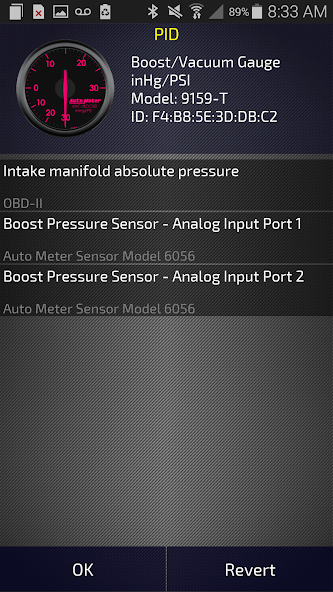
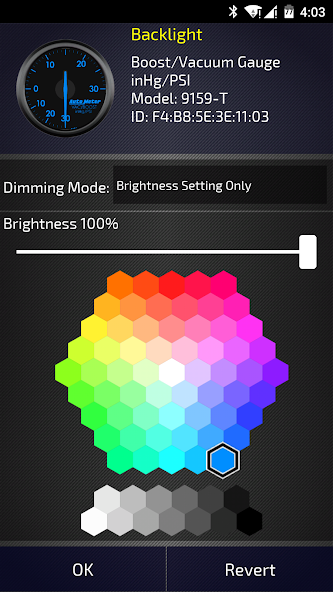
The free AirDrive System Configuration App enables you to easily see what vehicle data (PID's) is available from your vehicle, and then it helps you effortlessly pair that data with the appropriate AutoMeter AirDrive gauge. The app then lets you fully customize the look and functionality of your AirDrive gauges. You can select custom backlighting colors, visual alarms and warning points, and see minimum and maximum values recorded for each gauge on your system. Each AirDrive Control Module (which plugs into our vehicles OBD II Port) interfaces with your AirDrive System Configuration App and can drive up to three separate gauges.
Because all vehicles are different and utilize different communication protocols, we High Recommend that you verify your vehicle’s compatibility with this advanced technology system by downloading the app and using the integrated compatibility tool to verify that your vehicle is covered and which gauges will function in the plug-n-play mode.
The thousands of vehicles we’ve interacted with (this list keeps growing!) are displayed in the configuration utility in the preview mode along with the available PIDs for those vehicles so you can easily see if your vehicle and gauge are covered. The availability of a PID from your vehicle for a gauge that you would like to add your system is an excellent indicator that this system should work in plug-n-play mode on your vehicle. The full application is unlocked as soon as it is paired with the AutoMeter AirDrive Module.
The AutoMeter AirDrive Configuration App puts you in control of your system.


 Download