

Вся коллекция 3C в одном пакете! *
Вся коллекция 3C в одном пакете! *
* Except 3C Sensitive Backups and 3C Legacy Stats which are not allowed by Google to be included in this app.
3C All-in-One Toolbox combines many features into one giant toolbox with a modern and easy-to-use interface. Every tool you need to monitor, control and fine-tune all your Android devices.
Fastest and most friendly support on Play Store. Feel free to send a request from app settings, help and support mentioning your concerns.
Permissions detailed here
Some features may require root or using 3C Companion app for PC starting with Android 6+.
This app offers 2 accessibility services to help you stop apps easily or backup apps' data automatically, both of which will never ever collect any information. политика конфиденциальности
★ Go pro or use in-app purchases to unlock the following features
Hide any tabs or any menu item
Edit main screen buttons up-to 4x6 grid
Multi/auto-select and sort apps
Auto backup and new app notification
Recording items and options
Create multiple schedules, watchers and profiles
Automatic battery markers and manage multiple batteries
Notification shortcut to access any features from status notification
Many extra widgets
Here are some of the app features:
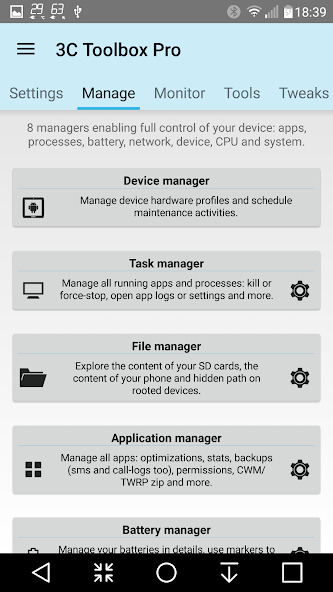
★ Device manager offers very powerful profiles, task scheduling and device watchdog
★ File manager is a very simple, yet very powerful explorer with thumbnails, folder size and more. Stream your videos and photo directly to your favorite player. Both locally or from any Samba, FTP, WebDAV, Google Drive or Dropbox locations.
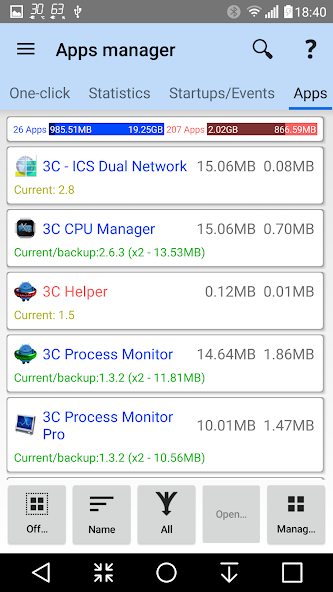
★ Application manager provides backup/restore of all your favorites apps, including ability to import Titanium Backup! Also allows you to secure and customize your apps' events, orientation, full-screen and control permissions with Xposed framework.
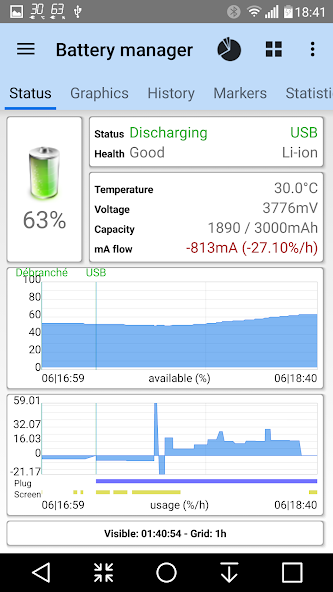
★ Battery manager helps you analyze and improve your consumption. Complete data (including mA) and charge cycles history, custom statistics based on profiles, consumption estimates in use or standby. Special support for dual battery devices, battery changes and LG Quick Circle and Samsung Edge notifications
★ Network manager allows configuring and monitoring your network traffic.
★ Task manager offers a simple UI yet very effective in sorting apps by various usage and getting rid of unwanted apps
★ CPU manager controls single to octacore CPUs, thermal, multi-core and most custom kernel settings
★ System manager allows configuring Linux kernel settings.
★ ROM manager allows configuring Android OS settings.
★ Monitoring and recording all applications, and hardware components activities. Includes status bar notifications with historical graphics.
★ System component switches in app, in widgets or using profiles allows switching on/off about 20+ device components (WiFi, Bluetooth, etc)
★ Information notifications allowing to display key information in status bar.
★ Line indicators displaying simple information visually on top of everything.
★ Quick settings to quickly access app features or toggle various system components.
★ Toolbox integration allows for battery management, controlling hardware and managing apps from anywhere.
★ Highly configurable UI allows you to transform the app into something you really like
★ Highly configurable widgets , from a simple gauge to more complex data display, component toggles, and historical graphics
For advanced debugging/investigations:
★ Terminal Emulator & Script Editor allows sharing and running scripts optionally on boot
★ System Logcat and Kernel Reader * provides advanced filtering and search.















 Скачать