

OutSmart est la solution générique numérique pour remplacer le commandement de la papier.
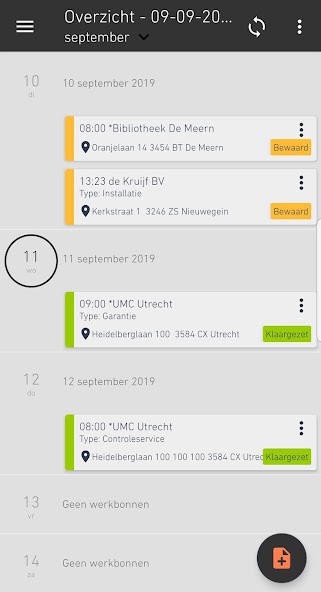
OutSmart est la solution générique numérique pour remplacer le commandement papier, pour l'entrepreneur qui souhaite réussir à mettre en place le service sur le terrain plus efficacement. You register your hours and items on the work order. You can add photos of your work (eg before and after) and your customer will sign digitally. Directly on the smartphone or tablet. We then make sure that the receipt is sent to your customer as a PDF in an email. Simple and effective.
En écoutant attentivement le marché et toutes les suggestions sur les versions précédentes de OutSmart , nous avons créé un formulaire de travail standard, il est en outre possible de créer vos propres formulaires et de les envoyer avec un bon de travail. Would you like to send an SMS to your customer automatically after scheduling a work order? No problem at all. It is also possible to integrate OutSmart into your business environment. Our online environment can be linked to any ERP or CRM package.
The work order
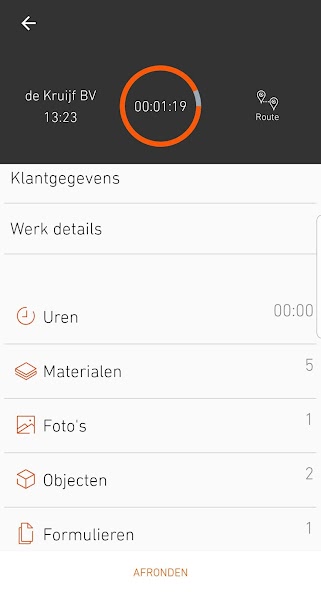
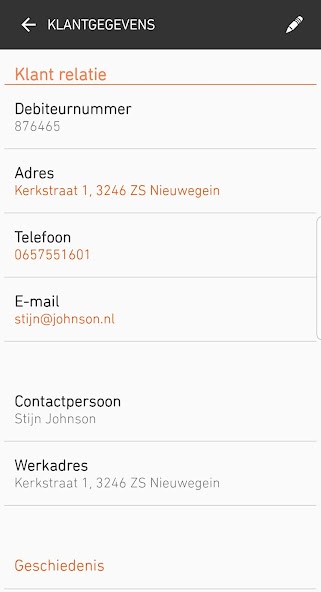
Filling out the work order is very simple. Enter the client and customer and select the type of work. Then you go through the buttons (activities & hours, materials etc.). New fields will appear.
When you are finished, click on Send and the work order will be sent to your customer with the work order attached as a PDF.
Various attachments can be added to the work order. You can upload your own photos, videos, documents and other files and add them to the work order.
Tips: at the top of the screen you will see a start button. The button allows you to automatically start the timekeeping process.
Do you want to delete lines or receipts? Then press 3 seconds on the line you want to delete.
Compte Web
If you want to make optimal use of the App, create a web account at https://out-smart.com and link one or more apps directly.
The web account is designed for the planner(s) in the office. You can easily plan the entire field service through the digital plan board. And with track & trace you can see at a glance where the people are active within office hours. In the web account you can easily enter articles and relations or import them from Excel. These are synchronised to your app. This allows you to continue working with the app even if you have no internet access. Upload your company logo and personalise the app.
Good luck and job satisfaction!
The app can be used with or without an account at www.out-smart.com.




 Télécharger